Most WordPress SEO guides stop at “install a plugin and add a sitemap.” This one doesn’t.
This guide covers the full technical architecture stack — crawl governance, indexing control, کور ویب وائٹلز آپٹیمائزیشن، اسکیما مارک اپ، سرور لیول کی اصلاحات، اور اے آئی دور کے سگنلز جو 2026 میں درجہ بندی کو تبدیل کر رہے ہیں. And throughout, we’ll show you exactly how اسکائی ایس ای او مینیجر handles each layer so you’re not juggling five different tools.
Let’s get into it.
مندرجات کا جدول
- گوگل درحقیقت آپ کی ورڈپریس سائٹ کو کیسے پروسیس کرتا ہے
- کرال آرکیٹیکچر: ورڈپریس ایس ای او کا سب سے زیادہ نظر انداز کیا جانے والا مسئلہ
- Robots.txt: Stop Wasting Google’s Time
- ایکس ایم ایل سائٹ میپس کا درست طریقہ
- انڈیکسنگ کنٹرول: کینونیکلز، نو انڈیکس، اور کرال اسکلپٹنگ
- یو آر ایل اسٹرکچر اور پرمالنک آپٹیمائزیشن
- کور ویب وائٹلز: ورڈپریس کے لیے ایل سی پی، آئی این پی، اور سی ایل ایس
- ایچ ٹی ٹی پی ایس، ری ڈائریکٹس، اور 404 کا مسئلہ
- اسکیما مارک اپ: بنیادی باتوں سے آگے
- انٹرنیشنل ایس ای او اور کثیر لسانی ورڈپریس
- WordPress Technical Debt You’re Probably Ignoring
- تکنیکی ایس ای او آڈٹ چیک لسٹ
- اگلا کیا بنانا ہے: ٹاپیکل اتھارٹی میپ
ورڈپریس میں تکنیکی ایس ای او سب سے زیادہ فائدہ مند کام کیوں ہے
Here’s an uncomfortable truth: you can write the best article on a topic and still lose to a technically superior site with mediocre content.
2026 میں، گوگل اب صرف ٹیکسٹ میچنگ انجن نہیں رہا۔ یہ گوگل بوٹ کے ساتھ کرال کرتا ہے، جاوا اسکرپٹ کو رینڈر کرتا ہے، اندازہ لگاتا ہے صفحے کے تجربے کے اشارے, measures Core Web Vitals in real time, and uses AI models to understand relationships between content types. A site with broken technical infrastructure is invisible — regardless of how good the content is.
ورڈپریس انٹرنیٹ کی 43 فیصد ویب سائٹس کو طاقت دیتا ہے۔ لیکن یہ مقبولیت ایک چھپے ہوئے ٹیکس کے ساتھ آتی ہے: ورڈپریس باکس سے باہر آپٹمائزڈ نہیں ہے تکنیکی ایس ای او کے لیے۔ اس کا ڈیفالٹ یو آر ایل ڈھانچہ ڈپلیکیٹ آرکائیوز، ٹیگ پیجز، مصنف کے صفحات، اور زمرے کے اوورلیپس کو ظاہر کرتا ہے جو خاموشی سے کرال بجٹ کو ضائع کرتے ہیں۔ اس کی ڈیفالٹ امیج ہینڈلنگ غیر فعال ہے۔ اس کا پلگ ان ایکو سسٹم رینڈر کو روکنے والی اسکرپٹس کی کان کنی کا میدان ہے۔
This guide fixes all of that — systematically.
1. گوگل دراصل آپ کی ورڈپریس سائٹ کو کیسے پروسیس کرتا ہے
کسی بھی سیٹنگ کو چھونے سے پہلے، سمجھیں کہ جب گوگل بوٹ آپ کی سائٹ پر آتا ہے تو کیا ہوتا ہے۔ کرال-رینڈر-انڈیکس پائپ لائن اس طرح کام کرتی ہے:
Googlebot discovers URL
        ↓
Checks robots.txt — can it crawl this?
        ↓
Fetches HTML from your server
        ↓
Renders JavaScript (Chrome-based renderer)
        ↓
Evaluates indexability signals (canonical, noindex, meta robots)
        ↓
Assesses page experience (Core Web Vitals, HTTPS, mobile)
        ↓
Extracts entities, links, structured data
        ↓
Decides to index and assigns quality signals
Most WordPress site owners only think about steps 5–8. Steps 1–4 are where most sites bleed authority, crawl budget, and rankings silently.
The 2026 shift: Google’s crawler now uses its Multitask Unified Model (MUM) to understand relationships between content types — meaning your content’s semantic completeness matters as much as its technical accessibility. A technically perfect page with thin content still doesn’t win.
2. کرال آرکیٹیکچر: ورڈپریس ایس ای او کا سب سے زیادہ نظر انداز کیا جانے والا مسئلہ
What Is Crawl Budget — and When Does It Actually Matter?
Crawl budget is the number of pages Googlebot will crawl on your site within a given time period. For small sites under ~500 pages, it’s rarely a limiting factor. For larger sites — e-commerce stores, membership sites, publication archives — it becomes critical.
گوگل کرال بجٹ کا حساب دو اشاروں کی بنیاد پر لگاتا ہے: آپ کا سرور صارف کے تجربے کو خراب کیے بغیر گوگل بوٹ کو کتنی تیزی سے ہینڈل کر سکتا ہے، اور آپ کے صفحات کتنے مقبول اور تازہ نظر آتے ہیں۔
The problem: WordPress generates enormous amounts of low-value URLs by default. Every tag, category, author archive, pagination variant, and date archive is a separate URL Googlebot can — and will — crawl. If your site has 200 real pages but 1,400 discoverable URLs because of WordPress’s default behavior, Googlebot may never reach your most important content.
ورڈپریس یو آر ایل بلوٹ: چھپا ہوا کرال ٹیکس
A typical WordPress site generates these URL types you probably didn’t intentionally create:
| یو آر ایل کی قسم | مثال | ایس ای او ویلیو |
|---|---|---|
| ٹیگ آرکائیوز | /tag/wordpress-seo/ | کم (عام طور پر پتلا) |
| مصنف کے آرکائیوز | /author/admin/ | کم (ڈپلیکیٹ مواد کا خطرہ) |
| تاریخ کے آرکائیوز | /2023/04/15/ | تقریباً صفر |
| پیجینیشن ویرینٹس | /page/2/, /page/3/ | سیاق و سباق کے مطابق |
| تلاش کے نتائج کے صفحات | /?s=keyword | Zero — infinite, must be noindexed |
| فیڈ یو آر ایلز | /feed/, /comments/feed/ | تقریباً صفر |
| اٹیچمنٹ صفحات | /wp-content/uploads/... | صفر |
کرال کے ضیاع کا آڈٹ کیسے کریں: Use Screaming Frog to crawl your site and export all discoverable URLs. If the total is more than 3× your intentional page count, you have a crawl waste problem. Cross-reference with Google Search Console’s Coverage report — if it shows thousands of “Discovered — currently not indexed” URLs, that’s diagnostic gold pointing directly to your crawl waste problem.
3. Robots.txt: Stop Wasting Google’s Time
WordPress’s default robots.txt does one thing: it blocks /wp-admin/. Everything else is wide open — which means Googlebot is happily crawling your search result pages, attachment pages, admin AJAX endpoints, and feed duplications.
SkySEOManager کے ساتھ Robots.txt کا انتظام
SkySEOManager میں ایک سرشار Robots.txt مینیجر ٹیب شامل ہے جس میں دو مطابقت پذیر ایڈیٹنگ موڈز ہیں:
- بصری اصول بنانے والا — Add Allow, Disallow, or Sitemap directives without touching code. You select the directive type, enter the path, and it’s added instantly.
- خام کوڈ ایڈیٹر — Synced in real time with the visual builder. Switch between modes at any point; changes in one immediately reflect in the other.
نمایاں خصوصیت: کلک کریں “AI Analyze” اور جیمنی آپ کی پوری robots.txt فائل کا جدید SEO بہترین طریقوں کے مطابق جائزہ لیتا ہے، خطرناک اصولوں کی نشاندہی کرتا ہے اور بہتری کی تجویز دیتا ہے۔ یہ اس کام کو، جو پہلے ایک تکنیکی SEO کنسلٹنٹ کا کام تھا، دو منٹ کے کام میں بدل دیتا ہے۔
پروڈکشن کے لیے تیار ورڈپریس Robots.txt
Here’s a solid starting point you can paste into SkySEOManager’s raw editor:
User-agent: *

# WordPress system areas
Disallow: /wp-admin/
Disallow: /wp-login.php
Disallow: /wp-content/plugins/
Disallow: /wp-content/themes/
Disallow: /wp-includes/

# Infinite/zero-value URL spaces
Disallow: /?s=
Disallow: /search/
Disallow: /feed/
Disallow: /*/feed/
Disallow: /*/trackback/
Disallow: /trackback/

# Thin archive pages (evaluate per site)
Disallow: /author/
Disallow: /date/

# Allow CSS/JS so Googlebot can render your pages
Allow: /wp-content/themes/*.css
Allow: /wp-content/themes/*.js
Allow: /wp-content/plugins/*.css
Allow: /wp-content/plugins/*.js

Sitemap: https://yoursite.com/sitemap.xml

# AI crawler governance (2026)
User-agent: GPTBot
Disallow: /

User-agent: anthropic-ai
Disallow: /

User-agent: CCBot
Disallow: /
اہم فرق: Blocking a URL in robots.txt does NOT prevent it from being indexed if it’s linked from external pages. Google can still list a blocked page in SERPs based on external signals. Robots.txt governs crawling — it does not control indexing. For actual de-indexing, use noindex کرال کے قابل صفحات پر۔ کبھی بھی robots.txt میں بلاکنگ اور ایک ہی URL پر noindex کو اکٹھا نہ کریں۔

2026 AI کرالر پر غور
AI crawlers (GPTBot, anthropic-ai, CCBot, PerplexityBot) now consume significant server resources. Whether to allow or block them depends on your strategy. If you want AI-generated summaries to reference your content — a strategy called Answer Engine Optimization (AEO) — allow them. If you’re concerned about content scraping without attribution, block them. Run SkySEOManager’s AI Analyze feature to think through the tradeoffs for your specific setup.
4. XML سائٹ میپس کا درست طریقہ
Your sitemap is your direct communication channel to Google about what matters on your site. Auto-generating one is a start — but most sites do it wrong.
SkySEOManager’s Sitemap Tab
نیویگیٹ کریں SkySEOManager → Sitemap تاکہ:
- ایک ٹوگل کے ساتھ سائٹ میپ جنریشن کو فعال کریں
- Select exactly which public post types to include — posts, pages, products, custom post types
- اپنے سائٹ میپ تک فوری رسائی حاصل کریں
/sitemap.xml
If your site uses TranslatePress for multilingual content, SkySEOManager automatically creates language-specific sitemap variants for each selected post type — a significant technical lift handled automatically.
اپنے سائٹ میپ سے کیا خارج کرنا ہے
ایک صاف سائٹ میپ گوگل کو بتاتا ہے کہ کیا اہم ہے۔ ہر چیز کو شامل کرنا سگنل کو کمزور کرتا ہے۔
خارج کریں:
- Tag archive pages (unless they’re content-rich editorial hubs)
- مصنف کے آرکائیوز
- تاریخ پر مبنی آرکائیوز
- صفحہ 1 سے آگے کے پیجینیٹڈ ورژنز
- تھینک یو صفحات، لاگ ان صفحات، اکاؤنٹ صفحات
- Any URL you’ve marked
noindex
بڑا گناہ: شامل کرنا noindex URLs in your sitemap. This sends Google contradictory signals — include this, but also ignore it. Use SkySEOManager’s Indexing & SEO Box tab to set default noindex rules per post type, then keep those types out of your sitemap settings.
Google Search Console میں اپنے سائٹ میپ کی نگرانی
After submitting via GSC → Sitemaps, watch for these errors monthly:
- “Submitted URL not found (404)” — your sitemap references deleted or moved content
- “Submitted URL blocked by robots.txt” — contradiction between sitemap and robots.txt
- “Submitted URL marked ‘noindex'” — another contradiction to resolve immediately
These errors silently waste crawl budget. They’re common after site migrations, content cleanups, or permalink changes.
5. انڈیکسنگ کنٹرول: کینونیکلز، Noindex، اور کرال سکلپٹنگ
یہ وہ جگہ ہے جہاں زیادہ تر ورڈپریس سائٹس اپنی رینکنگ کھو دیتی ہیں بغیر اس کے کہ انہیں احساس ہو۔
کینونیکل ٹیگز: سب سے زیادہ غلط سمجھے جانے والا تکنیکی SEO ٹول
A canonical tag tells Google: “Of all the versions of this content, this is the one I want indexed.” WordPress creates canonical challenges in several ways that catch most site owners off-guard.
زمرہ + ٹیگ URL کا اوورلیپ۔ ایک پوسٹ جو /blog/my-post/ پر ہو، وہ اس کے ذریعے بھی قابل رسائی ہو سکتی ہے /category/seo/my-post/ اور /tag/wordpress/my-post/۔ تینوں URLs کو بنیادی URL پر کینونیکلائز کرنے کی ضرورت ہے۔
HTTP بمقابلہ HTTPS، www بمقابلہ غیر wwwwww. If your site is accessible at four URL variants, you need both canonicals AND 301 redirects to consolidate them — not just one or the other.
کینونیکل چینز (Canonical chains)۔ ایک کینونیکل جو ایسے URL کی طرف اشارہ کرتا ہے جس کا اپنا بھی ایک کینونیکل ہے۔ گوگل اس چین کی پیروی کرنا بند کر دیتا ہے اور آپ کی ہدایت کو نظر انداز کر دیتا ہے۔ جب بھی آپ مواد منتقل کریں تو چینز کے لیے آڈٹ کریں۔
کینونیکل چیک لسٹ:
- ہر صفحے پر بالکل ایک کینونیکل ٹیگ ہوتا ہے
- کینونیکل HTTPS، مستقل طور پر فارمیٹ شدہ (www یا غیر www) ورژن کی طرف اشارہ کرتا ہے
- کینونیکل URL آپ کے سائٹ میپ میں شامل ہے
- سائٹ پر کہیں بھی کوئی کینونیکل چین نہیں ہے
- صفحہ بندی والے صفحات خود کو کینونیکلائز کرتے ہیں یا درست صفحہ بندی کی منطق استعمال کرتے ہیں
SkySEOManager کے ساتھ Noindex
SkySEOManager’s Indexing & SEO Box ٹیب آپ کو ڈیفالٹ سیٹ کرنے دیتا ہے noindex یا nofollow rules for entire post types and taxonomies — in bulk, without editing individual posts. This is the right approach for handling thin archives at scale.
ڈیفالٹ کے طور پر کیا noindex کرنا ہے:
- ٹیگ آرکائیوز جن میں 5 سے کم معیاری پوسٹس ہوں
- سنگل مصنف والی سائٹس پر مصنف کے آرکائیوز
- تاریخ پر مبنی آرکائیوز
- ورڈپریس سرچ صفحات (
/?s=) - شکریہ اور تصدیقی صفحات
کس چیز کے لیے کیس بہ کیس فیصلے کی ضرورت ہے:
- Category pages — index if they have editorial intro content, noindex if they’re pure link lists
- Paginated archives — index pages 2–3+ if they drive measurable traffic, noindex if they don’t
انفرادی پوسٹس یا صفحات کے لیے، استعمال کریں SkySEOManager SEO باکس inside the Gutenberg editor → Advanced tab for per-item noindex and nofollow controls. Full granularity without code.
Noindex کا جال
کبھی بھی کسی صفحے کو robots.txt میں بلاک نہ کریں اور اسے نشان زد کریں noindex. If Googlebot can’t crawl a page, it can’t read the noindex directive — so the page may still appear in SERPs via external link signals. The rule: use robots.txt to block system-level paths (admin, plugin assets, theme files), and use noindex for content pages you want crawled but not indexed.
6. URL کا ڈھانچہ اور پرمالنک آپٹیمائزیشن
URL structure affects crawlability, user experience, and click-through rates. WordPress gives you full control — which is both an advantage and a responsibility.
صحیح پرمالنک سیٹنگ
یہاں جائیں Settings → Permalinks اور منتخب کریں پوسٹ کا نام: /%postname%/

تاریخ پر مبنی ڈھانچوں سے گریز کریں (/%year%/%monthnum%/%postname%/) unless you’re running a news publication. Date-based URLs signal content age to users and hurt CTR for evergreen content — readers see “2021” in a URL and immediately question whether the information is still accurate.
URL کے بہترین طریقے:
- Keep URLs short and descriptive: 3–5 meaningful words
- ہائفن استعمال کریں، انڈر سکور نہیں (گوگل ہائفن کو الفاظ الگ کرنے والے کے طور پر دیکھتا ہے)
- اسٹاپ ورڈز کو ہٹائیں (
a,the,and,of) URLs سے - Never change a URL after it’s been indexed without a 301 redirect
زمرہ کے سابقے (Category Prefixes): انہیں ہٹا دیں
ورڈپریس شامل کرتا ہے /category/ تمام زمرہ کے URLs میں ڈیفالٹ کے طور پر، لہذا آپ کا SEO زمرہ رہتا ہے /category/seo/ کے بجائے /seo/. This adds unnecessary depth to your URL hierarchy. Remove the prefix with a dedicated rewrite plugin — but set up 301 redirects from old category URLs before making the change.
ٹریلنگ سلیشز (Trailing Slashes): ایک فارمیٹ کا انتخاب کریں
Pick a format — with trailing slash (/my-page/) یا اس کے بغیر (/my-page) — and enforce it sitewide via .htaccess یا Nginx کنفیگریشن۔ ملا جلا استعمال تکنیکی ڈپلیکیٹ مواد پیدا کرتا ہے جو ایک ہی صفحے کے دو ورژن کے درمیان کرال سگنلز کو تقسیم کر دیتا ہے۔
7. کور ویب وائٹلز: ورڈپریس کے لیے LCP، INP، اور CLS
Core Web Vitals are Google’s quantified user experience signals and a direct ranking factor. In 2026, three metrics define page experience.
Largest Contentful Paint (LCP) — Target: Under 2.5 Seconds
LCP measures how long it takes for the largest visible content element — usually a hero image or main headline — to render on screen.
ورڈپریس کے سب سے بڑے LCP قاتل اور ان کا حل:
| وجہ | حل |
|---|---|
| غیر آپٹمائزڈ ہیرو امیج | WebP میں تبدیل کریں؛ شامل کریں fetchpriority="high" |
| سست سرور رسپانس | مینیجڈ ورڈپریس ہوسٹنگ یا VPS پر اپ گریڈ کریں |
| اوپر موجود رینڈر کو روکنے والی اسکرپٹس | غیر اہم JS کو ملتوی کریں؛ اہم CSS کو ان لائن کریں |
| کوئی پیج کیشنگ نہیں | سرور لیول کی پیج کیشنگ کو فعال کریں |
| کوئی CDN نہیں | Cloudflare یا BunnyCDN شامل کریں |
| گوگل فونٹس کا دور سے لوڈ ہونا | اپنے فونٹس کو خود ہوسٹ کریں |
سب سے زیادہ اثر انگیز تبدیلی: اپنی ہیرو امیج کو اس کے ساتھ پیش کریں fetchpriority="high" تاکہ براؤزر کو بتایا جا سکے کہ اسے باقی سب سے پہلے لوڈ کرے:
html
%lt;img
  src="hero-image.webp"
  alt="Descriptive alt text"
  fetchpriority="high"
  loading="eager"
  width="1200"
  height="630"
>
Interaction to Next Paint (INP) — Target: Under 200ms
INP replaced FID (First Input Delay) in March 2024. Unlike FID, which only measured your first interaction, INP measures responsiveness throughout the entire user session — every click, tap, and keyboard input during the visit.
ورڈپریس INP قاتل:
- پیج بلڈرز (Elementor, WPBakery, Divi) سے بھاری جاوا اسکرپٹ
- صفحہ لوڈ ہونے کے دوران مین تھریڈ کو روکنے والی اینالیٹکس اسکرپٹس
- ہم وقت ساز (synchronous) انیشلائزیشن کے ساتھ کوکی رضامندی کی اسکرپٹس
- ہر صفحے پر ضرورت سے زیادہ jQuery چلانے والے ناقص کوڈ والے پلگ انز
INP کو ٹھیک کرنا: Use Chrome DevTools → Performance tab to identify long tasks (anything over 50ms on the main thread). Defer third-party scripts until after user interaction. Audit plugins with Query Monitor to find the JavaScript-heavy offenders that are causing main thread congestion.
Cumulative Layout Shift (CLS) — Target: Under 0.1
CLS measures how much your page unexpectedly shifts during loading — the frustrating experience of clicking a button that jumps away as an image loads above it.
ورڈپریس CLS کے مجرم:
- واضح کے بغیر تصاویر
widthاورheightattributes (browser can’t reserve space) - محفوظ کنٹینر کے بغیر لوڈ ہونے والے اشتہارات
- ویب فونٹس جو لوڈ ہوتے وقت ٹیکسٹ ری فلو کا باعث بنتے ہیں
- موجودہ مواد کے اوپر ظاہر ہونے والے کوکی بینرز
تصویر کے گمشدہ طول و عرض کے لیے فوری حل (میں شامل کریں functions.php):
php
function add_image_dimensions($attr, $attachment, $size) {
    if (empty($attr['width']) || empty($attr['height'])) {
        $meta = wp_get_attachment_metadata($attachment->ID);
        if ($meta && isset($meta['width'], $meta['height'])) {
            $attr['width'] = $meta['width'];
            $attr['height'] = $meta['height'];
        }
    }
    return $attr;
}
add_filter('wp_get_attachment_image_attributes', 'add_image_dimensions', 10, 3);
کور ویب وائٹلز کی درست پیمائش
There are two types of data — and only one is what Google uses for ranking:
Field data (real user measurements — what Google actually ranks on):
- Google Search Console → Core Web Vitals report
- PageSpeed Insights → Field Data section (labeled “Discover what your real users experience”)
Lab data (simulated — useful for diagnosing problems, not for ranking):
- کروم ڈیولپ ٹولز میں لائٹ ہاؤس
- جی ٹی میٹرکس
- ویب پیج ٹیسٹ
ہمیشہ فیلڈ ڈیٹا کے لیے آپٹمائز کریں۔ سست سرور اور سست حقیقی صارفین کے ساتھ بہترین لائٹ ہاؤس اسکور ایک نمائشی میٹرک ہے، نہ کہ درجہ بندی کا سگنل۔
8. HTTPS، ری ڈائریکٹس، اور 404 کا مسئلہ
HTTPS: ناقابلِ مذاکرات بنیاد
If your site is still on HTTP in 2026, no technical optimization in this guide will help you. Get an SSL certificate — Let’s Encrypt is free — and force HTTPS.
ورڈپریس HTTPS مائیگریشن چیک لسٹ:
- آپ کے سرور پر SSL سرٹیفکیٹ انسٹال ہے
- WordPress Address and Site Address updated to HTTPS in Settings → General
- HTTP سے HTTPS پر 301 ری ڈائریکٹس سرور کی سطح پر کنفیگر کیے گئے
- All internal links updated to HTTPS (use a database Search & Replace tool)
- گوگل سرچ کنسول کو HTTPS پراپرٹی کو الگ سے ٹریک کرنے کے لیے اپ ڈیٹ کیا گیا
- مکسڈ کنٹینٹ کی وارننگز حل کی گئیں (HTTPS صفحات پر HTTP وسائل لوڈ ہو رہے تھے)
ری ڈائریکٹ آرکیٹیکچر
Poor redirect management is a crawl budget killer. Every redirect passes PageRank — but redirect chains lose signal at each hop as Googlebot follows them.
اصول:
- 301 مستقل منتقلی کے لیے (تقریباً 99% لنک ایکویٹی کو محفوظ رکھتا ہے)
- 302 عارضی ری ڈائریکٹس کے لیے (اصل URL کے ساتھ ایکویٹی کو محفوظ رکھتا ہے)
- Never chain redirects — consolidate A→B→C to A→C
- Audit your redirect stack annually — old rules accumulate and slow server responses
404 مانیٹر: جہاں SkySEOManager ضروری ہو جاتا ہے
Broken links are silent SEO killers. Every 404 your visitors hit is a dead end for users and a wasted crawl opportunity for Googlebot. Most WordPress site owners only discover broken links during a full audit — by which point hundreds of them have accumulated.
SkySEOManager’s 404 مانیٹر خود بخود آپ کی سائٹ پر ہر 404 ایرر کو لاگ کرتا ہے:
- ٹوٹا ہوا URL
- Hit count — how many times it’s been triggered
- پہلی بار دیکھا گیا / آخری بار دیکھا گیا ٹائم اسٹیمپس
- Referrer — where the traffic is coming from
مانیٹر ڈیش بورڈ سے، آپ بنا سکتے ہیں 301 یا 302 ری ڈائریکٹس براہ راست صحیح منزل پر بغیر کسی .htaccess ایڈیٹنگ کی ضرورت کے۔ AI 404 ری ڈائریکٹ تجویز feature uses Gemini to automatically recommend the best redirect target for each broken URL based on your existing content — turning a multi-hour cleanup task into minutes.
404 ای میل الرٹس (configure via SkySEOManager → 404 Settings):
- فریکوئنسی منتخب کریں: فوری، فی گھنٹہ، یا روزانہ ڈائجسٹ
- Set a minimum hit threshold so you’re not alerted for every bot probe
- قابل اعتماد ڈیلیوری کے لیے SMTP سیٹنگز کنفیگر کریں
- اس پر انحصار کرنے سے پہلے ٹیسٹ ای میل بٹن کا استعمال کریں
Entries older than 90 days without an active redirect are automatically purged from the database — no manual cleanup required.
9. اسکیما مارک اپ: بنیادی باتوں سے آگے
اسکیما مارک اپ وہ طریقہ ہے جس سے آپ گوگل کو مشین کے پڑھنے کے قابل زبان میں اینٹیٹی کے تعلقات بتاتے ہیں۔ 2026 میں، AI خلاصوں کے SERP رئیل اسٹیٹ پر تیزی سے غلبہ حاصل کرنے کے ساتھ، اسکیما اختیاری سے بنیادی حیثیت اختیار کر گیا ہے۔
اسکیما کی اقسام جنہیں SkySEOManager خود بخود ہینڈل کرتا ہے
آرٹیکل / بلاگ پوسٹنگ ہر بلاگ پوسٹ خود بخود Article یا BlogPosting اسکیما حاصل کرتی ہے، جس کے ساتھ datePublished اور dateModified درستگی کے ساتھ پُر کیا جاتا ہے۔
آرگنائزیشن Configure Organization schema for your homepage via SkySEOManager → Settings. Include your company name, logo URL, and social media profile links. This builds entity authority — Google’s way of recognizing your brand as a known entity in its Knowledge Graph rather than just a domain name.
بریڈ کرمب لسٹ (BreadcrumbList) SkySEOManager پوری سائٹ پر BreadcrumbList اسکیما تیار کرتا ہے۔ اسے اپنے پسندیدہ جداکار (separator)، ہوم لیبل، اور ڈسپلے کے اختیارات کے ساتھ فعال کریں۔ بریڈ کرمب کے بھرپور نتائج (rich results) براہ راست SERP میں آپ کے عنوان کے نیچے ظاہر ہوتے ہیں اور CTR کو بہتر بناتے ہیں۔
ہوم پیج اسکیما کی اقسام Choose between Organization, Person, LocalBusiness, or WebSite schema for your homepage — depending on whether you’re representing a company, individual, local business, or content publication.
WooCommerce / پروڈکٹ اسکیما WooCommerce مصنوعات کے لیے مکمل خودکار پروڈکٹ اسکیما، بشمول قیمت، دستیابی، اور سائٹ میپس میں پروڈکٹ کی تصاویر۔ آپ کے WooCommerce سیٹ اپ کے علاوہ کسی اضافی ترتیب کی ضرورت نہیں ہے۔
Gutenberg Blocks for Rich Snippet Schema — SkySEOManager’s Differentiator
زیادہ تر SEO ٹولز آپ کو JSON-LD کو ہاتھ سے کوڈ کرنے یا اپنا مواد لکھنے کے بعد ایک الگ سیٹنگز پینل پر جانے پر مجبور کرتے ہیں۔ SkySEOManager مقامی گٹنبرگ بلاکس فراہم کرتا ہے جو آپ کے ایڈیٹنگ ورک فلو کے حصے کے طور پر درست اسکیما تیار کرتے ہیں:
Sky SEO FAQ بلاک Add the FAQ block to any post, fill in your questions and answers directly in the block editor, and valid FAQ schema is generated on publish. FAQ rich results can dramatically expand your SERP footprint — showing expandable Q&A directly beneath your result, often pushing competitors further down the page.
Sky SEO ہاؤ-ٹو بلاک ٹیوٹوریل اور گائیڈ مواد کے لیے، ہاؤ-ٹو بلاک شامل کریں اور اپنے مراحل کو انٹرایکٹو طریقے سے پُر کریں۔ درست HowTo اسکیما خود بخود تیار ہو جاتا ہے، جو گوگل سرچ میں مرحلہ وار بھرپور نتائج کے لیے اہل ہوتا ہے۔
Sky SEO ریویو بلاک Add product review schema to review posts or comparison content using the interactive rating fields in the block — no JSON required.
یہاں ورک فلو میں بہتری حقیقی ہے: آپ مواد اور اسکیما ایک ہی وقت میں، ایک ہی ایڈیٹنگ ماحول میں بناتے ہیں، بغیر سیاق و سباق کو تبدیل کیے یا ٹولز کے درمیان مارک اپ کاپی کیے۔
اپنے اسکیما کی جانچ کرنا
ہر عمل درآمد کے بعد توثیق کریں:
- گوگل رچ رزلٹس ٹیسٹ:
search.google.com/test/rich-results - Schema.org ویلیڈیٹر:
validator.schema.org - Google Search Console → Search Appearance → Rich Results (check after 2–4 weeks of indexing)
عام غلطی: مصنف کا اسکیما بغیر sameAs لنکس۔ Your author schema should link to the author’s professional profiles — LinkedIn, Twitter/X, personal site. This is a concrete E-E-A-T (Experience, Expertise, Authoritativeness, Trust) signal that Google’s quality raters specifically look for in 2026.
10. بین الاقوامی SEO اور کثیر لسانی ورڈپریس
If your site serves multiple languages or regions, hreflang tags tell Google which version to show to which user. Getting this wrong means UK visitors land on US-localized content and immediately bounce — destroying both CTR and session quality signals.
SkySEOManager کے ساتھ کثیر لسانی سائٹ میپس
When TranslatePress is active on your site, SkySEOManager automatically creates language-specific sitemap variants for each selected post type. This handles one of the most technically complex aspects of multilingual WordPress SEO without requiring separate configuration — the plugin detects TranslatePress and extends the sitemap behavior accordingly.
Hreflang باہمی تعاون کا اصول
Every hreflang implementation must be reciprocal. If page A lists page B as its German equivalent, page B must list page A as its English equivalent. Broken reciprocity causes Google to ignore your hreflang tags entirely — a silent failure that’s hard to diagnose without a dedicated audit tool.
نفاذ کے اختیارات:
- سب فولڈر کا ڈھانچہ (
/en/,/de/) — manageable with plugins and hreflang injection via header - سب ڈومین کا ڈھانچہ (
de.example.com) — stronger separation, more complex to manage - الگ ڈومینز (
example.de,example.co.uk) — strongest geo-targeting signal, requires separate GSC properties with hreflang cross-linking between them
Use Aleyda Solis’s free hreflang validator to audit reciprocity across your multilingual pages before assuming the implementation is working correctly.
11. WordPress Technical Debt You’re Probably Ignoring
پلگ ان کا بوجھ: خاموش کارکردگی کا قاتل
ہر پلگ ان آپ کے اسٹیک میں جاوا اسکرپٹ پر عمل درآمد کا وقت، ڈیٹا بیس کی استفسارات، PHP پروسیسنگ اوور ہیڈ، اور CSS کا اضافہ کرتا ہے۔ عملی طور پر، ورڈپریس سائٹس وقت کے ساتھ ساتھ غیر ضروری فعالیت جمع کرتی ہیں کیونکہ ٹیمیں بدلتی ہیں، ضروریات ارتقا پذیر ہوتی ہیں، اور پرانے تجربات کبھی صاف نہیں کیے جاتے۔
پلگ ان آڈٹ کا عمل:
- Query Monitor انسٹال کریں اور فی پلگ ان ڈیٹا بیس کیوری لوڈ چیک کریں
- پلگ انز کو ایک ایک کرکے غیر فعال کریں اور ہر ایک سے پہلے اور بعد میں TTFB کی پیمائش کریں
- Look for duplication — two plugins doing the same job, badly, together
- غیر فعال شدہ پلگ انز کو فائل سسٹم سے مکمل طور پر ہٹا دیں
ڈیٹا بیس کی اصلاح
WordPress’s database accumulates garbage over time: post revisions, spam comments, orphaned metadata, expired transients. This bloats database size and slows every page-generating query.
WP-Optimize کے ساتھ باقاعدگی سے صاف کریں۔ پوسٹ ریویژنز کو فعال طور پر محدود کریں wp-config.php:
php
define('WP_POST_REVISIONS', 5);امیج آپٹیمائزیشن: مکمل اسٹیک
| تہہ | عمل |
|---|---|
| فارمیٹ | Convert to WebP — 60–80% smaller than JPEG at equivalent quality |
| ابعاد | Resize before uploading — don’t rely on CSS to shrink images |
| کمپریشن | تصاویر کے لیے لاسی (Lossy)، گرافکس اور آئیکنز کے لیے لیس (Lossless) |
| لیزی لوڈنگ | loading="lazy" نیچے کی تصاویر کے لیے (ورڈپریس 5.5 سے مقامی طور پر دستیاب) |
| LCP تصویر | fetchpriority="high" for hero image — do this manually in your theme |
| CDN ڈیلیوری | جغرافیائی طور پر تقسیم شدہ ایج نوڈس (Cloudflare, BunnyCDN) سے پیش کریں |
SkySEOManager’s Media Optimizer adds a critical layer that most SEO plugins ignore: use Gemini AI to generate SEO-optimized alt text and image titles for your media library. The Pro version extends this to bulk optimization across your entire library — essential for sites with large media archives where manually writing accurate alt text for hundreds of images is impractical.
یتیم صفحات: گوگل کے لیے پوشیدہ
یتیم صفحہ وہ صفحہ ہے جس کی طرف کوئی اندرونی لنک نہیں ہوتا۔ گوگل اسے آپ کے سائٹ میپ کے ذریعے دریافت کر سکتا ہے، لیکن اسے کم کرال ترجیح ملتی ہے اور آپ کی باقی سائٹ سے صفر لنک ایکویٹی ملتی ہے۔ زیادہ تر ورڈپریس سائٹس میں ان کے مالکان کے اندازے سے زیادہ یتیم صفحات ہوتے ہیں۔
یتیم صفحات تلاش کرنا:
- Screaming Frog → Bulk Export → filter for Inlinks = 0
- Ahrefs Site Audit → Orphan Pages report
حل: بغیر کسی بامعنی مواد کے صفحات کو حذف اور ری ڈائریکٹ کریں، یا موضوعاتی طور پر متعلقہ پوسٹس سے سیاق و سباق کے مطابق اندرونی لنکس شامل کریں۔
SkySEOManager کے ساتھ AI انٹرنل لنکنگ
Internal linking is one of the highest-leverage on-site SEO activities — and one of the most time-consuming to do well at scale. SkySEOManager’s سیمنٹک AI اندرونی لنکنگ uses vector embeddings — not keyword matching — to:
- Build a semantic index of your entire site’s topic map
- سیکنڈوں میں ہزاروں پوسٹس میں سیاق و سباق کے لحاظ سے سب سے زیادہ متعلقہ لنک کے مواقع کی نشاندہی کریں
- ہر لنک کے لیے مخصوص اینکر ٹیکسٹ اور منزل مقصود URLs تجویز کریں
- لنکس کا اطلاق کریں قابلِ بحالی بیچز — pause mid-run when API quota runs out and resume later without losing progress
- نتیجے میں بننے والے لنک نیٹ ورک کو زوم ایبل مائنڈ میپ میں دیکھیں
دی انٹرنل لنک ریویو ٹریل logs exactly which keyword anchors were linked to which destination URLs across every run. You can revert any applied link with a single click from the Recent Activity panel — an undo feature that most bulk linking tools don’t offer.
انفرادی پوسٹس کے لیے، ایڈیٹر انٹرنل لنکنگ ٹیب inside the Gutenberg SEO sidebar lets you analyze a single post’s content, review AI-suggested anchors, and apply or reject each suggestion one by one before publishing.
یہ اس سائٹ کے درمیان فرق ہے جو اپنے اندرونی لنک گراف کو جان بوجھ کر بڑھاتی ہے اور اس سائٹ کے درمیان جس میں سینکڑوں یتیم صفحات ہیں جن تک لنک ایکویٹی کبھی نہیں پہنچ سکتی۔
12. تکنیکی SEO آڈٹ چیک لسٹ
فعال سائٹس کے لیے اسے سہ ماہی چلائیں، مسابقتی طاقوں میں ماہانہ۔
کرال ایبلٹی
- robots.txt correctly configured — verify with SkySEOManager’s AI Analyze feature
- کوئی اہم صفحہ غلطی سے robots.txt میں بلاک نہیں ہے
- XML سائٹ میپ جمع کرایا گیا ہے اور گوگل سرچ کنسول میں غلطی سے پاک ہے
- سائٹ میپ میں نو انڈیکسڈ یو آر ایل اور غیر معیاری مواد شامل نہیں ہے
- No broken internal links — monitor continuously via SkySEOManager 404 Monitor
- No redirect chains — audit and consolidate A→B→C to A→C
- سرور کا جوابی وقت (TTFB) 600ms سے کم
- No crawl errors in GSC → Coverage report
انڈیکسنگ
- Every important page is indexed — verify via GSC → URL Inspection
- ڈپلیکیٹ صفحات میں درست کینونیکل ٹیگز موجود ہیں
- پیجینیٹڈ صفحات کو درست طریقے سے ہینڈل کیا گیا ہے
- ایک ہی صفحے پر کوئی متضاد کینونیکل + نو انڈیکس نہیں
- سائٹ میپ کے کسی بھی یو آر ایل پر نو انڈیکس کا نشان نہیں ہے
- ورڈپریس سرچ صفحات (
?s=) are noindexed via SkySEOManager → Indexing & SEO Box
آن پیج ٹیکنیکل
- ہر صفحے کا ایک منفرد ٹائٹل ٹیگ ہے جو 60 حروف سے کم ہے
- ہر صفحے کی ایک منفرد میٹا ڈسکرپشن ہے جو 160 حروف سے کم ہے
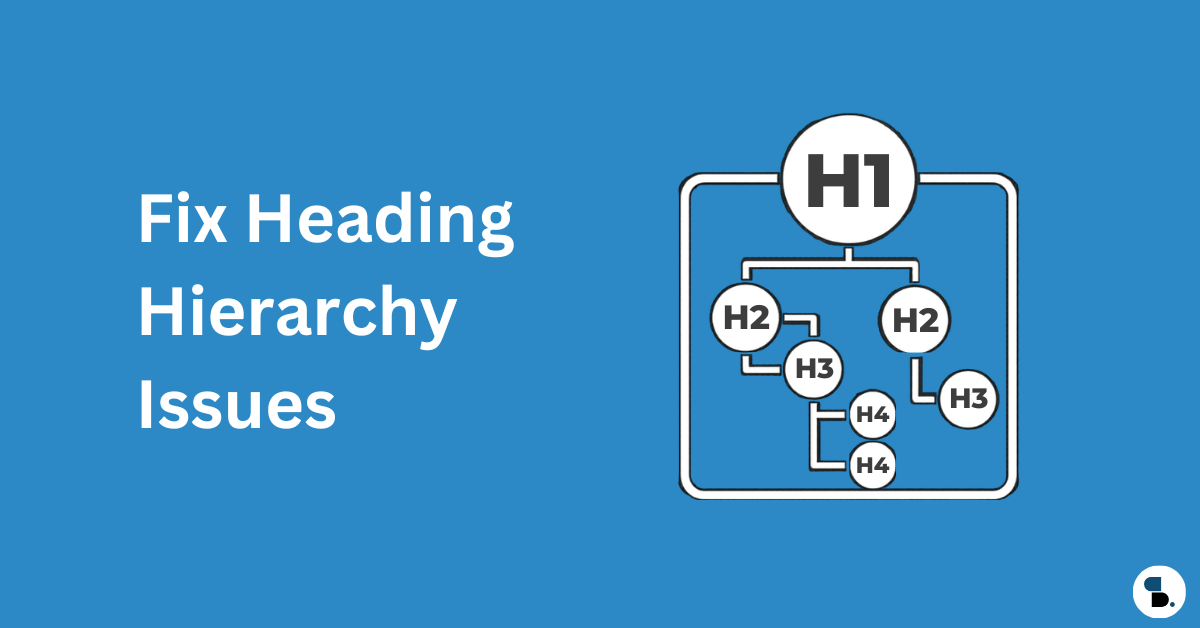
- One H1 per page — unique and descriptive
- Images have descriptive alt text (generate with SkySEOManager’s Media Optimizer)
- تصاویر میں واضح چوڑائی اور اونچائی کے اوصاف موجود ہیں
- ہیرو/LCP تصویر میں ہے
fetchpriority="high" - تھیم کے ذریعے پیج ٹائٹل اور پوسٹ ٹائٹل ٹیگ دونوں رینڈر کرنے سے کوئی ڈپلیکیٹ H1 نہیں
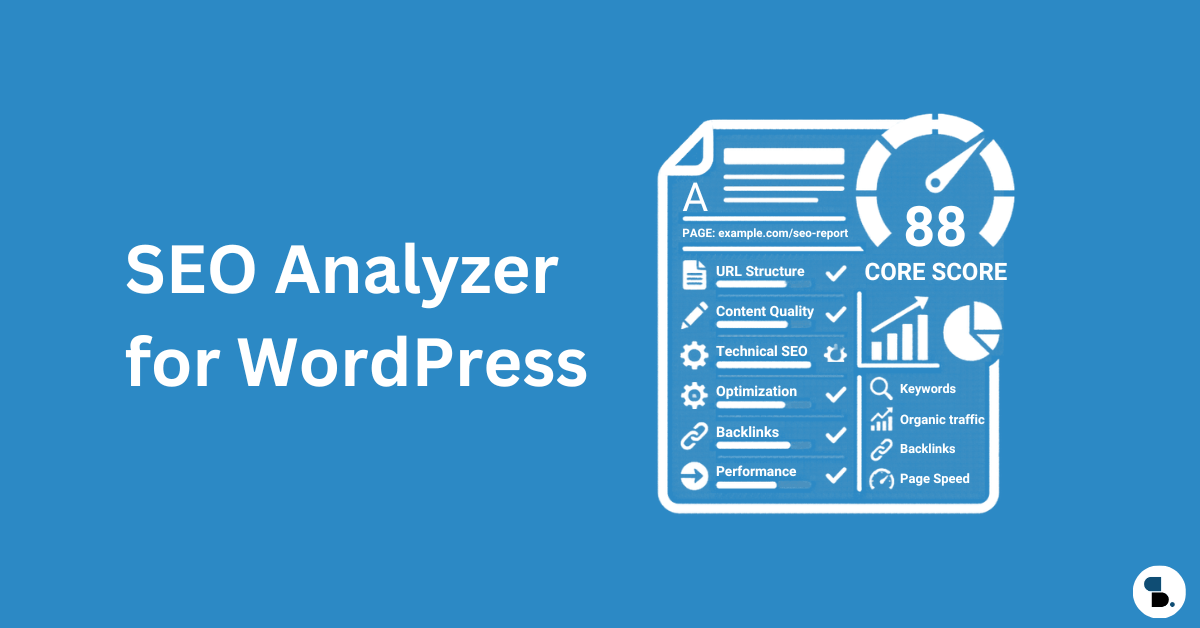
Using SkySEOManager’s SEO Score: The real-time 0–100 scoring system inside the Gutenberg editor checks title length, meta description, keyword density, internal/external links, and image alt text on every save. Use it as a pre-publish QA pass — optimize for users first, then review the score as a sanity check.
کور ویب وائٹلز
- GSC فیلڈ ڈیٹا میں LCP 2.5 سیکنڈ سے کم (لائٹ ہاؤس لیب ڈیٹا نہیں)
- INP 200ms سے کم
- CLS 0.1 سے کم
- HTTPS پوری سائٹ پر، HTTP سے 301 ری ڈائریکٹس کے ساتھ
- مکسڈ مواد کی کوئی وارننگ نہیں
اسکیما
- تمام پوسٹس پر آرٹیکل/بلاگ پوسٹنگ اسکیما (SkySEOManager کے ذریعے خودکار تیار کردہ)
- Organization schema on homepage (configured in SkySEOManager → Settings)
- بریڈ کرمب لسٹ اسکیما پوری سائٹ پر فعال ہے
- FAQ schema on pages with Q&A content (Sky SEO FAQ block)
- ٹیوٹوریل مواد پر ہاؤ ٹو اسکیما (Sky SEO ہاؤ-ٹو بلاک)
- اسکیما کی گوگل رچ رزلٹس ٹیسٹ کے ساتھ تصدیق کی گئی
- پلگ ان کے تنازعات کی وجہ سے کوئی ڈپلیکیٹ اسکیما نہیں
موبائل
- موبائل فرسٹ ڈیزائن (گوگل 2023 سے پہلے موبائل ورژن کرال کرتا ہے)
- موبائل پر مواد کو ڈھانپنے والے کوئی انٹرسٹیشلز نہیں
- Tap targets minimum 48×48px
- ویو پورٹ میٹا ٹیگ موجود ہے
ویب ماسٹر کی تصدیق
SkySEOManager’s ویب ماسٹر ٹولز ٹیب ایک اسکرین سے تمام بڑے پلیٹ فارمز کی تصدیق کو ہینڈل کرتا ہے:
- گوگل سرچ کنسول کی تصدیق شدہ
- بنگ ویب ماسٹر ٹولز کی تصدیق شدہ
- یینڈیکس (اگر روسی زبان کے ٹریفک کو ہدف بنا رہے ہیں)
- بیدو (اگر چینی زبان کے ٹریفک کو ہدف بنا رہے ہیں)
- پنٹرسٹ ڈومین کی تصدیق (بصری مواد کی سائٹس)
- نورٹن سیف ویب (سیکیورٹی کے بارے میں باشعور سامعین کے لیے اعتماد کا اشارہ)
13. آگے کیا بنانا ہے: ٹاپیکل اتھارٹی میپ
Technical SEO is the foundation. Once it’s stable, topical authority becomes your compounding growth engine. The idea: own the full semantic territory around your niche rather than ranking for isolated keywords.
Based on the entity graph for WordPress SEO, here’s the content cluster to build:
WordPress SEO (Pillar)
  ├── Technical SEO ← (this guide)
  │     ├── Core Web Vitals for WordPress
  │     ├── Crawl Budget Optimization
  │     ├── Schema Markup for WordPress
  │     └── WordPress Speed Optimization
  ├── On-Page SEO
  │     ├── WordPress Content Optimization
  │     ├── Internal Linking Strategy
  │     └── WordPress Keyword Research
  ├── Off-Page SEO
  │     ├── Link Building for WordPress Sites
  │     └── E-E-A-T Signals and Author Authority
  └── Specialty
        ├── WooCommerce Technical SEO
        ├── WordPress Multisite SEO
        └── Multilingual SEO with TranslatePress
Each cluster page reinforces the pillar. Each internal link between them distributes authority bidirectionally. SkySEOManager’s AI Internal Linking engine builds and maintains these connections automatically as you publish new cluster content — the semantic index keeps growing with your site.
کہاں سے شروع کریں: 4 ہفتوں کا ترجیحی آرڈر
Week 1 — Foundation
- Configure robots.txt in SkySEOManager → Robots.txt (run AI Analyze after)
- Set up and submit your XML sitemap via SkySEOManager → Sitemap
- گوگل سرچ کنسول میں کوریج کی کسی بھی غلطی کو حل کریں
Week 2 — Indexing 4. Set default noindex rules for thin archives in SkySEOManager → Indexing & SEO Box 5. Audit canonical tags across your most important pages 6. Consolidate redirect chains
Week 3 — Performance 7. Check Core Web Vitals field data in GSC → Core Web Vitals report 8. Fix LCP — usually hero image format plus a caching layer 9. Fix CLS — add image width and height attributes
Week 4 — Schema + Internal Linking 10. Enable and verify schema via SkySEOManager — Organization, BreadcrumbList, Article 11. Add Sky SEO FAQ or How-To blocks to your highest-traffic posts 12. Build your semantic index in SkySEOManager → Internal Linking and run your first AI linking pass
Technical SEO is not a one-time task. Schedule quarterly audits, review Google Search Console weekly, and treat your WordPress site’s technical health the same way you’d treat critical infrastructure — because that’s exactly what it is.
With SkySEOManager handling robots.txt governance, sitemaps, schema, 404 monitoring, internal linking, bulk metadata optimization, webmaster verification, and AI-powered media alt text from a single dashboard, the ongoing maintenance cost drops dramatically. The technical complexity doesn’t disappear — but most of it moves to the background, running automatically while you focus on content.
یہ گائیڈ مئی 2026 تک تکنیکی ایس ای او کے بہترین طریقوں کی عکاسی کرتی ہے۔ سہ ماہی جائزہ لیں اور ان سفارشات کو متاثر کرنے والی الگورتھم تبدیلیوں کے ابتدائی اشاروں کے لیے گوگل سرچ کنسول کی نگرانی کریں۔