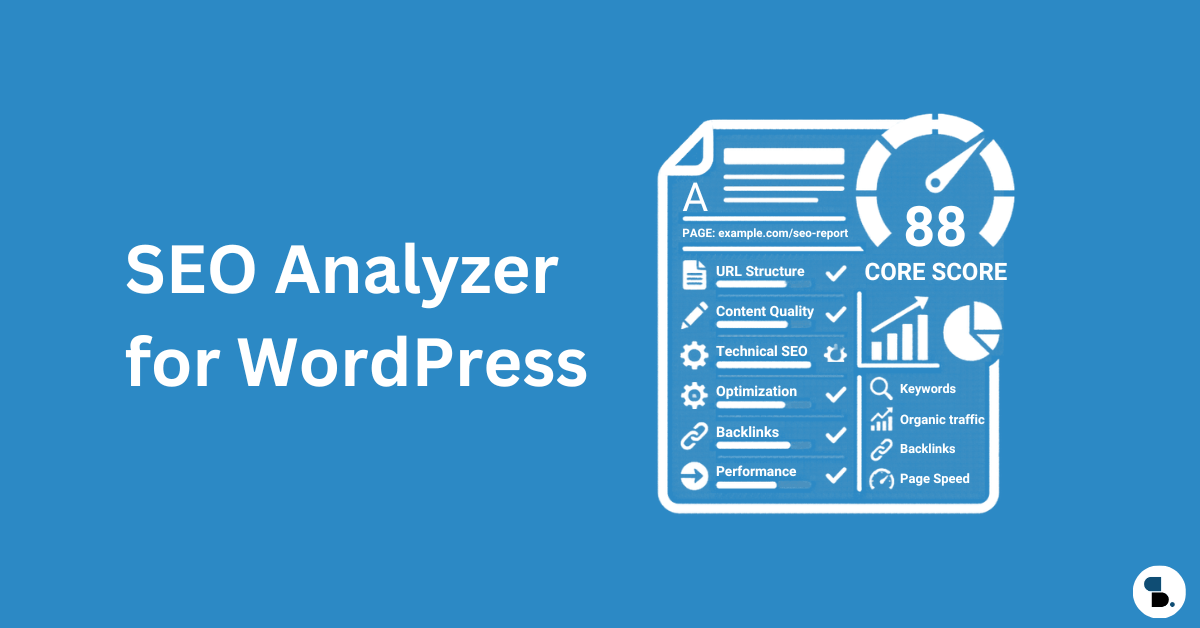
Most WordPress SEO guides stop at “install a plugin and add a sitemap.” This one doesn’t.
This guide covers the full technical architecture stack — crawl governance, indexing control, Core Web Vitals tối ưu hóa, đánh dấu lược đồ, sửa lỗi cấp máy chủ và Tín hiệu thời đại AI định hình lại thứ hạng vào năm 2026. And throughout, we’ll show you exactly how SkySEOQuản lý handles each layer so you’re not juggling five different tools.
Let’s get into it.
Mục lục
- Cách Google thực sự xử lý trang web WordPress của bạn
- Kiến trúc thu thập thông tin: Vấn đề SEO WordPress bị đánh giá thấp nhất
- Robots.txt: Stop Wasting Google’s Time
- Sơ đồ trang web XML được thực hiện đúng
- Kiểm soát lập chỉ mục: Canonicals, Noindex và Crawl Sculpting
- Cấu trúc URL và tối ưu hóa Permalink
- Các chỉ số quan trọng về trang web: LCP, INP và CLS dành cho WordPress
- HTTPS, Chuyển hướng và Sự cố 404
- Đánh dấu lược đồ: Ngoài những điều cơ bản
- SEO quốc tế và WordPress đa ngôn ngữ
- WordPress Technical Debt You’re Probably Ignoring
- Danh sách kiểm tra kiểm tra SEO kỹ thuật
- Xây dựng điều gì tiếp theo: Bản đồ thẩm quyền chuyên đề
Tại sao SEO kỹ thuật là công việc có đòn bẩy cao nhất bạn có thể làm trong WordPress
Here’s an uncomfortable truth: you can write the best article on a topic and still lose to a technically superior site with mediocre content.
Vào năm 2026, Google không còn chỉ là một công cụ so khớp văn bản nữa. Nó thu thập thông tin bằng Googlebot, hiển thị JavaScript, đánh giá tín hiệu trải nghiệm trang, measures Core Web Vitals in real time, and uses AI models to understand relationships between content types. A site with broken technical infrastructure is invisible — regardless of how good the content is.
WordPress chiếm 43% tổng số trang web trên internet. Nhưng sự phổ biến đó đi kèm với một khoản thuế ẩn: WordPress ban đầu không được tối ưu hóa cho SEO kỹ thuật. Cấu trúc URL mặc định của nó hiển thị các kho lưu trữ trùng lặp, trang thẻ, trang tác giả và các danh mục chồng chéo làm tiêu tốn ngân sách thu thập dữ liệu một cách âm thầm. Xử lý hình ảnh mặc định của nó là thụ động. Hệ sinh thái plugin của nó là một bãi chứa các tập lệnh chặn kết xuất.
This guide fixes all of that — systematically.
1. Cách Google thực sự xử lý trang web WordPress của bạn
Trước khi bạn chạm vào một cài đặt duy nhất, hãy hiểu điều gì xảy ra khi Googlebot truy cập trang web của bạn. Đường dẫn thu thập thông tin-render-index hoạt động như sau:
Googlebot discovers URL
        ↓
Checks robots.txt — can it crawl this?
        ↓
Fetches HTML from your server
        ↓
Renders JavaScript (Chrome-based renderer)
        ↓
Evaluates indexability signals (canonical, noindex, meta robots)
        ↓
Assesses page experience (Core Web Vitals, HTTPS, mobile)
        ↓
Extracts entities, links, structured data
        ↓
Decides to index and assigns quality signals
Most WordPress site owners only think about steps 5–8. Steps 1–4 are where most sites bleed authority, crawl budget, and rankings silently.
The 2026 shift: Google’s crawler now uses its Multitask Unified Model (MUM) to understand relationships between content types — meaning your content’s semantic completeness matters as much as its technical accessibility. A technically perfect page with thin content still doesn’t win.
2. Kiến trúc thu thập thông tin: Vấn đề SEO WordPress bị đánh giá thấp nhất
What Is Crawl Budget — and When Does It Actually Matter?
Crawl budget is the number of pages Googlebot will crawl on your site within a given time period. For small sites under ~500 pages, it’s rarely a limiting factor. For larger sites — e-commerce stores, membership sites, publication archives — it becomes critical.
Google tính toán ngân sách thu thập dữ liệu dựa trên hai tín hiệu: tốc độ máy chủ của bạn có thể xử lý Googlebot mà không làm giảm trải nghiệm người dùng và mức độ phổ biến và mới mẻ của các trang của bạn.
The problem: WordPress generates enormous amounts of low-value URLs by default. Every tag, category, author archive, pagination variant, and date archive is a separate URL Googlebot can — and will — crawl. If your site has 200 real pages but 1,400 discoverable URLs because of WordPress’s default behavior, Googlebot may never reach your most important content.
Sự phình to URL WordPress: Thuế thu thập dữ liệu ẩn
A typical WordPress site generates these URL types you probably didn’t intentionally create:
| Loại URL | Ví dụ | Giá trị SEO |
|---|---|---|
| Lưu trữ thẻ | /tag/wordpress-seo/ | Thấp (thường mỏng) |
| Lưu trữ tác giả | /author/admin/ | Thấp (rủi ro trùng lặp nội dung) |
| Lưu trữ ngày | /2023/04/15/ | Gần số không |
| Các biến thể phân trang | /page/2/, /page/3/ | Theo ngữ cảnh |
| Trang kết quả tìm kiếm | /?s=keyword | Zero — infinite, must be noindexed |
| URL nguồn cấp dữ liệu | /feed/, /comments/feed/ | Gần số không |
| Trang đính kèm | /wp-content/uploads/... | số không |
Cách kiểm tra chất thải thu thập dữ liệu: Use Screaming Frog to crawl your site and export all discoverable URLs. If the total is more than 3× your intentional page count, you have a crawl waste problem. Cross-reference with Google Search Console’s Coverage report — if it shows thousands of “Discovered — currently not indexed” URLs, that’s diagnostic gold pointing directly to your crawl waste problem.
3. Robots.txt: Stop Wasting Google’s Time
WordPress’s default robots.txt does one thing: it blocks /wp-admin/. Everything else is wide open — which means Googlebot is happily crawling your search result pages, attachment pages, admin AJAX endpoints, and feed duplications.
Quản lý Robots.txt bằng SkySEOManager
SkySEOManager bao gồm một công cụ chuyên dụng Trình quản lý Robots.txt tab với hai chế độ chỉnh sửa đồng bộ:
- Trình tạo quy tắc trực quan — Add Allow, Disallow, or Sitemap directives without touching code. You select the directive type, enter the path, and it’s added instantly.
- Trình chỉnh sửa mã thô — Synced in real time with the visual builder. Switch between modes at any point; changes in one immediately reflect in the other.
Tính năng nổi bật: bấm vào “AI Analyze” và Gemini xem xét toàn bộ tệp robots.txt của bạn dựa trên các phương pháp hay nhất về SEO hiện đại, gắn cờ các quy tắc rủi ro và đề xuất cải tiến. Điều này biến công việc trước đây của một nhà tư vấn kỹ thuật SEO thành một nhiệm vụ kéo dài hai phút.
Robots.txt WordPress sẵn sàng sản xuất
Here’s a solid starting point you can paste into SkySEOManager’s raw editor:
User-agent: *

# WordPress system areas
Disallow: /wp-admin/
Disallow: /wp-login.php
Disallow: /wp-content/plugins/
Disallow: /wp-content/themes/
Disallow: /wp-includes/

# Infinite/zero-value URL spaces
Disallow: /?s=
Disallow: /search/
Disallow: /feed/
Disallow: /*/feed/
Disallow: /*/trackback/
Disallow: /trackback/

# Thin archive pages (evaluate per site)
Disallow: /author/
Disallow: /date/

# Allow CSS/JS so Googlebot can render your pages
Allow: /wp-content/themes/*.css
Allow: /wp-content/themes/*.js
Allow: /wp-content/plugins/*.css
Allow: /wp-content/plugins/*.js

Sitemap: https://yoursite.com/sitemap.xml

# AI crawler governance (2026)
User-agent: GPTBot
Disallow: /

User-agent: anthropic-ai
Disallow: /

User-agent: CCBot
Disallow: /
Sự khác biệt quan trọng: Blocking a URL in robots.txt does NOT prevent it from being indexed if it’s linked from external pages. Google can still list a blocked page in SERPs based on external signals. Robots.txt governs crawling — it does not control indexing. For actual de-indexing, use noindex trên các trang có thể thu thập thông tin. Không bao giờ kết hợp tính năng chặn trong robots.txt VÀ noindex trên cùng một URL.

Cân nhắc về trình thu thập thông tin AI năm 2026
AI crawlers (GPTBot, anthropic-ai, CCBot, PerplexityBot) now consume significant server resources. Whether to allow or block them depends on your strategy. If you want AI-generated summaries to reference your content — a strategy called Answer Engine Optimization (AEO) — allow them. If you’re concerned about content scraping without attribution, block them. Run SkySEOManager’s AI Analyze feature to think through the tradeoffs for your specific setup.
4. Sơ đồ trang web XML được thực hiện đúng
Your sitemap is your direct communication channel to Google about what matters on your site. Auto-generating one is a start — but most sites do it wrong.
SkySEOManager’s Sitemap Tab
Điều hướng đến SkySEOManager → Sitemap ĐẾN:
- Cho phép tạo sơ đồ trang web bằng một lần chuyển đổi
- Select exactly which public post types to include — posts, pages, products, custom post types
- Truy cập sơ đồ trang web của bạn ngay tại
/sitemap.xml
If your site uses TranslatePress for multilingual content, SkySEOManager automatically creates language-specific sitemap variants for each selected post type — a significant technical lift handled automatically.
Những gì cần loại trừ khỏi Sơ đồ trang web của bạn
Sơ đồ trang web sạch sẽ cho Google biết điều gì quan trọng. Bao gồm mọi thứ làm loãng tín hiệu.
Loại trừ:
- Tag archive pages (unless they’re content-rich editorial hubs)
- Lưu trữ tác giả
- Lưu trữ dựa trên ngày
- Các phiên bản được đánh số trang ngoài trang 1
- Trang cảm ơn, trang đăng nhập, trang tài khoản
- Any URL you’ve marked
noindex
Tội lỗi căn bản: Bao gồm noindex URLs in your sitemap. This sends Google contradictory signals — include this, but also ignore it. Use SkySEOManager’s Indexing & SEO Box tab to set default noindex rules per post type, then keep those types out of your sitemap settings.
Giám sát Sơ đồ trang web của bạn trong Google Search Console
After submitting via GSC → Sitemaps, watch for these errors monthly:
- “Submitted URL not found (404)” — your sitemap references deleted or moved content
- “Submitted URL blocked by robots.txt” — contradiction between sitemap and robots.txt
- “Submitted URL marked ‘noindex'” — another contradiction to resolve immediately
These errors silently waste crawl budget. They’re common after site migrations, content cleanups, or permalink changes.
5. Kiểm soát lập chỉ mục: Canonicals, Noindex và Crawl Sculpting
Đây là nơi hầu hết các trang web WordPress làm mất thứ hạng mà không nhận ra.
Thẻ Canonical: Công cụ SEO kỹ thuật bị hiểu lầm nhất
A canonical tag tells Google: “Of all the versions of this content, this is the one I want indexed.” WordPress creates canonical challenges in several ways that catch most site owners off-guard.
URL danh mục + thẻ trùng lặp. Một bài đăng tại /blog/my-post/ cũng có thể được truy cập thông qua /category/seo/my-post/ Và /tag/wordpress/my-post/. Cả ba URL đều cần chuẩn hóa thành URL chính.
HTTP và HTTPS, www và không phảiwww. If your site is accessible at four URL variants, you need both canonicals AND 301 redirects to consolidate them — not just one or the other.
Chuỗi kinh điển. Một trang chuẩn trỏ đến một URL mà bản thân nó có trang chuẩn. Google ngừng theo chuỗi và bỏ qua chỉ thị của bạn. Kiểm tra chuỗi bất cứ khi nào bạn di chuyển nội dung.
Danh sách kiểm tra chuẩn:
- Mỗi trang có chính xác một thẻ chuẩn
- Canonical trỏ đến phiên bản HTTPS, được định dạng nhất quán (www hoặc không phải www)
- URL chuẩn được bao gồm trong sơ đồ trang web của bạn
- Không có chuỗi chuẩn nào trên trang web
- Các trang được phân trang tự chuẩn hóa hoặc sử dụng logic phân trang chính xác
Noindex với SkySEOManager
SkySEOManager’s Indexing & SEO Box tab cho phép bạn đặt mặc định noindex hoặc nofollow rules for entire post types and taxonomies — in bulk, without editing individual posts. This is the right approach for handling thin archives at scale.
Những gì cần noindex theo mặc định:
- Gắn thẻ lưu trữ có ít hơn 5 bài viết chất lượng
- Lưu trữ tác giả trên các trang web của một tác giả
- Lưu trữ dựa trên ngày
- Các trang tìm kiếm WordPress (
/?s=) - Trang cảm ơn và xác nhận
Điều gì đòi hỏi sự phán xét theo từng trường hợp:
- Category pages — index if they have editorial intro content, noindex if they’re pure link lists
- Paginated archives — index pages 2–3+ if they drive measurable traffic, noindex if they don’t
Đối với các bài đăng hoặc trang riêng lẻ, hãy sử dụng Hộp SEO SkySEOManager inside the Gutenberg editor → Advanced tab for per-item noindex and nofollow controls. Full granularity without code.
Bẫy Noindex
Không bao giờ chặn một trang trong robots.txt VÀ đánh dấu trang đó noindex. If Googlebot can’t crawl a page, it can’t read the noindex directive — so the page may still appear in SERPs via external link signals. The rule: use robots.txt to block system-level paths (admin, plugin assets, theme files), and use noindex for content pages you want crawled but not indexed.
6. Cấu trúc URL và tối ưu hóa Permalink
URL structure affects crawlability, user experience, and click-through rates. WordPress gives you full control — which is both an advantage and a responsibility.
Cài đặt Permalink phù hợp
Đi đến Settings → Permalinks và chọn Tên bài viết: /%postname%/

Tránh các cấu trúc dựa trên ngày tháng (/%year%/%monthnum%/%postname%/) unless you’re running a news publication. Date-based URLs signal content age to users and hurt CTR for evergreen content — readers see “2021” in a URL and immediately question whether the information is still accurate.
Các phương pháp hay nhất về URL:
- Keep URLs short and descriptive: 3–5 meaningful words
- Sử dụng dấu gạch nối, không phải dấu gạch dưới (Google coi dấu gạch nối là dấu phân cách từ)
- Bỏ các từ dừng (
a,the,and,of) từ các URL - Never change a URL after it’s been indexed without a 301 redirect
Tiền tố danh mục: Xóa chúng
WordPress bổ sung /category/ cho tất cả các URL danh mục theo mặc định, do đó danh mục SEO của bạn tồn tại ở /category/seo/ thay vì /seo/. This adds unnecessary depth to your URL hierarchy. Remove the prefix with a dedicated rewrite plugin — but set up 301 redirects from old category URLs before making the change.
Dấu gạch chéo cuối: Cam kết một định dạng
Pick a format — with trailing slash (/my-page/) hoặc không có (/my-page) — and enforce it sitewide via .htaccess hoặc cấu hình Nginx. Việc sử dụng hỗn hợp tạo ra nội dung trùng lặp kỹ thuật làm phân chia tín hiệu thu thập dữ liệu giữa hai phiên bản của cùng một trang.
7. Các chỉ số quan trọng về trang web: LCP, INP và CLS cho WordPress
Core Web Vitals are Google’s quantified user experience signals and a direct ranking factor. In 2026, three metrics define page experience.
Largest Contentful Paint (LCP) — Target: Under 2.5 Seconds
LCP measures how long it takes for the largest visible content element — usually a hero image or main headline — to render on screen.
Những kẻ giết LCP WordPress hàng đầu và các bản sửa lỗi của chúng:
| Gây ra | Sửa chữa |
|---|---|
| Hình ảnh anh hùng chưa được tối ưu hóa | Chuyển đổi sang WebP; thêm vào fetchpriority="high" |
| Phản hồi của máy chủ chậm | Nâng cấp lên dịch vụ lưu trữ WordPress được quản lý hoặc VPS |
| Tập lệnh chặn hiển thị trong màn hình đầu tiên | Trì hoãn JS không quan trọng; CSS quan trọng nội tuyến |
| Không có bộ nhớ đệm trang | Bật bộ nhớ đệm trang cấp máy chủ |
| Không có CDN | Thêm Cloudflare hoặc BunnyCDN |
| Tải phông chữ Google từ xa | Tự lưu trữ phông chữ của bạn |
Thay đổi duy nhất có tác động mạnh mẽ nhất: phục vụ hình ảnh người hùng của bạn bằng fetchpriority="high" để yêu cầu trình duyệt tải nó trước mọi thứ khác:
html
%lt;img
  src="hero-image.webp"
  alt="Descriptive alt text"
  fetchpriority="high"
  loading="eager"
  width="1200"
  height="630"
>
Interaction to Next Paint (INP) — Target: Under 200ms
INP replaced FID (First Input Delay) in March 2024. Unlike FID, which only measured your first interaction, INP measures responsiveness throughout the entire user session — every click, tap, and keyboard input during the visit.
Kẻ giết INP WordPress:
- JavaScript nặng từ các trình tạo trang (Elementor, WPBakery, Divi)
- Tập lệnh phân tích chặn luồng chính trong khi tải trang
- Tập lệnh đồng ý cookie với quá trình khởi tạo đồng bộ
- Các plugin được mã hóa kém chạy quá nhiều jQuery trên mỗi trang
Sửa INP: Use Chrome DevTools → Performance tab to identify long tasks (anything over 50ms on the main thread). Defer third-party scripts until after user interaction. Audit plugins with Query Monitor to find the JavaScript-heavy offenders that are causing main thread congestion.
Cumulative Layout Shift (CLS) — Target: Under 0.1
CLS measures how much your page unexpectedly shifts during loading — the frustrating experience of clicking a button that jumps away as an image loads above it.
Thủ phạm CLS của WordPress:
- Hình ảnh không rõ ràng
widthVàheightattributes (browser can’t reserve space) - Tải quảng cáo mà không có vùng chứa dành riêng
- Phông chữ web gây ra hiện tượng chỉnh lại dòng văn bản trong khi tải
- Biểu ngữ cookie xuất hiện phía trên nội dung hiện có
Khắc phục nhanh các kích thước hình ảnh bị thiếu (thêm vào functions.php):
php
function add_image_dimensions($attr, $attachment, $size) {
    if (empty($attr['width']) || empty($attr['height'])) {
        $meta = wp_get_attachment_metadata($attachment->ID);
        if ($meta && isset($meta['width'], $meta['height'])) {
            $attr['width'] = $meta['width'];
            $attr['height'] = $meta['height'];
        }
    }
    return $attr;
}
add_filter('wp_get_attachment_image_attributes', 'add_image_dimensions', 10, 3);
Đo lường chính xác các chỉ số quan trọng của trang web cốt lõi
There are two types of data — and only one is what Google uses for ranking:
Field data (real user measurements — what Google actually ranks on):
- Google Search Console → Core Web Vitals report
- PageSpeed Insights → Field Data section (labeled “Discover what your real users experience”)
Lab data (simulated — useful for diagnosing problems, not for ranking):
- Ngọn hải đăng trong Chrome DevTools
- GTmetrix
- WebPageTest
Luôn tối ưu hóa cho dữ liệu trường. Điểm Lighthouse hoàn hảo trên một máy chủ chậm với người dùng thực chậm là một thước đo phù phiếm, không phải là tín hiệu xếp hạng.
8. HTTPS, Chuyển hướng và Vấn đề 404
HTTPS: Tổ chức không thể thương lượng
If your site is still on HTTP in 2026, no technical optimization in this guide will help you. Get an SSL certificate — Let’s Encrypt is free — and force HTTPS.
Danh sách kiểm tra di chuyển WordPress HTTPS:
- Chứng chỉ SSL được cài đặt trên máy chủ của bạn
- WordPress Address and Site Address updated to HTTPS in Settings → General
- Chuyển hướng 301 từ HTTP sang HTTPS được định cấu hình ở cấp máy chủ
- All internal links updated to HTTPS (use a database Search & Replace tool)
- Google Search Console được cập nhật để theo dõi riêng thuộc tính HTTPS
- Cảnh báo nội dung hỗn hợp đã được giải quyết (tải tài nguyên HTTP trên các trang HTTPS)
Kiến trúc chuyển hướng
Poor redirect management is a crawl budget killer. Every redirect passes PageRank — but redirect chains lose signal at each hop as Googlebot follows them.
Các quy tắc:
- 301 cho các bước di chuyển vĩnh viễn (bảo toàn ~99% giá trị liên kết)
- 302 đối với các chuyển hướng tạm thời (bảo toàn tính công bằng với URL gốc)
- Never chain redirects — consolidate A→B→C to A→C
- Audit your redirect stack annually — old rules accumulate and slow server responses
Giám sát 404: Nơi SkySEOManager trở nên thiết yếu
Broken links are silent SEO killers. Every 404 your visitors hit is a dead end for users and a wasted crawl opportunity for Googlebot. Most WordPress site owners only discover broken links during a full audit — by which point hundreds of them have accumulated.
SkySEOManager’s Màn hình 404 tự động ghi lại mọi lỗi 404 trên trang web của bạn bằng:
- URL bị hỏng
- Hit count — how many times it’s been triggered
- Dấu thời gian nhìn thấy lần đầu / nhìn thấy lần cuối
- Referrer — where the traffic is coming from
Từ bảng điều khiển màn hình, bạn có thể tạo Chuyển hướng 301 hoặc 302 trực tiếp đến đúng điểm đến mà không cần .htaccess cần chỉnh sửa. các Đề xuất chuyển hướng AI 404 feature uses Gemini to automatically recommend the best redirect target for each broken URL based on your existing content — turning a multi-hour cleanup task into minutes.
Cảnh báo qua email 404 (configure via SkySEOManager → 404 Settings):
- Chọn tần suất: thông báo ngay lập tức, hàng giờ hoặc hàng ngày
- Set a minimum hit threshold so you’re not alerted for every bot probe
- Định cấu hình cài đặt SMTP để phân phối đáng tin cậy
- Sử dụng nút kiểm tra email trước khi dựa vào nó
Entries older than 90 days without an active redirect are automatically purged from the database — no manual cleanup required.
9. Đánh dấu lược đồ: Ngoài những điều cơ bản
Đánh dấu lược đồ là cách bạn truyền đạt các mối quan hệ của thực thể với Google bằng ngôn ngữ mà máy có thể đọc được. Vào năm 2026, với việc các bản tóm tắt AI ngày càng chiếm ưu thế trong lĩnh vực SERP trong màn hình đầu tiên, lược đồ đã chuyển từ tùy chọn sang cơ bản.
Các loại lược đồ mà SkySEOManager tự động xử lý
Bài viết / BlogĐăng bài Mỗi bài đăng trên blog đều tự động nhận được lược đồ Article hoặc BlogPosting, với datePublished Và dateModified dân cư chính xác.
Tổ chức Configure Organization schema for your homepage via SkySEOManager → Settings. Include your company name, logo URL, and social media profile links. This builds entity authority — Google’s way of recognizing your brand as a known entity in its Knowledge Graph rather than just a domain name.
Danh sách đường dẫn SkySEOManager tạo lược đồ BreadcrumbList trên toàn trang web. Kích hoạt nó với các tùy chọn phân cách, nhãn chính và hiển thị ưa thích của bạn. Kết quả nhiều định dạng Breadcrumb xuất hiện trực tiếp trong SERP bên dưới tiêu đề của bạn và cải thiện CTR.
Các loại lược đồ trang chủ Choose between Organization, Person, LocalBusiness, or WebSite schema for your homepage — depending on whether you’re representing a company, individual, local business, or content publication.
WooC Commerce / Lược đồ sản phẩm Lược đồ sản phẩm hoàn toàn tự động cho các sản phẩm WooC Commerce, bao gồm giá cả, tình trạng còn hàng và hình ảnh sản phẩm trong sơ đồ trang web. Không có cấu hình bổ sung ngoài thiết lập WooC Commerce của bạn.
Gutenberg Blocks for Rich Snippet Schema — SkySEOManager’s Differentiator
Hầu hết các công cụ SEO đều yêu cầu bạn viết mã JSON-LD bằng tay hoặc điều hướng bảng cài đặt riêng sau khi viết nội dung. SkySEOManager cung cấp các khối Gutenberg gốc để tạo lược đồ hợp lệ như một phần trong quy trình chỉnh sửa của bạn:
Khối câu hỏi thường gặp về Sky SEO Add the FAQ block to any post, fill in your questions and answers directly in the block editor, and valid FAQ schema is generated on publish. FAQ rich results can dramatically expand your SERP footprint — showing expandable Q&A directly beneath your result, often pushing competitors further down the page.
Cách chặn Sky SEO Đối với nội dung hướng dẫn và hướng dẫn, hãy thêm khối Cách thực hiện và điền các bước của bạn một cách tương tác. Lược đồ HowTo hợp lệ được tạo tự động, đủ điều kiện cho kết quả chi tiết từng bước trong Google Tìm kiếm.
Khối đánh giá Sky SEO Add product review schema to review posts or comparison content using the interactive rating fields in the block — no JSON required.
Cải tiến quy trình làm việc ở đây là có thật: bạn xây dựng nội dung và lược đồ đồng thời, trong cùng một môi trường chỉnh sửa mà không cần chuyển ngữ cảnh hoặc sao chép đánh dấu giữa các công cụ.
Kiểm tra lược đồ của bạn
Xác thực sau mỗi lần thực hiện:
- Kiểm tra kết quả nhiều định dạng của Google:
search.google.com/test/rich-results - Trình xác thực Schema.org:
validator.schema.org - Google Search Console → Search Appearance → Rich Results (check after 2–4 weeks of indexing)
Lỗi thường gặp: lược đồ tác giả không có sameAs liên kết. Your author schema should link to the author’s professional profiles — LinkedIn, Twitter/X, personal site. This is a concrete E-E-A-T (Experience, Expertise, Authoritativeness, Trust) signal that Google’s quality raters specifically look for in 2026.
10. SEO quốc tế và WordPress đa ngôn ngữ
If your site serves multiple languages or regions, hreflang tags tell Google which version to show to which user. Getting this wrong means UK visitors land on US-localized content and immediately bounce — destroying both CTR and session quality signals.
Sơ đồ trang web đa ngôn ngữ với SkySEOManager
When TranslatePress is active on your site, SkySEOManager automatically creates language-specific sitemap variants for each selected post type. This handles one of the most technically complex aspects of multilingual WordPress SEO without requiring separate configuration — the plugin detects TranslatePress and extends the sitemap behavior accordingly.
Quy tắc tương hỗ Hreflang
Every hreflang implementation must be reciprocal. If page A lists page B as its German equivalent, page B must list page A as its English equivalent. Broken reciprocity causes Google to ignore your hreflang tags entirely — a silent failure that’s hard to diagnose without a dedicated audit tool.
Các lựa chọn triển khai:
- Cấu trúc thư mục con (
/en/,/de/) — manageable with plugins and hreflang injection via header - Cấu trúc tên miền phụ (
de.example.com) — stronger separation, more complex to manage - Tên miền riêng biệt (
example.de,example.co.uk) — strongest geo-targeting signal, requires separate GSC properties with hreflang cross-linking between them
Use Aleyda Solis’s free hreflang validator to audit reciprocity across your multilingual pages before assuming the implementation is working correctly.
11. WordPress Technical Debt You’re Probably Ignoring
Plugin Bloat: Kẻ giết người hiệu suất thầm lặng
Mỗi plugin đều thêm thời gian thực thi JavaScript, truy vấn cơ sở dữ liệu, chi phí xử lý PHP và CSS vào ngăn xếp của bạn. Trong thực tế, các trang web WordPress tích lũy chức năng dư thừa theo thời gian khi các nhóm thay đổi, nhu cầu phát triển và các thử nghiệm cũ không bao giờ được dọn dẹp.
Quá trình kiểm tra plugin:
- Cài đặt Trình theo dõi truy vấn và kiểm tra tải truy vấn cơ sở dữ liệu trên mỗi plugin
- Tắt từng plugin một và đo TTFB trước và sau mỗi plugin
- Look for duplication — two plugins doing the same job, badly, together
- Xóa hoàn toàn các plugin đã tắt khỏi hệ thống tập tin
Tối ưu hóa cơ sở dữ liệu
WordPress’s database accumulates garbage over time: post revisions, spam comments, orphaned metadata, expired transients. This bloats database size and slows every page-generating query.
Dọn dẹp thường xuyên với WP-Optimize. Hạn chế chủ động sửa đổi bài viết trong wp-config.php:
php
define('WP_POST_REVISIONS', 5);Tối ưu hóa hình ảnh: Toàn bộ ngăn xếp
| Lớp | Hoạt động |
|---|---|
| Định dạng | Convert to WebP — 60–80% smaller than JPEG at equivalent quality |
| Kích thước | Resize before uploading — don’t rely on CSS to shrink images |
| nén | Lossy cho ảnh, lossless cho đồ họa và biểu tượng |
| Tải chậm | loading="lazy" đối với hình ảnh bên dưới màn hình đầu tiên (có nguồn gốc từ WordPress 5.5) |
| Hình ảnh LCP | fetchpriority="high" for hero image — do this manually in your theme |
| phân phối CDN | Phục vụ từ các nút biên được phân bổ theo địa lý (Cloudflare, BunnyCDN) |
SkySEOManager’s Media Optimizer adds a critical layer that most SEO plugins ignore: use Gemini AI to generate SEO-optimized alt text and image titles for your media library. The Pro version extends this to bulk optimization across your entire library — essential for sites with large media archives where manually writing accurate alt text for hundreds of images is impractical.
Trang mồ côi: Vô hình với Google
Trang mồ côi là một trang không có liên kết nội bộ trỏ đến nó. Google có thể phát hiện ra nó thông qua sơ đồ trang web của bạn, nhưng nó nhận được mức độ ưu tiên thu thập dữ liệu thấp và không có giá trị liên kết từ phần còn lại của trang web của bạn. Hầu hết các trang web WordPress đều có nhiều trang mồ côi hơn những gì chủ sở hữu của chúng nhận ra.
Tìm các trang mồ côi:
- Screaming Frog → Bulk Export → filter for Inlinks = 0
- Ahrefs Site Audit → Orphan Pages report
Cách khắc phục: Xóa và chuyển hướng các trang không có nội dung có ý nghĩa hoặc thêm liên kết nội bộ theo ngữ cảnh từ các bài đăng có liên quan đến chủ đề.
Liên kết nội bộ AI với SkySEOManager
Internal linking is one of the highest-leverage on-site SEO activities — and one of the most time-consuming to do well at scale. SkySEOManager’s Liên kết nội bộ AI ngữ nghĩa uses vector embeddings — not keyword matching — to:
- Build a semantic index of your entire site’s topic map
- Xác định các cơ hội liên kết phù hợp nhất theo ngữ cảnh trên hàng nghìn bài đăng trong vài giây
- Đề xuất văn bản liên kết cụ thể và URL đích cho từng liên kết
- Áp dụng liên kết trong lô tiếp tục — pause mid-run when API quota runs out and resume later without losing progress
- Trực quan hóa mạng liên kết kết quả trong sơ đồ tư duy có thể phóng to
các Đường dẫn đánh giá liên kết nội bộ logs exactly which keyword anchors were linked to which destination URLs across every run. You can revert any applied link with a single click from the Recent Activity panel — an undo feature that most bulk linking tools don’t offer.
Đối với các bài đăng riêng lẻ, Tab Liên kết nội bộ của trình soạn thảo inside the Gutenberg SEO sidebar lets you analyze a single post’s content, review AI-suggested anchors, and apply or reject each suggestion one by one before publishing.
Đây là sự khác biệt giữa một trang web cố tình phát triển biểu đồ liên kết nội bộ và một trang có hàng trăm trang mồ côi mà giá trị liên kết không bao giờ có thể đạt tới.
12. Danh sách kiểm tra SEO kỹ thuật
Chạy hàng quý này cho các trang web đang hoạt động, hàng tháng trong các lĩnh vực cạnh tranh.
Khả năng thu thập thông tin
- robots.txt correctly configured — verify with SkySEOManager’s AI Analyze feature
- Không có trang quan trọng nào bị vô tình chặn trong robots.txt
- Sơ đồ trang web XML được gửi và không có lỗi trong Google Search Console
- Sơ đồ trang web loại trừ các URL không được lập chỉ mục và nội dung sơ sài
- No broken internal links — monitor continuously via SkySEOManager 404 Monitor
- No redirect chains — audit and consolidate A→B→C to A→C
- Thời gian phản hồi của máy chủ (TTFB) dưới 600ms
- No crawl errors in GSC → Coverage report
Lập chỉ mục
- Every important page is indexed — verify via GSC → URL Inspection
- Các trang trùng lặp có thẻ chuẩn chính xác
- Các trang được phân trang được xử lý chính xác
- Không có xung đột giữa canonical + noindex trên cùng một trang
- Không có URL sơ đồ trang web nào được đánh dấu noindex
- Các trang tìm kiếm WordPress (
?s=) are noindexed via SkySEOManager → Indexing & SEO Box
Kỹ thuật trên trang
- Mỗi trang có một thẻ tiêu đề duy nhất dưới 60 ký tự
- Mỗi trang có một mô tả meta duy nhất dưới 160 ký tự
- One H1 per page — unique and descriptive
- Images have descriptive alt text (generate with SkySEOManager’s Media Optimizer)
- Hình ảnh có thuộc tính chiều rộng và chiều cao rõ ràng
- Hình ảnh anh hùng/LCP có
fetchpriority="high" - Không có H1 trùng lặp từ chủ đề hiển thị cả tiêu đề trang và thẻ tiêu đề bài đăng
Using SkySEOManager’s SEO Score: The real-time 0–100 scoring system inside the Gutenberg editor checks title length, meta description, keyword density, internal/external links, and image alt text on every save. Use it as a pre-publish QA pass — optimize for users first, then review the score as a sanity check.
Core Web Vitals
- LCP dưới 2,5 giây trong dữ liệu trường GSC (không phải dữ liệu phòng thí nghiệm của Lighthouse)
- INP dưới 200ms
- CLS dưới 0,1
- HTTPS trên toàn trang web với chuyển hướng 301 từ HTTP
- Không có cảnh báo nội dung hỗn hợp
Lược đồ
- Lược đồ bài viết/BlogPosting trên tất cả các bài đăng (được SkySEOManager tạo tự động)
- Organization schema on homepage (configured in SkySEOManager → Settings)
- Lược đồ BreadcrumbList được bật trên toàn trang web
- FAQ schema on pages with Q&A content (Sky SEO FAQ block)
- Lược đồ HowTo về nội dung hướng dẫn (Khối hướng dẫn Sky SEO)
- Lược đồ được xác thực bằng Kiểm tra kết quả nhiều định dạng của Google
- Không có lược đồ trùng lặp do xung đột plugin
Điện thoại di động
- Thiết kế ưu tiên thiết bị di động (Google thu thập dữ liệu phiên bản di động lần đầu tiên kể từ năm 2023)
- Không có quảng cáo xen kẽ bao gồm nội dung trên thiết bị di động
- Tap targets minimum 48×48px
- Hiện tại có thẻ meta khung nhìn
Xác minh quản trị trang web
SkySEOManager’s Tab Công cụ quản trị trang web xử lý xác minh cho tất cả các nền tảng chính từ một màn hình:
- Google Search Console đã được xác minh
- Công cụ quản trị trang web Bing đã được xác minh
- Yandex (nếu nhắm mục tiêu lưu lượng truy cập bằng tiếng Nga)
- Baidu (nếu nhắm mục tiêu lưu lượng truy cập bằng tiếng Trung)
- Xác minh tên miền Pinterest (trang web có nội dung trực quan)
- Norton Safe Web (tín hiệu tin cậy dành cho những khán giả quan tâm đến bảo mật)
13. Cần xây dựng gì tiếp theo: Bản đồ thẩm quyền chuyên đề
Technical SEO is the foundation. Once it’s stable, topical authority becomes your compounding growth engine. The idea: own the full semantic territory around your niche rather than ranking for isolated keywords.
Based on the entity graph for WordPress SEO, here’s the content cluster to build:
WordPress SEO (Pillar)
  ├── Technical SEO ← (this guide)
  │     ├── Core Web Vitals for WordPress
  │     ├── Crawl Budget Optimization
  │     ├── Schema Markup for WordPress
  │     └── WordPress Speed Optimization
  ├── On-Page SEO
  │     ├── WordPress Content Optimization
  │     ├── Internal Linking Strategy
  │     └── WordPress Keyword Research
  ├── Off-Page SEO
  │     ├── Link Building for WordPress Sites
  │     └── E-E-A-T Signals and Author Authority
  └── Specialty
        ├── WooCommerce Technical SEO
        ├── WordPress Multisite SEO
        └── Multilingual SEO with TranslatePress
Each cluster page reinforces the pillar. Each internal link between them distributes authority bidirectionally. SkySEOManager’s AI Internal Linking engine builds and maintains these connections automatically as you publish new cluster content — the semantic index keeps growing with your site.
Bắt đầu từ đâu: Lệnh ưu tiên 4 tuần
Week 1 — Foundation
- Configure robots.txt in SkySEOManager → Robots.txt (run AI Analyze after)
- Set up and submit your XML sitemap via SkySEOManager → Sitemap
- Giải quyết mọi lỗi bảo hiểm trong Google Search Console
Week 2 — Indexing 4. Set default noindex rules for thin archives in SkySEOManager → Indexing & SEO Box 5. Audit canonical tags across your most important pages 6. Consolidate redirect chains
Week 3 — Performance 7. Check Core Web Vitals field data in GSC → Core Web Vitals report 8. Fix LCP — usually hero image format plus a caching layer 9. Fix CLS — add image width and height attributes
Week 4 — Schema + Internal Linking 10. Enable and verify schema via SkySEOManager — Organization, BreadcrumbList, Article 11. Add Sky SEO FAQ or How-To blocks to your highest-traffic posts 12. Build your semantic index in SkySEOManager → Internal Linking and run your first AI linking pass
Technical SEO is not a one-time task. Schedule quarterly audits, review Google Search Console weekly, and treat your WordPress site’s technical health the same way you’d treat critical infrastructure — because that’s exactly what it is.
With SkySEOManager handling robots.txt governance, sitemaps, schema, 404 monitoring, internal linking, bulk metadata optimization, webmaster verification, and AI-powered media alt text from a single dashboard, the ongoing maintenance cost drops dramatically. The technical complexity doesn’t disappear — but most of it moves to the background, running automatically while you focus on content.
Hướng dẫn này phản ánh các phương pháp hay nhất về kỹ thuật SEO tính đến tháng 5 năm 2026. Đánh giá hàng quý và theo dõi Google Search Console để phát hiện những tín hiệu sớm về những thay đổi trong thuật toán ảnh hưởng đến những đề xuất này.