Are you searching for reliable WP All Import alternatives to migrate content into WordPress without spending hundreds of dollars on complex licensing fees?
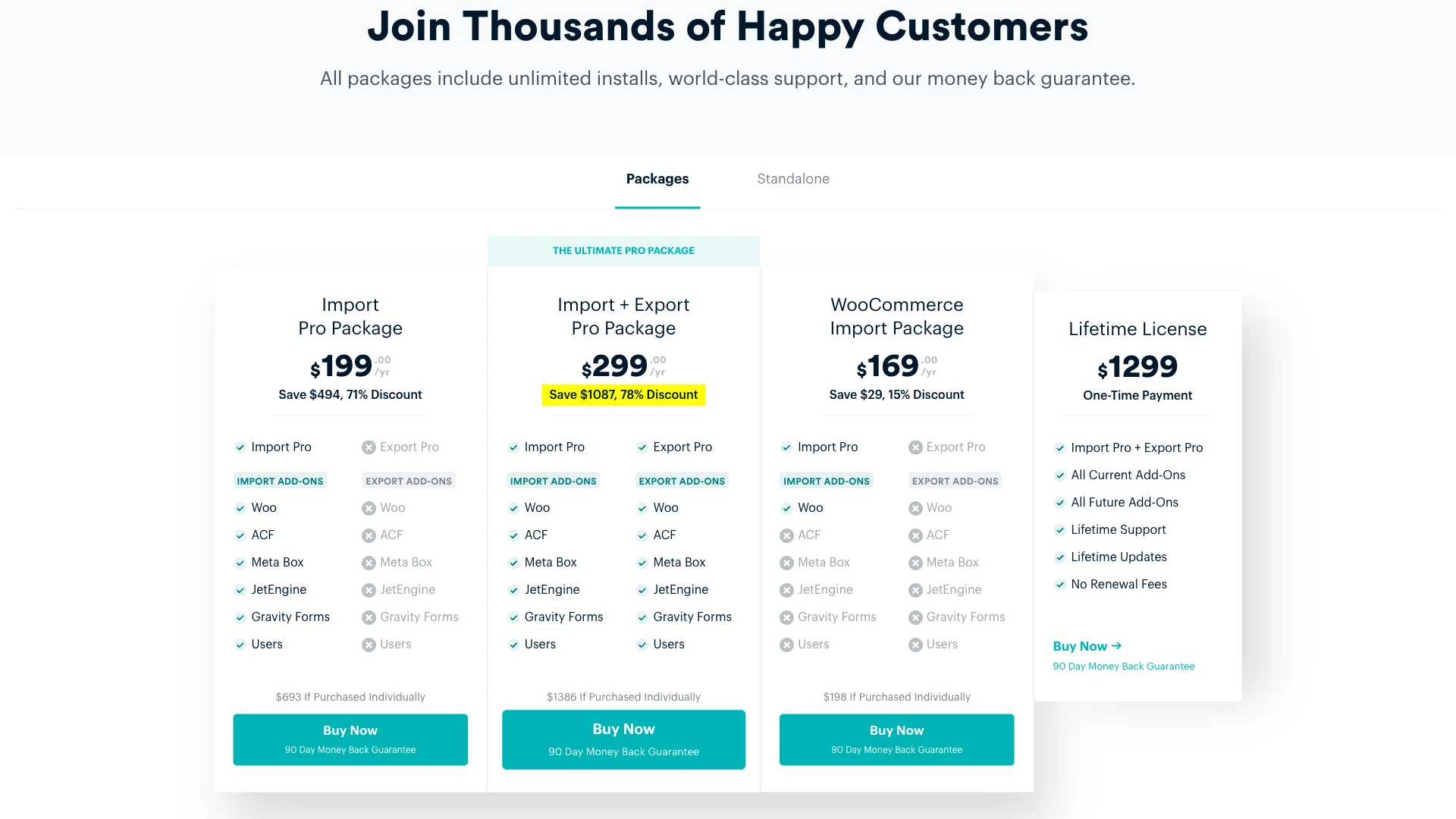
WP All Import is often recognized as an industry standard for universal CSV and XML data mapping. However, with single-plugin licenses starting at $149 per year and complete import suites reaching $299 per year (or $1,299 for a lifetime pass), it is frequently expensive overkill for straightforward migrations.
Whether you need to transfer articles from Blogger or Medium, import product feeds, or execute site-to-site database migrations, several lightweight and cost-effective solutions exist.
⚡ Quick Verdict: Best WP All Import Alternatives
- Best for Blogger / Blogspot Migrations: بلاگر امپورٹ وزرڈ (100% free, zero memory exhaustion, automatic image sideloading).
- Best for Medium Migrations: SiteSkyline Content Importer for Medium (Free, direct story parsing, handles canonical tags cleanly).
- Best for Native Site-to-Site WordPress Transfers: WordPress Importer (WXR) (Built into WordPress core, zero plugins needed).
- Best for General CSV/XML Product & Post Imports: WP Import Export Lite & WP Ultimate CSV Importer (Repository-backed, visual mapping).
Why Look for WP All Import Alternatives?
While WP All Import handles intricate custom schema mappings, many website owners face significant hurdles during real-world migrations:
- High Subscription Costs: A basic license starts at $149/year. If you need WooCommerce products, ACF custom fields, or user data, the required package costs $299/year.
- Steep Learning Curve: The plugin requires understanding XPath expressions, nested XML nodes, and complex data relationships just to import everyday blog articles.
- Server Timeouts on Shared Hosting: Processing large feeds through universal engines often triggers 504 Gateway Timeouts and memory limit exhaustion unless server execution caps are adjusted.
- Feature Bloat for Dedicated Platform Migrations: When migrating from dedicated platforms like Blogger or Medium, users do not need universal drag-and-drop engines—they need specialized parsers that handle categories, comments, and media automatically.
Comparison: WP All Import vs. Top Alternatives
| Plugin | Starting Price | Best Use Case | Key Advantage |
|---|---|---|---|
| WP All Import | $149 – $299 / yr | Universal XML/CSV Mapping | Extreme custom field flexibility |
| SiteSkyline Blogger Import Wizard | 100% مفت | Blogger / Blogspot to WordPress | Zero timeouts, automatic image re-hosting |
| SiteSkyline Content Importer for Medium | 100% مفت | Medium Stories to WordPress | Clean HTML sanitization, canonical links |
| WordPress Importer (WXR) | Free (Core Built-In) | WordPress to WordPress | Native core standard, zero dependencies |
| WP Import Export Lite | Free (Pro from $49) | General CSV/XML Feeds | Drag-and-drop field mapping |
| WP Ultimate CSV Importer | Free (Pro from $149) | Spreadsheet Data Imports | Detailed inline progress tracking |
1. SiteSkyline Blogger Import Wizard: Best Dedicated Blogger Migration Tool
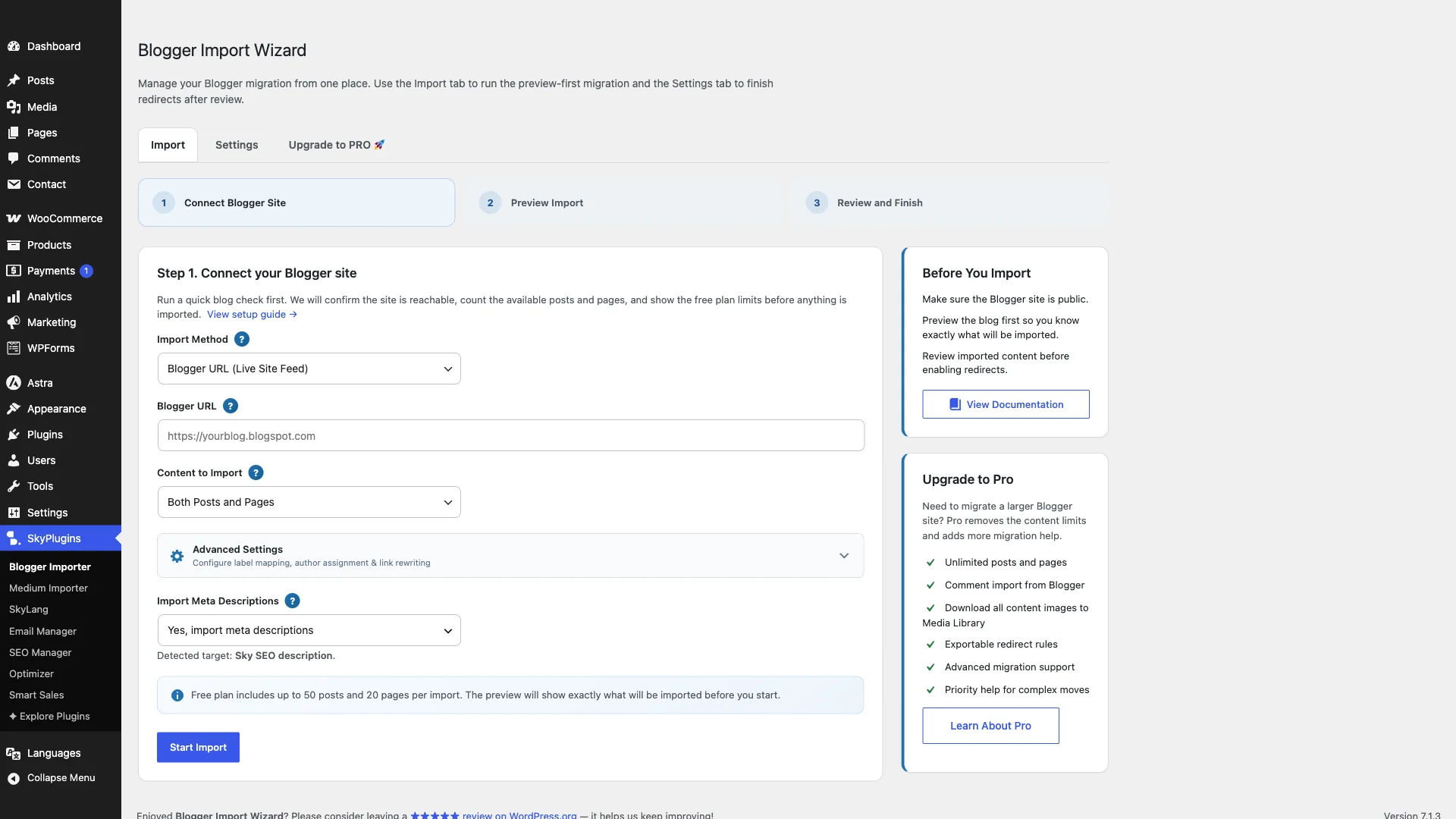
If your goal is migrating a Blogspot or Blogger archive to WordPress, standard universal tools like WP All Import create unnecessary friction. The SiteSkyline Blogger Import Wizard was built specifically to solve common migration roadblocks.
Why It Outperforms WP All Import for Blogger:
- No XPath or Manual Field Configuration: Simply export your XML file from Blogger, upload it to the wizard, and let the parser map titles, content, categories, dates, and permalinks automatically.
- Chunked Processing Engine: Universal importers often crash on shared hosting when processing large XML archives. The Blogger Import Wizard processes posts in manageable batches to prevent PHP execution limits.
- Automatic Media Sideloading: Google-hosted images are downloaded directly into your native WordPress Media Library and re-linked in your post body, preventing broken hotlinks if Google alters photo storage URLs.
- 100% Free Forever: No premium tiers, subscription paywalls, or feature limits.
2. SiteSkyline Content Importer for Medium: Seamless Story Migration
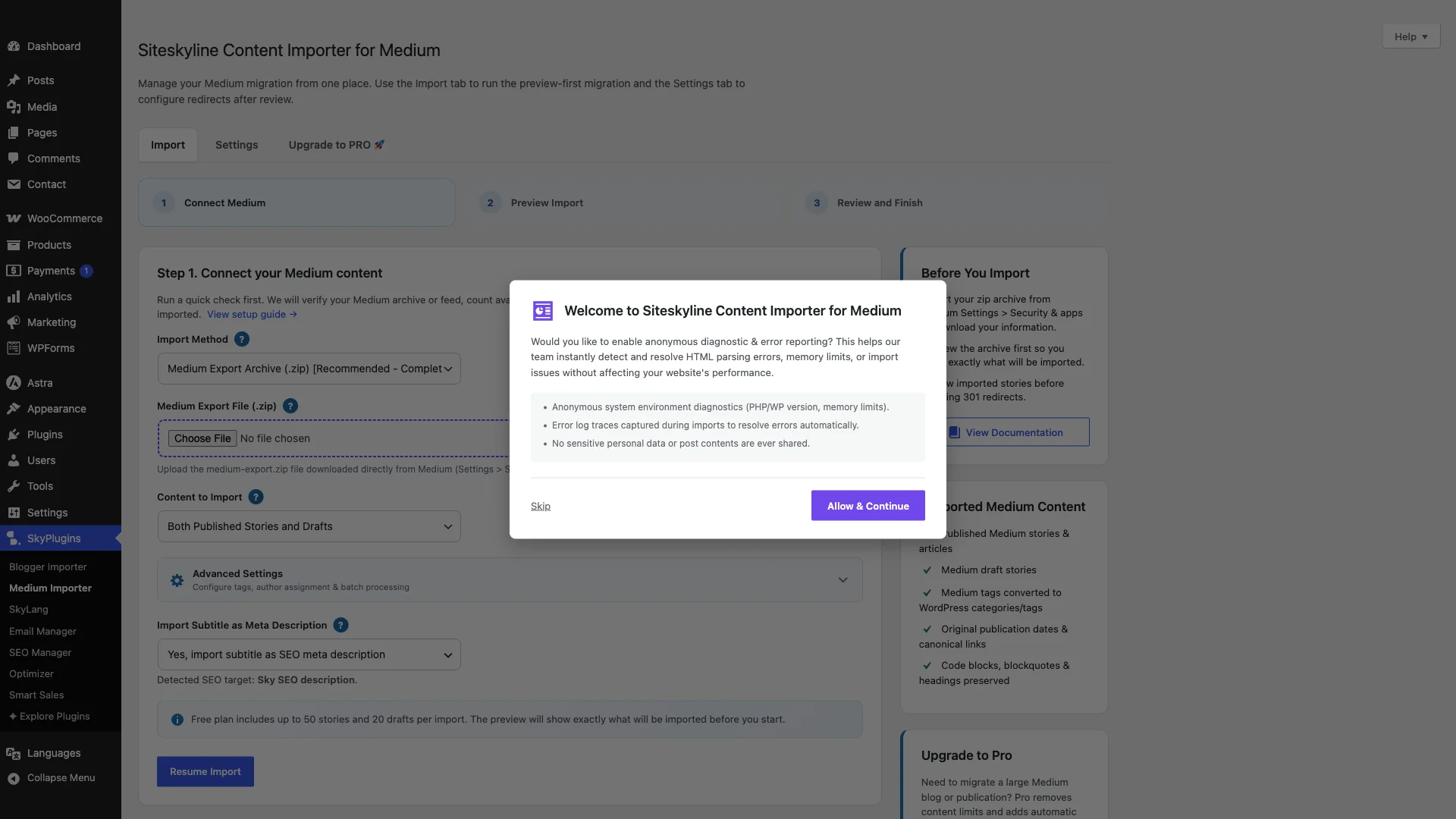
Publishers moving their publication or personal stories from Medium to a self-hosted WordPress website frequently encounter formatting and media headaches.
Key Benefits for Content Creators:
- Clean HTML Translation: Medium HTML contains proprietary markup and wrapper tags. The Content Importer strips unwanted classes while preserving headings, quotes, and inline links.
- Canonical Tag Management: Retains cross-domain canonical links to safeguard search rankings if you choose to keep stories live on Medium.
- Feature Image Extraction: Automatically identifies the primary article visual and registers it as the WordPress Featured Image.
- Zero Cost: Completely free to use without annual plugin renewal fees.
3. WordPress Core Importer (WXR): The Native Standard
Many site owners overlook WordPress’s built-in import utilities. Located directly in your administration menu under Tools → Import, the official WordPress Importer is the default tool for migrating content between WordPress sites.
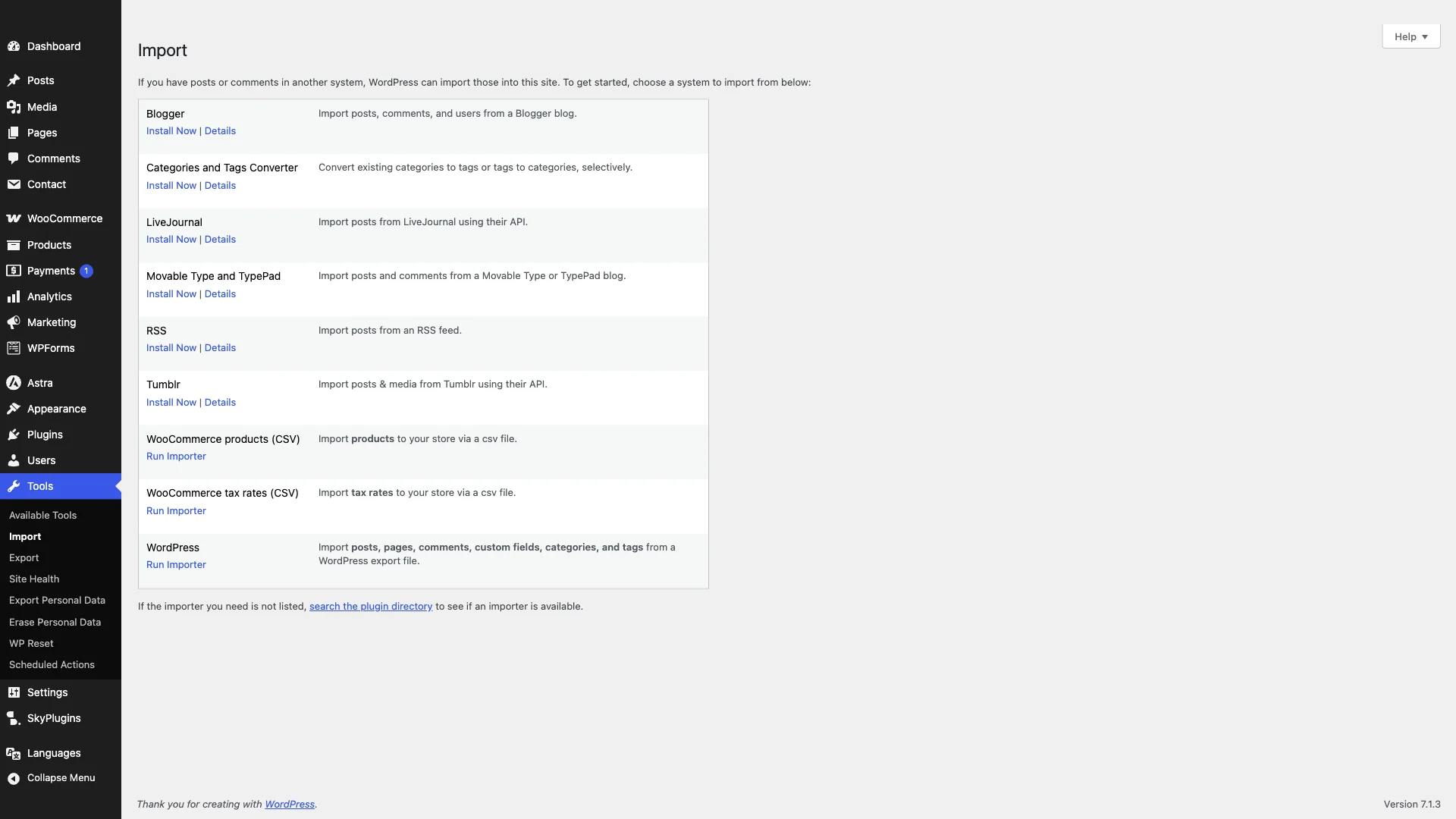
When to Use Native Core Import:
- Site-to-Site Migration: Moving from staging to production or migrating between hosting providers using standard WordPress export files (.xml / WXR).
- Zero Overhead: Maintained directly by the WordPress Core development team with zero commercial upsells.
- User & Author Mapping: Easily reassign post authors to existing WordPress accounts during the import process.
4. WP Import Export Lite: Versatile Visual Field Mapping
When you need to import arbitrary CSV or XML spreadsheets and require visual drag-and-drop mapping similar to WP All Import, WP Import Export Lite is a capable alternative available in the WordPress plugin repository.
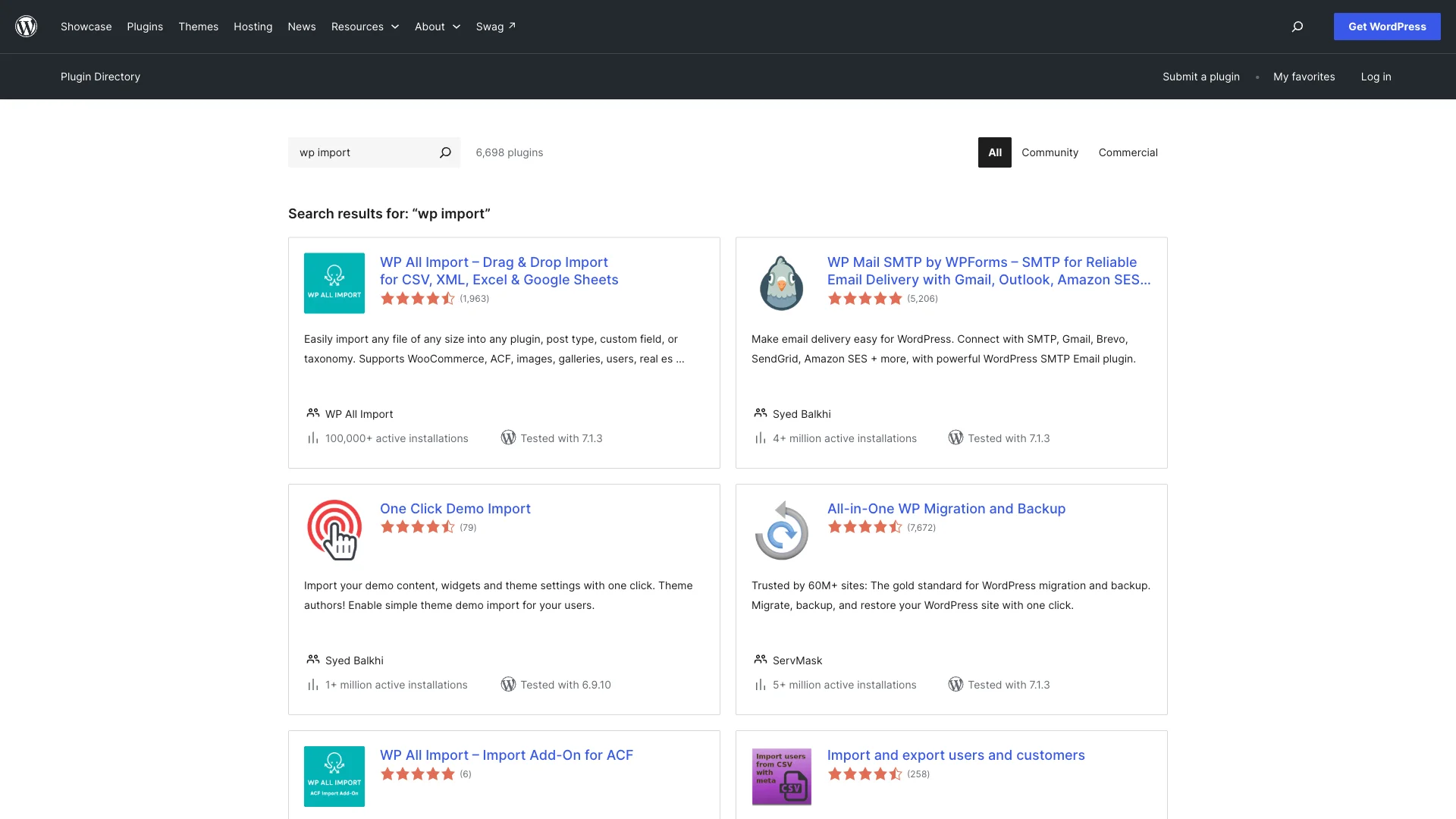
طاقتیں:
- Visual Drag-and-Drop: Matches CSV columns to WordPress post fields using an intuitive drag-and-drop interface.
- Background Processing: Handles records in small intervals to conserve server resources.
- Cost-Effective Upgrades: If you require advanced post types, pro plans are significantly more affordable than WP All Import’s $299 recurring package.
5. WP Ultimate CSV Importer: Fast Spreadsheet & Custom Post Ingestion
For eCommerce stores and content directories managing inventory via Excel or Google Sheets exports, WP Ultimate CSV Importer by Smackcoders provides an established toolset.
Highlights:
- Wide Format Support: Ingests CSV and XML formats seamlessly.
- Detailed Audit Logs: Provides real-time status updates showing imported, skipped, and updated records.
- Duplicate Detection: Matches existing posts by title or ID to prevent duplicate content generation.
Which WP All Import Alternative Should You Choose?
Your choice depends entirely on your data source and migration goals:
- If you are moving from Blogger/Blogspot to WordPress, choose بلاگر امپورٹ وزرڈ. It eliminates XPath complexity, downloads images automatically, and will never time out on large feeds.
- If you are migrating stories from درمیانہ، منتخب کریں۔ SiteSkyline Content Importer for Medium for clean markup and automated media attachment.
- If you are transferring content between WordPress sites, use the native WordPress Importer (WXR).
- If you require complex custom spreadsheet or XML feed mapping without paying $299 annually, evaluate WP Import Export Lite.
اکثر پوچھے گئے سوالات
Is WP All Import free?
WP All Import offers a limited free version on WordPress.org for basic post imports. However, essential functionality such as WooCommerce product imports, ACF custom fields, user imports, and scheduled recurring cron jobs requires purchasing commercial licenses starting at $149 to $299 per year.
Why do imports fail or time out on WordPress?
Imports typically fail when PHP execution limits (max_execution_time) or memory caps (memory_limit) are exceeded while parsing massive XML files. Specialized plugins like SiteSkyline Blogger Import Wizard resolve this by breaking large files into smaller background chunks.
Can I import Blogger images directly into the WordPress Media Library?
Yes. When using the Blogger Import Wizard, all images originally hosted on Google servers are automatically downloaded, registered into your native WordPress Media Library, and updated within post HTML so you are never dependent on third-party CDNs.