
Quick Summary: Best Asset CleanUp Alternatives at a Glance
- Top Overall Alternative: SiteSkyline Optimizer (SOptimizer) — Complete performance suite featuring granular Asset Manager & Script Unloading, Critical CSS, WebP conversion, full-page caching, and core bloat removal in a single lightweight plugin.
- Best Dedicated Commercial Script Manager: Perfmatters — Minimalist script manager with JavaScript delay and bloat removal, though it requires pairing with a separate page caching plugin.
- Best Free Script Minifier: Autoptimize — Popular CSS/JS aggregator and minifier, but lacks a granular visual handle unloader.
- Best General Cleanup Suite: Clearfy — Multi-purpose WordPress tweak and bloat removal toolkit with script management modules.
- Best Server-Level Suite: LiteSpeed Cache — Powerful caching and script optimization engine, best suited for websites hosted on LiteSpeed web servers.
Searching for the most effective asset cleanup alternatives to unload unused CSS and JavaScript handles on WordPress without breaking your site or overpaying for annual licenses?
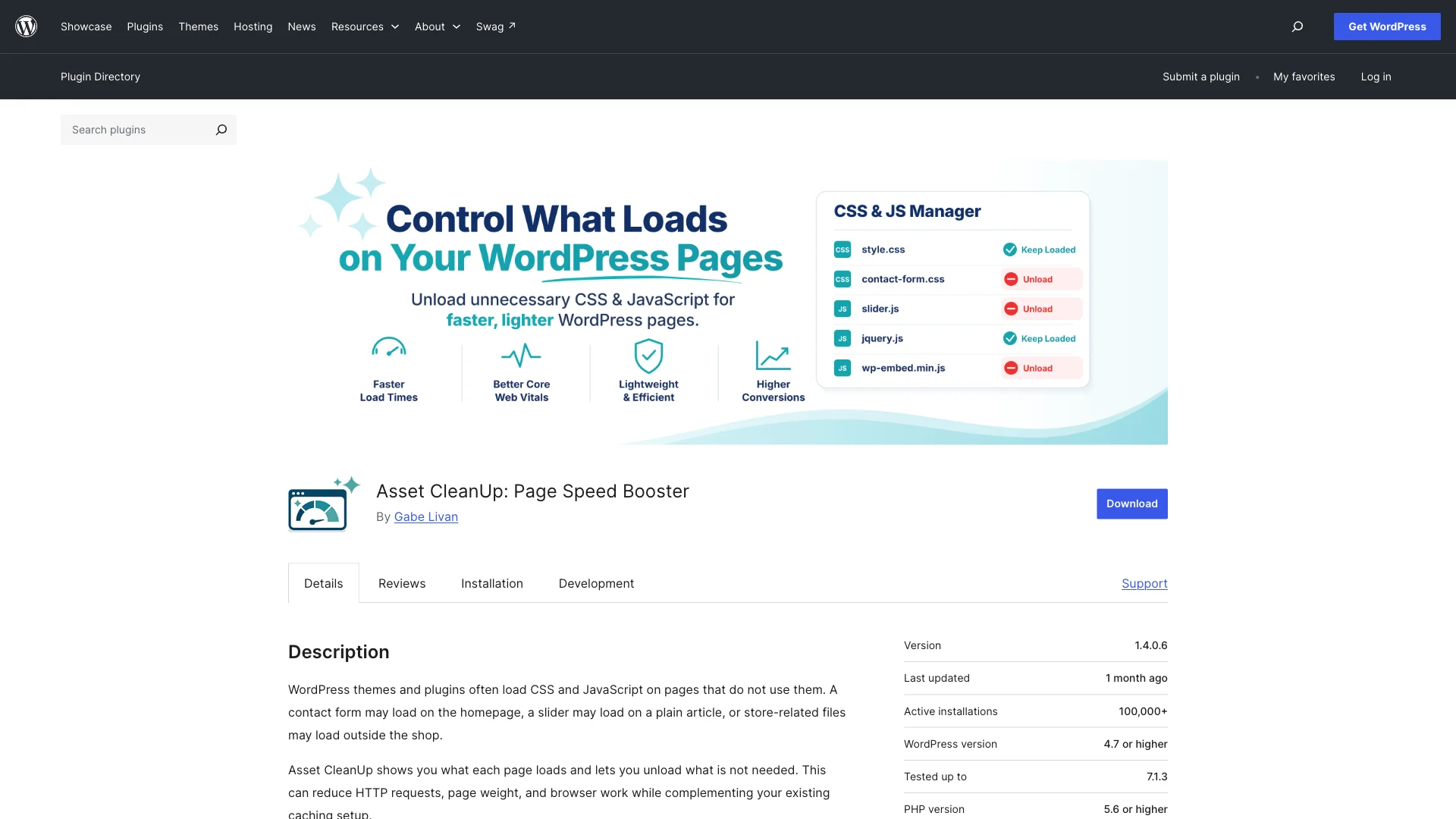
Asset CleanUp (Page Speed Booster) has long been a recognized tool for scanning active scripts and dequeueing unnecessary assets on specific pages. However, modern web performance demands have evolved significantly beyond simply unloading isolated scripts.
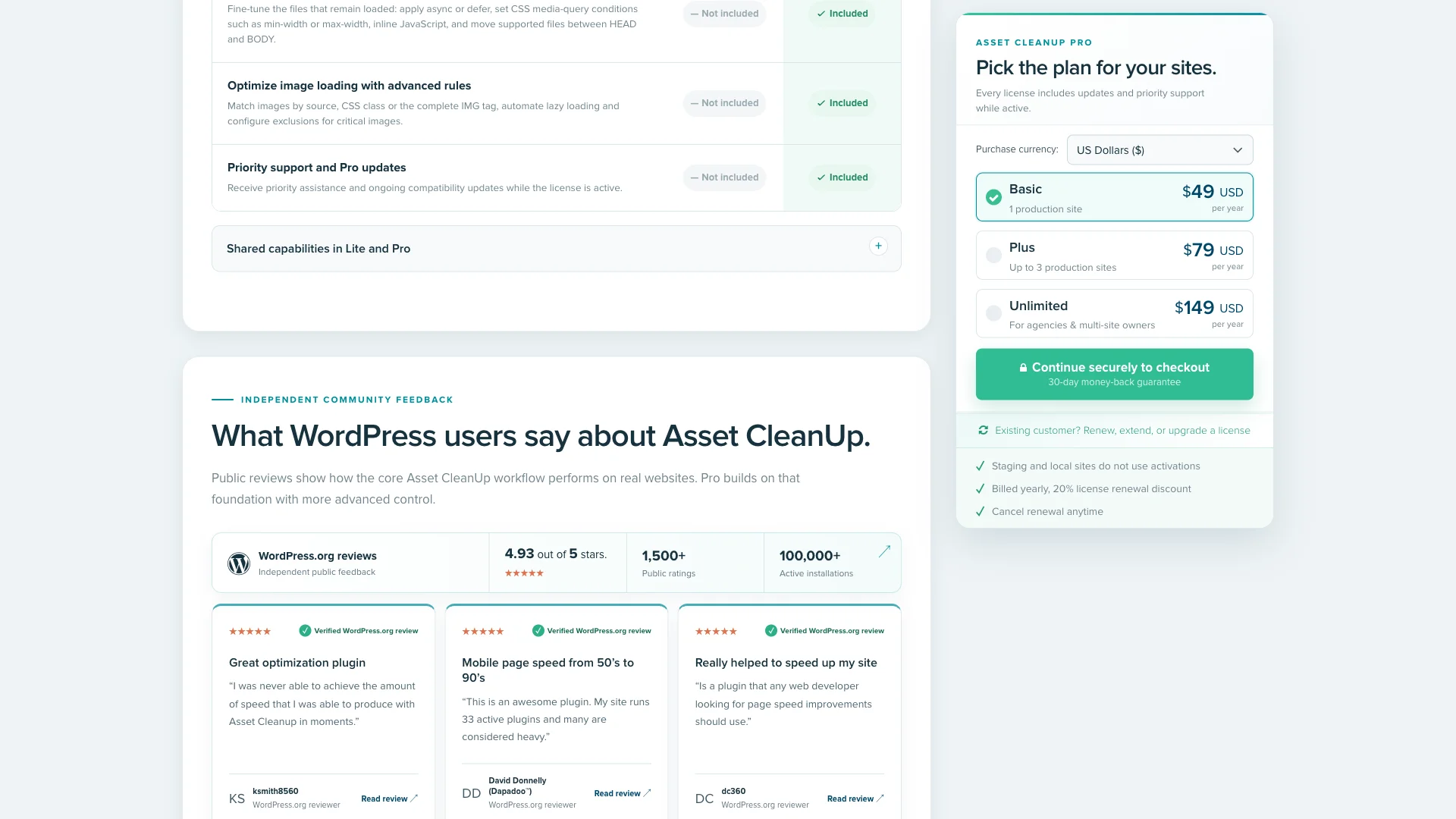
While Asset CleanUp offers a free version on WordPress.org, crucial performance capabilities—such as unloading entire plugins sitewide, applying async and defer attributes, and moving scripts from head to body—are locked behind Asset CleanUp Pro. Pricing starts at $49 per year for a single site and climbs to $149 per year for agencies. Moreover, Asset CleanUp lacks native full-page HTML caching, Redis object caching, and next-gen WebP image conversion, forcing you to install multiple overlapping plugins.
In this guide, we review the 5 best asset cleanup alternatives for WordPress in 2026 so you can eliminate render-blocking resources, streamline Core Web Vitals, and keep your site blazingly fast.
Why WordPress Users Seek Asset CleanUp Alternatives
Although Asset CleanUp is a functional script management utility, WordPress publishers frequently look for alternative solutions for several key reasons:
- Fragmented Performance Stack: Asset CleanUp only manages scripts and stylesheets. To achieve a 100/100 Google PageSpeed score, you still need separate plugins for page caching, object caching, Critical CSS generation, and image optimization, which leads to plugin conflict risks.
- Overwhelming and Complex User Interface: Asset CleanUp loads extensive lists of assets on every post edit screen. Navigating dozens of handles, dependencies, and regex patterns can easily overwhelm beginners and clutter your WordPress admin.
- Key Optimization Features Locked in Pro: Disabling plugins sitewide with URL exceptions or applying granular async/defer tags requires Asset CleanUp Pro ($49 to $149 annually), whereas modern alternatives bundle these features into comprehensive speed suites.
Asset CleanUp Alternatives Comparison Table
Compare the top WordPress script managers and performance plugins across critical speed and caching features:
| Plugin | Asset Manager / Unloader | Kritische CSS-Generierung | Full Page Caching | WebP Image Engine | Annual Cost |
|---|---|---|---|---|---|
| SiteSkyline-Optimierer | Yes (Per URL, Post Type & Safe Mode) | Yes (100% In-Browser Extraction) | Yes (Static HTML + Preloader) | Yes (Automatic & Bulk Conversion) | Free / Affordable Pro |
| Asset CleanUp | Yes (Plugin unloading requires Pro) | NEIN | NEIN | NEIN | Free / $49–$149/yr Pro |
| Perfmatters | Yes (Visual Script Manager) | Yes (Remove Unused CSS) | No (Requires external cache plugin) | NEIN | $29.95–$124.95/yr |
| Autoptimize | Basic (Exclusion strings only) | Paid Add-on (€10/mo) | NEIN | Via ShortPixel CDN | Free / $79/yr Pro |
| Clearfy | Yes (Asset Manager Add-on) | NEIN | NEIN | Via Robin Image Optimizer | $29–$89/yr |
1. SiteSkyline Optimizer — The Ultimate All-in-One Asset CleanUp Alternative
For website owners who want a complete, unified speed optimization engine without stacking four conflicting plugins, SiteSkyline Optimizer (SOptimizer) is the number one alternative to Asset CleanUp.
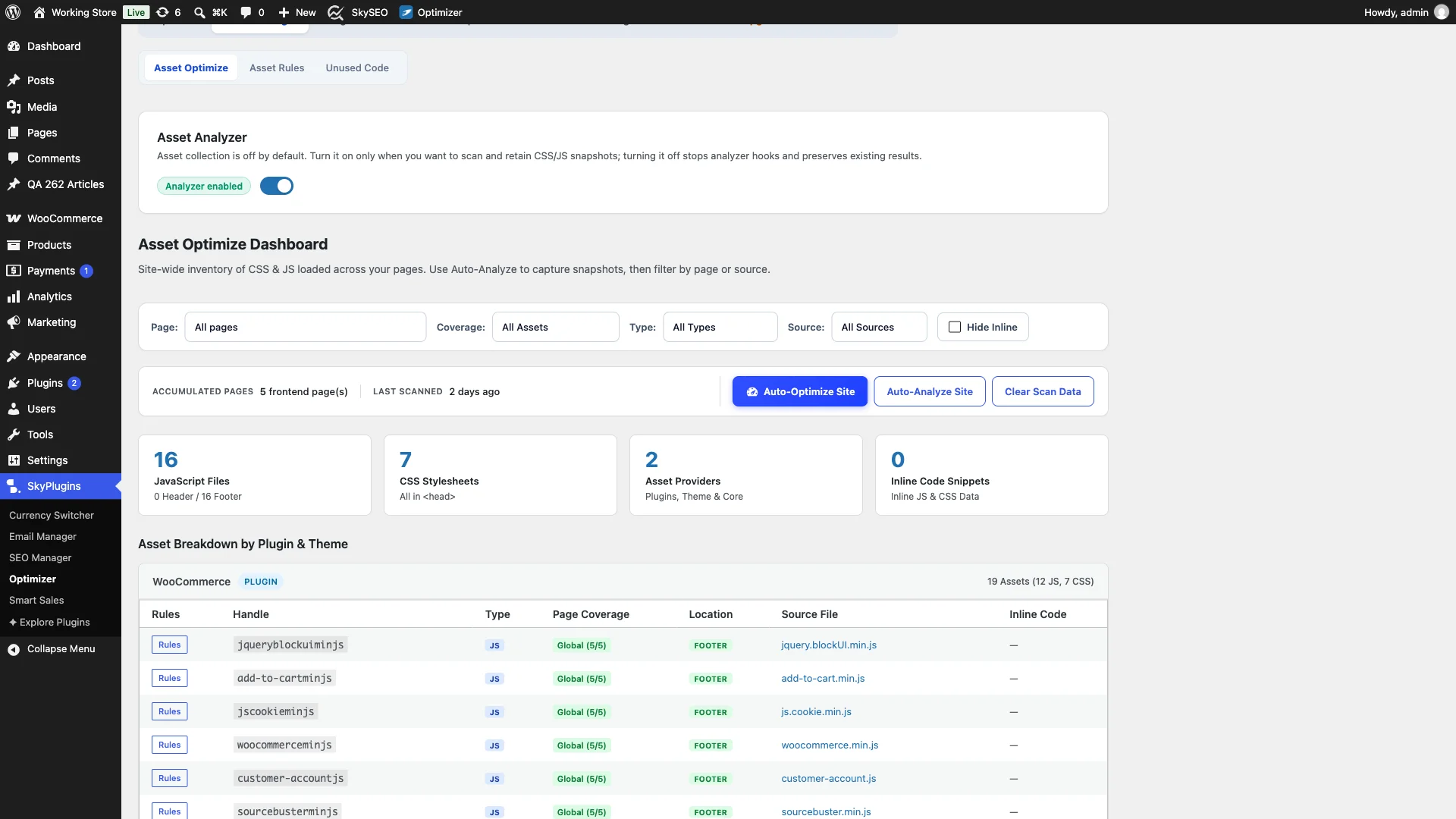
SOptimizer replaces Asset CleanUp, a separate caching plugin, and image compression tools in one lightweight codebase. It includes a built-in Asset Manager & Script Unloader that scans every enqueued handle, letting you selectively disable unnecessary CSS and JavaScript per URL or post type.
Key Advantages Over Asset CleanUp:
- Comprehensive Speed Suite: In addition to script unloading, SOptimizer provides instant static HTML page caching, cache preloading, and a persistent Redis/Memcached object cache drop-in.
- In-Browser Critical CSS Generation: Extracts above-the-fold styling directly inside WordPress to eliminate render-blocking CSS warnings without external cloud API dependencies.
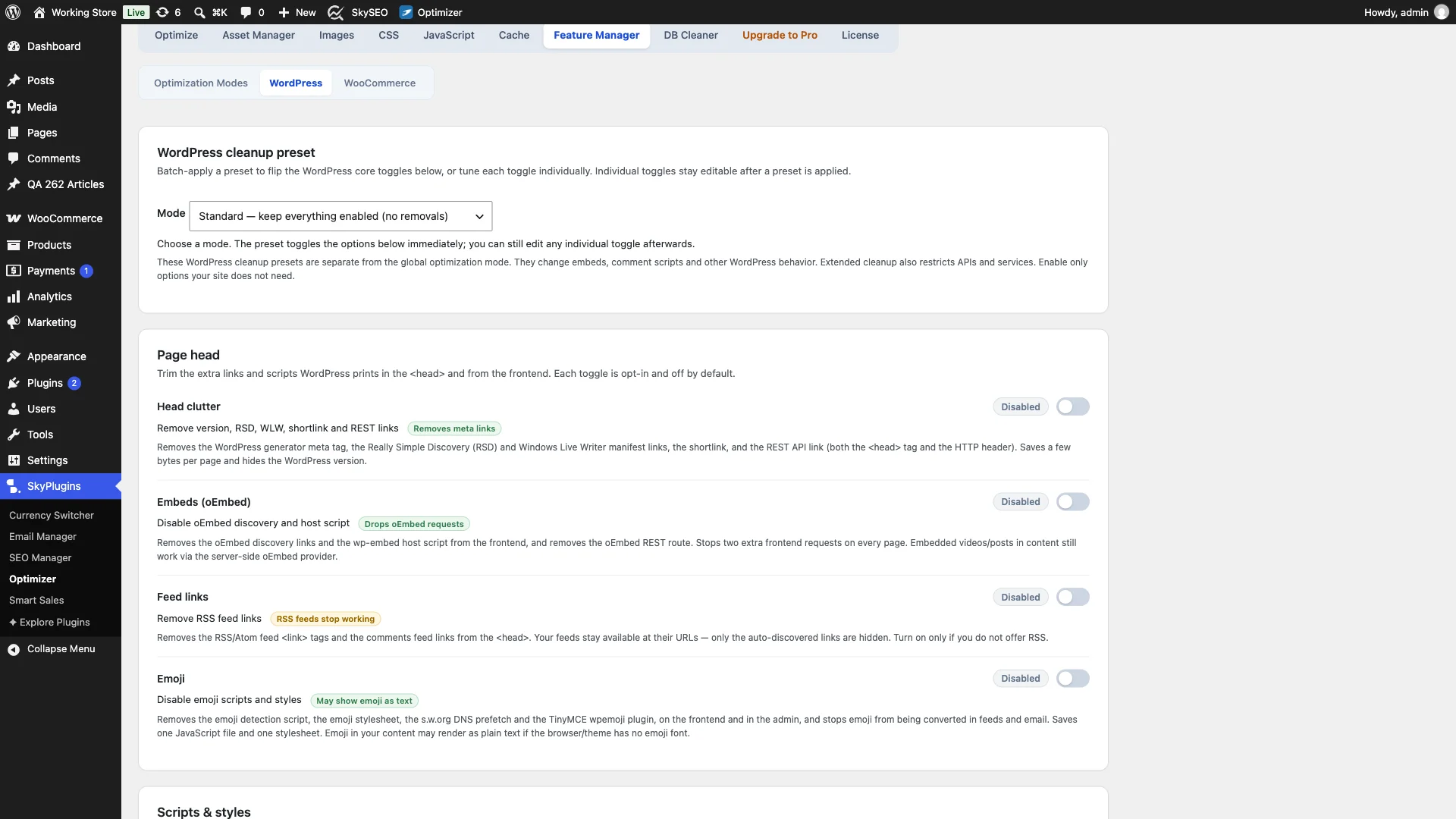
- Safe & Aggressive Modes: Protects your website design by separating non-destructive optimizations from advanced JavaScript deferral and asset unloading rules.
- Next-Gen WebP Engine: Automatically converts uploaded JPEG and PNG images to WebP format, drastically slashing file sizes and improving LCP scores.
- WooCommerce Optimization Suite: Disables resource-draining cart fragments AJAX requests and unloads heavy e-commerce scripts from non-shop pages.
Verdict: SiteSkyline Optimizer is the best all-around alternative for WordPress publishers who need powerful asset unloading combined with full-page caching, WebP conversion, and Core Web Vitals optimization.
2. Perfmatters — Minimalist Commercial Script Manager
Developed by forgemedia, Perfmatters is one of the most respected lightweight performance plugins in the WordPress ecosystem.
Perfmatters centers around an intuitive Script Manager interface. You can view all enqueued styles and scripts, then disable them everywhere, by post type, by specific URL, or for non-logged-in visitors.
Pros of Perfmatters:
- Clean visual Script Manager accessible directly from the admin bar.
- Effective JavaScript delay until user interaction (keyboard, scroll, mouse movement).
- Remove Unused CSS (Used CSS extraction) to streamline PageSpeed insights scores.
Cons of Perfmatters:
- No built-in page caching; you must configure an external caching plugin such as WP Rocket or Cache Enabler.
- Commercial-only plugin ($29.95 to $124.95/yr) with no free tier available on WordPress.org.
- No native WebP image conversion engine.
Verdict: Perfmatters is an outstanding commercial script manager for users who already have a dedicated page caching and CDN solution in place.
3. Autoptimize — Classic Script & Stylesheet Minifier
Autoptimize is one of the longest-standing performance plugins on WordPress.org, boasting over 1 million active installations.
Autoptimize focuses on aggregating, minifying, and caching CSS and JavaScript files to reduce total HTTP request counts and file payloads.
Pros of Autoptimize:
- Reliable minification of inline and external scripts and stylesheets.
- Async JavaScript integration for non-render-blocking script loading.
- 100% free core version supported by a mature developer community.
Cons of Autoptimize:
- Lacks a visual, granular Asset Manager for dequeueing specific plugin handles per page.
- Critical CSS generation requires a paid monthly subscription to an external cloud service (€10/mo).
- Aggressive script aggregation can occasionally cause script conflicts and break interactive theme elements.
Verdict: A reliable free option for basic script minification, but insufficient if you need granular handle-by-handle script unloading.
4. Clearfy — Multi-Feature WordPress Bloat Remover
Clearfy is a Swiss-army knife performance and privacy toolkit designed to disable unused WordPress core functions and scripts.
Clearfy offers an Asset Manager add-on that allows users to disable unused scripts and styles on selected pages, alongside broad security and bloat removal toggles.
Pros of Clearfy:
- Extensive switches for disabling emojis, REST API, embed scripts, and gravatars.
- Asset management module for disabling scripts by URL conditions.
- Combines security hardening and speed tweaks in one settings menu.
Cons of Clearfy:
- Settings panel contains dozens of nested tabs that can feel cluttered.
- Script manager module is less streamlined than dedicated tools like SOptimizer or Perfmatters.
- Requires third-party companion plugins for caching and WebP generation.
Verdict: Best suited for administrators looking to disable dozens of obscure WordPress core features alongside basic script control.
5. LiteSpeed Cache — High-Performance Server-Level Suite
LiteSpeed Cache (LSCache) is a comprehensive speed optimization suite built primarily for websites hosted on LiteSpeed Web Server or OpenLiteSpeed.
LSCache includes script combining, CSS minification, deferral, and a cloud-based Critical CSS generator via QUIC.cloud.
Pros of LiteSpeed Cache:
- Native server-level page caching with unmatched throughput on LiteSpeed hosting.
- Built-in image optimization and WebP generation via QUIC.cloud integration.
- 100% free plugin without commercial paywalls.
Cons of LiteSpeed Cache:
- Full-page server caching does not function on standard Apache or Nginx servers.
- Complex setup with over 200 individual configuration toggles.
- Does not offer a point-and-click visual asset manager for disabling individual plugin handles per URL.
Verdict: The premier choice if your WordPress site is hosted on a LiteSpeed web server, though setup complexity can be daunting.
How to Choose the Right Asset CleanUp Alternative
To pick the optimal tool for your WordPress website in 2026, consider your current hosting environment and existing plugin stack:
- To get Asset Management, Critical CSS, WebP, and Page Caching in one tool: Wählen SiteSkyline-Optimierer. It replaces multiple bulky plugins with one unified, bloat-free speed suite.
- If you already have a reliable page caching plugin: Wählen Perfmatters for its refined visual Script Manager and JavaScript delay features.
- If your hosting environment runs on LiteSpeed: Wählen LiteSpeed-Cache to leverage native server-level caching.
- For simple free CSS and JS minification: Wählen Autoptimize.
Frequently Asked Questions About Asset CleanUp Alternatives
What is the best free alternative to Asset CleanUp?
SiteSkyline Optimizer (SOptimizer) is the best alternative because its free edition combines an Asset Manager with static page caching, cache preloading, WebP conversion, and WordPress core bloat removal without restrictive paywalls.
Can unloading assets break my WordPress website?
Yes. If you unload a JavaScript file or stylesheet that other plugins depend on, site elements (such as sliders, forms, or checkout buttons) may stop working. Plugins like SiteSkyline Optimizer include a built-in Safe Mode to prevent accidental breaking changes.
Does Asset CleanUp include page caching?
No. Asset CleanUp is strictly an asset manager and script unloader. It does not generate static HTML page caches or provide Redis object caching. You must pair it with a separate caching plugin to achieve optimal server response times.
How does script unloading improve Core Web Vitals?
Unloading unused CSS and JavaScript handles eliminates render-blocking requests in the document head. This accelerates First Contentful Paint (FCP), reduces Total Blocking Time (TBT), and helps your site pass Interaction to Next Paint (INP) benchmarks.