
Are you looking for reliable NitroPack alternatives to pass Core Web Vitals and achieve lightning-fast WordPress load times without paying hundreds of dollars in recurring monthly SaaS fees?
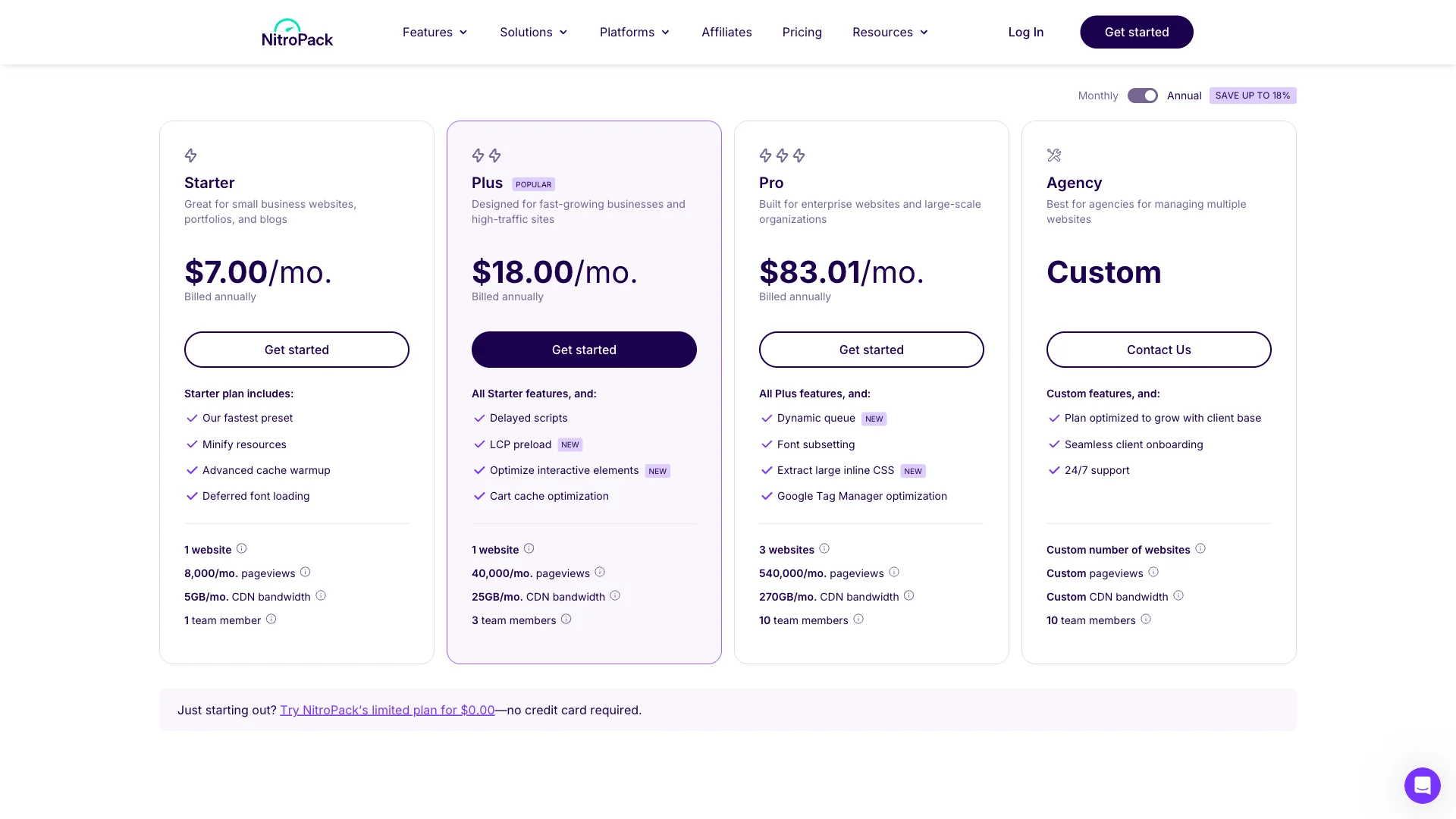
NitroPack gained popularity by offering an automated, hands-off approach to speed optimization. However, with entry plans starting at $84 per year for just 8,000 monthly pageviews and scaling to $996 per year for growing websites, many publishers and WooCommerce store owners find their pricing model prohibitive.
Furthermore, NitroPack’s cloud-dependent architecture and aggressive script delaying techniques can lead to broken WooCommerce carts, unexpected overage throttling, and vendor lock-in. Self-hosted WordPress optimization plugins provide equal speed gains with complete data control and zero monthly pageview caps.
In this guide, we review and compare the 5 best NitroPack alternatives for WordPress in 2026—evaluating pricing, Core Web Vitals impact, Critical CSS generation, and server-level efficiency.
Quick Summary: Best NitroPack Alternatives Compared
| Plugin | Pricing Model | Monthly Pageview Limits | Hosting Model | Mejor para |
|---|---|---|---|---|
| SiteSkyline Optimizer (SOptimizer) | Free Core / Lifetime Options | Unlimited (Zero caps) | 100% Self-Hosted (WordPress) | Best overall value, local Critical CSS, WebP & per-page asset unloading |
| NitroPack | $84 to $996+ / year | Strictly Capped (8k to 540k/mo) | Cloud-Hosted (SaaS) | Hands-off sites willing to pay high recurring SaaS fees |
| WP Rocket | $59.95 to $299.95 / year | Ilimitado | Self-Hosted (WordPress) | Beginners wanting a simple premium cache interface |
| LiteSpeed Cache | Free (Requires LiteSpeed server) | Ilimitado | Server-Level (LiteSpeed/QUIC.cloud) | Websites hosted on LiteSpeed or OpenLiteSpeed web servers |
| FlyingPress | $60 to $250 / year | Unlimited (CDN extra) | Self-Hosted (WordPress) | Performance purists comfortable with annual renewals |
Why WordPress Site Owners Are Replacing NitroPack
While NitroPack delivers high initial Google PageSpeed scores, its proprietary cloud architecture introduces serious challenges for growing websites:
- Aggressive Monthly Pageview Quotas: The Starter plan is strictly capped at 8,000 pageviews/month ($7/mo billed annually), while the Plus plan allows only 40,000 pageviews ($18/mo). If a blog post goes viral or seasonal sales surge, NitroPack cuts off optimizations or charges expensive overage rates.
- Mandatory Footer Badge on Free Plan: NitroPack’s free tier (limited to only 5,000 pageviews) forces a visible powered-by badge into your website footer, which looks unprofessional on commercial storefronts.
- “Cheat” Script Delaying and Layout Shifts: NitroPack heavily relies on delaying all JavaScript execution until the first user interaction. While this produces high synthetic scores in automated testing tools, real mobile visitors often experience unresponsive menus, delayed form submissions, or cart glitches.
- Complete Cloud Dependency: All cached HTML pages and optimized assets reside on NitroPack’s remote servers. If their cloud infrastructure experiences latency or downtime, your website speed suffers immediately.
1. SiteSkyline Optimizer (SOptimizer): Best Free & Self-Hosted Alternative
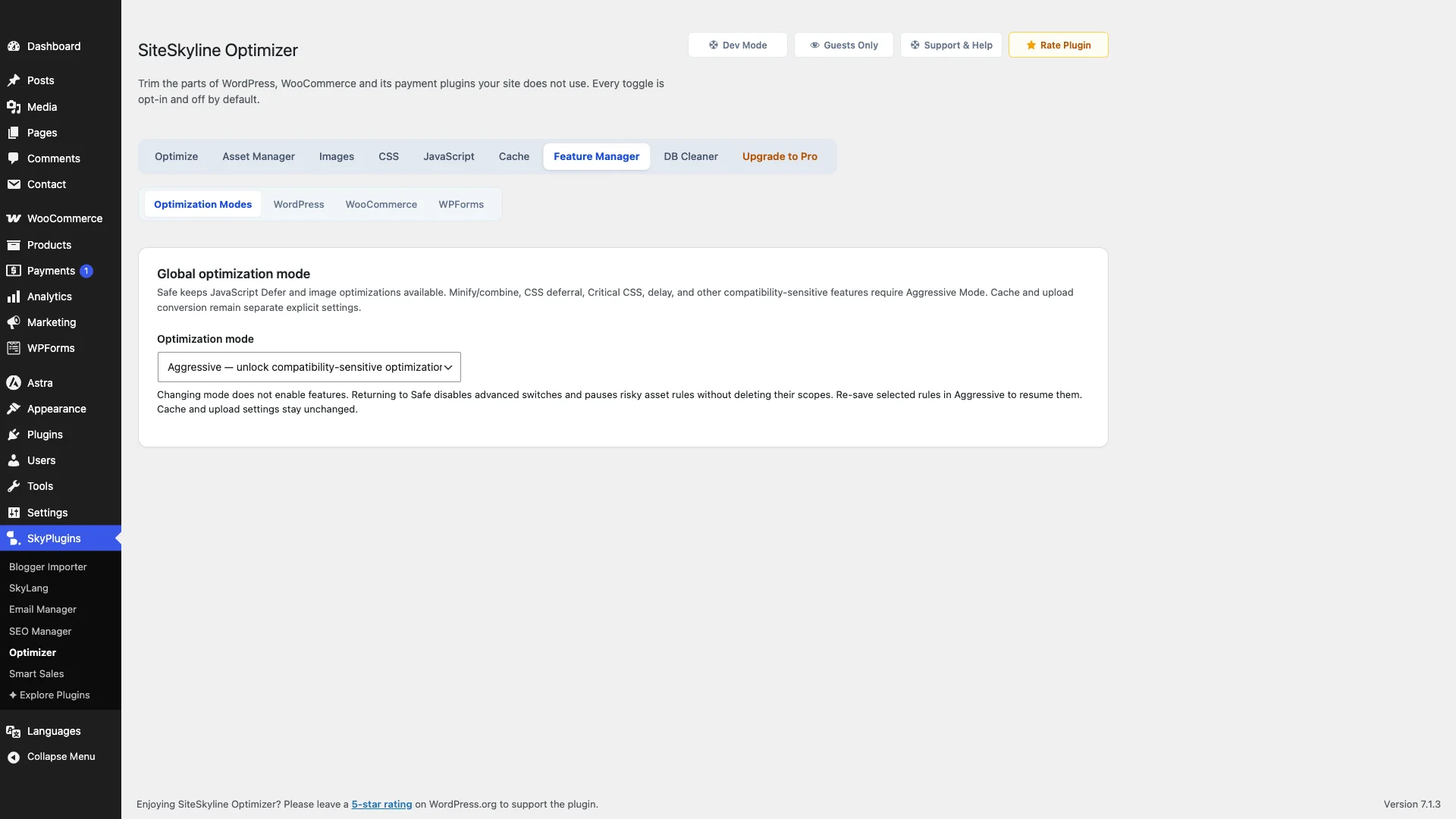
SiteSkyline Optimizer (SOptimizer) provides enterprise-level WordPress and WooCommerce speed optimization directly on your own server, completely eliminating recurring SaaS bills and pageview quotas.
Rather than relying on external cloud rendering proxies, SOptimizer handles Critical CSS generation, WebP conversion, script deferral, and asset unloading locally using lightweight PHP and native server utilities.
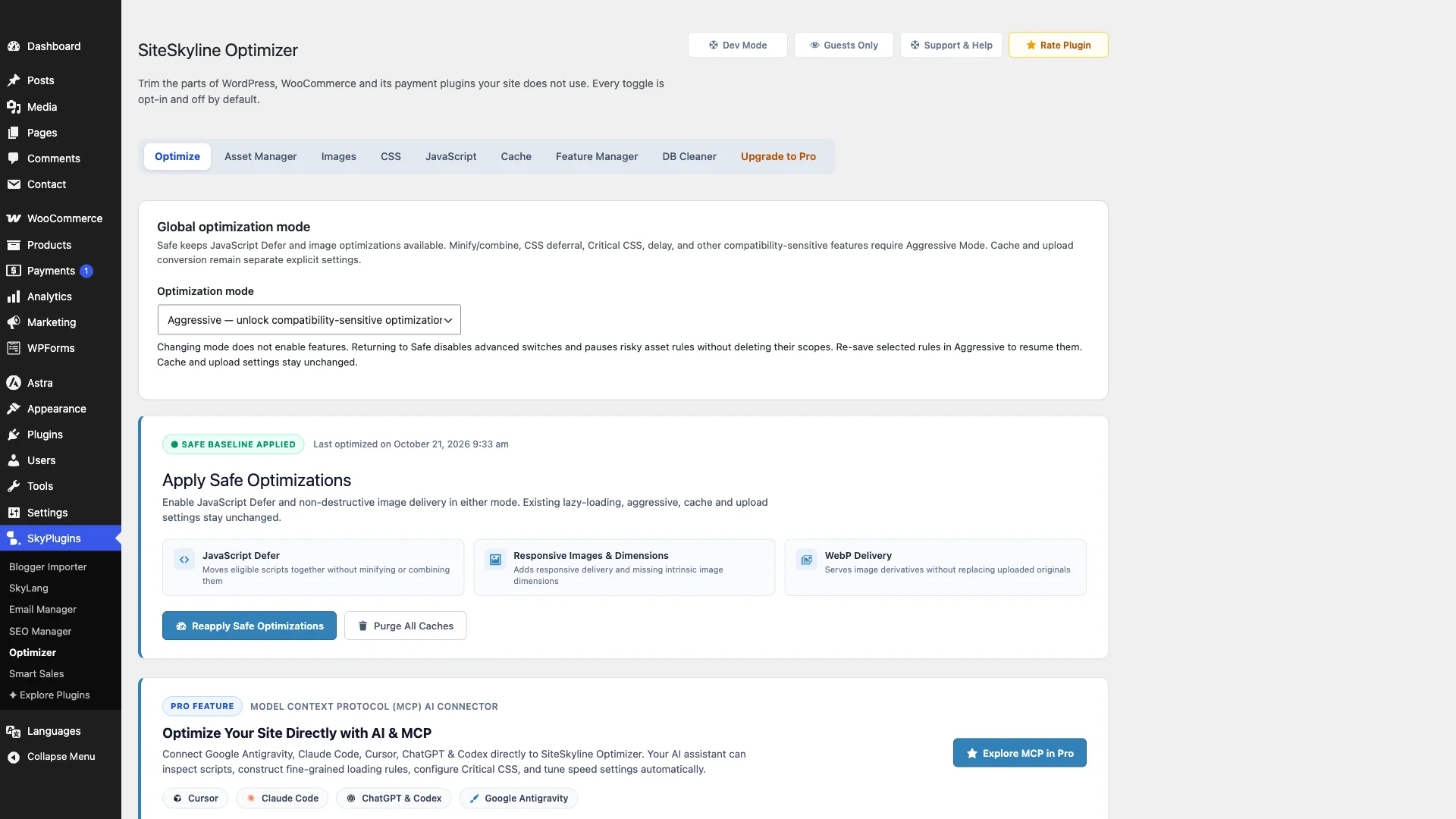
Standout Capabilities & Advantages:
- Zero Pageview Caps: Optimize 10,000 or 10,000,000 monthly pageviews without paying a cent more or worrying about overage throttles.
- Local Critical CSS Generation: Extracts above-the-fold CSS per page type and inlines it directly in the document head, eliminating render-blocking CSS warnings in Google PageSpeed Insights.
- Per-Page Asset Manager & Script Unloader: Discover every CSS stylesheet and JavaScript file loading on any given page and disable unused assets (such as contact forms, slider scripts, or checkout modules) where they are not needed.
- Automated Next-Gen WebP Conversion: Automatically converts uploaded JPEG and PNG images to high-compression WebP format with automated responsive sizing.
- WordPress & WooCommerce Bloat Removal: Strips core WordPress bloat (emojis, embeds, dashicons) and disables WooCommerce cart fragments on non-cart pages, drastically improving Time to First Byte (TTFB).
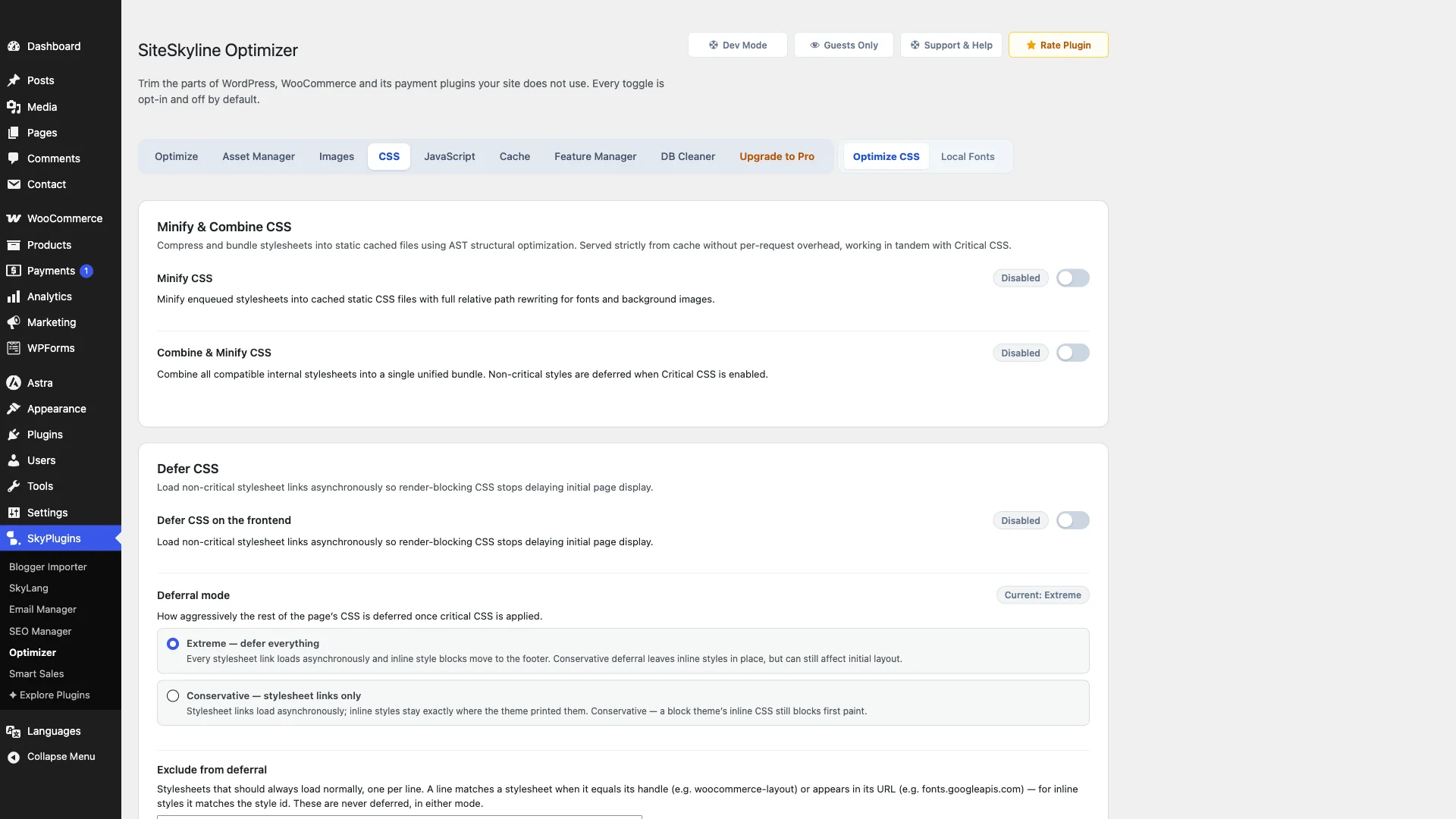
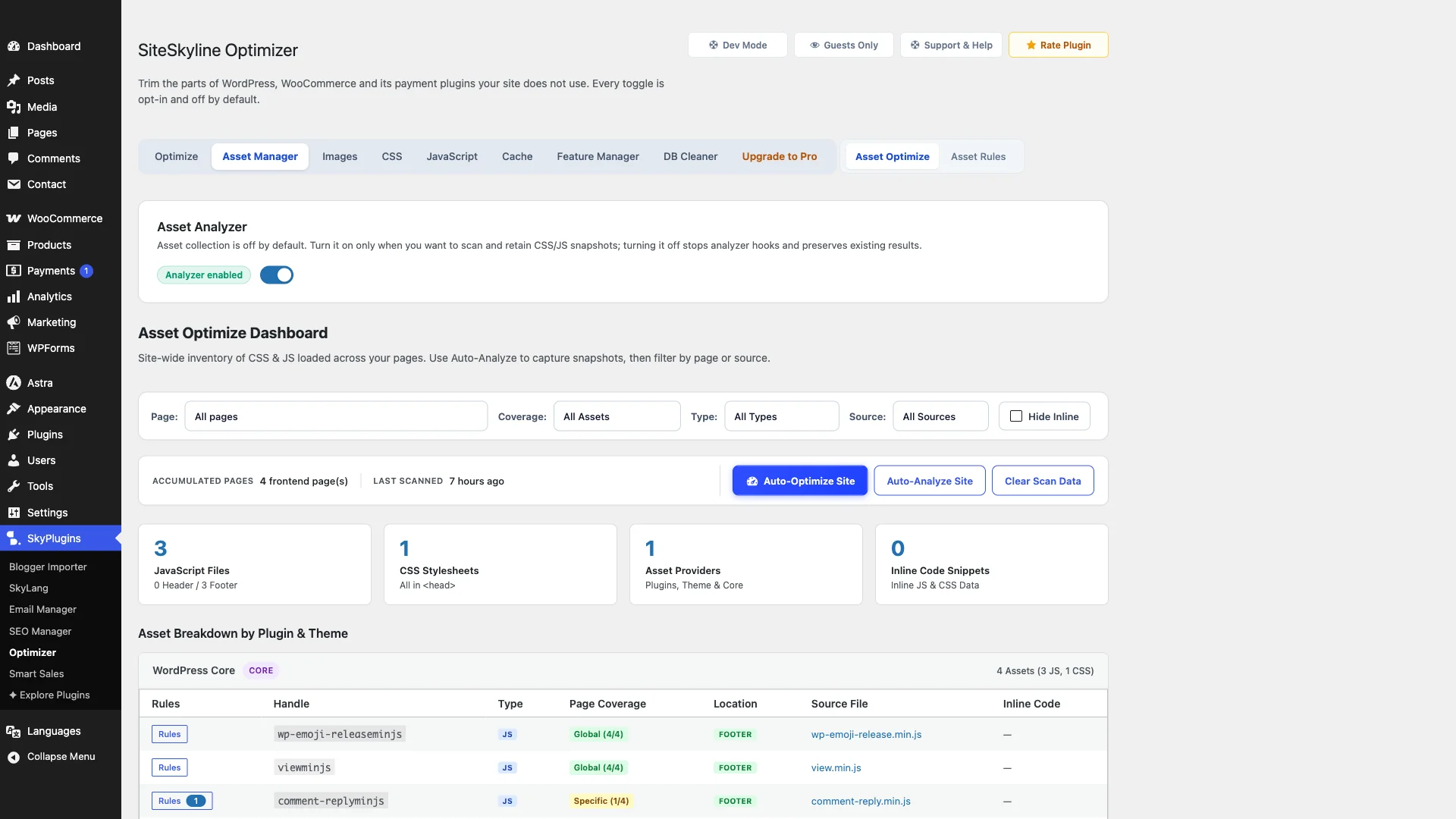
Verdict: The premier self-hosted alternative to NitroPack. You get the same Core Web Vitals optimization—Critical CSS, WebP, script delay, and caching—with zero monthly pageview fees and complete ownership over your website code.
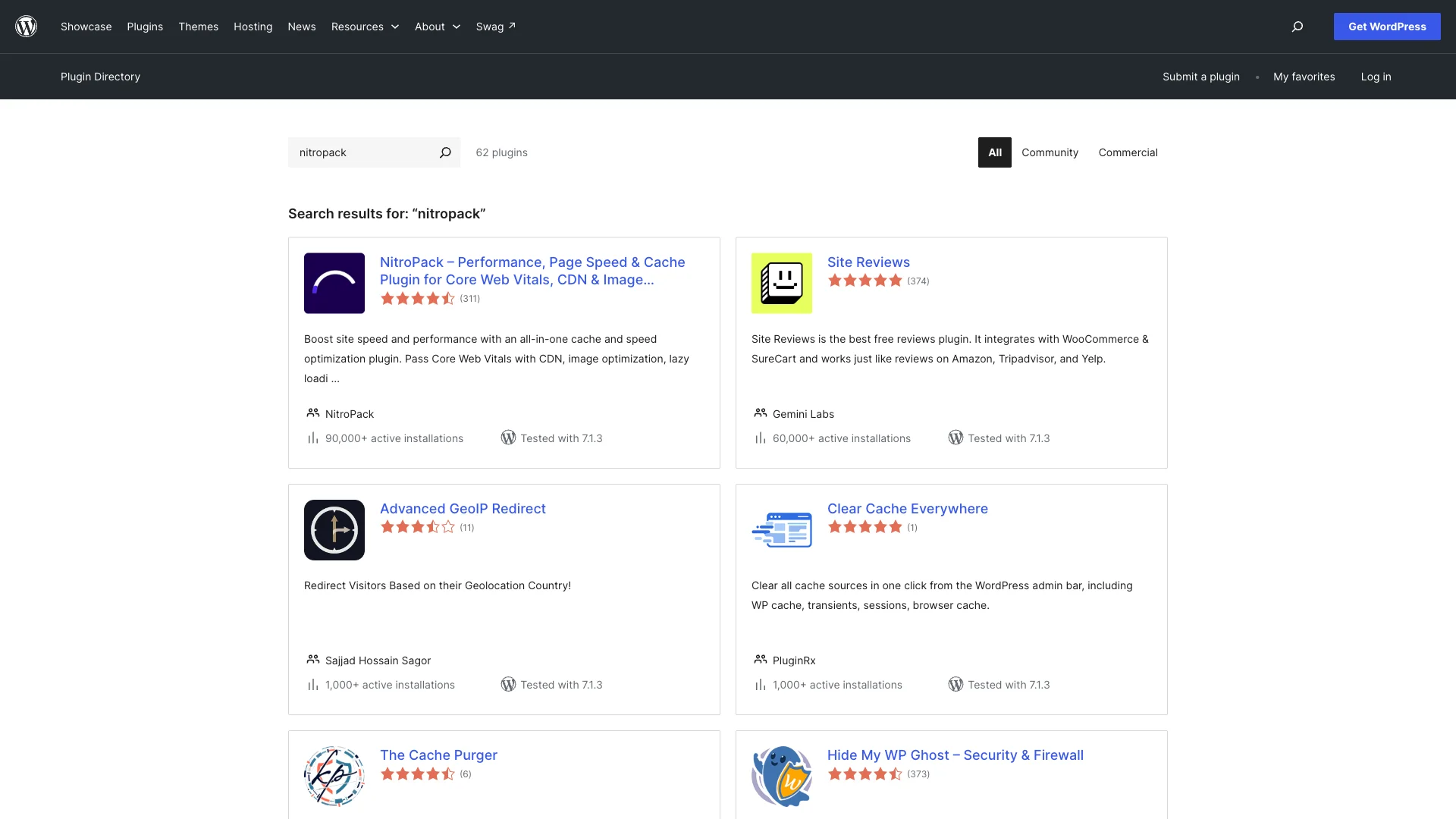
2. WP Rocket: Best for Beginners Wanting Simple Caching
WP Rocket is one of the most popular commercial caching plugins in the WordPress ecosystem, known for its polished user experience and dependable compatibility.
Pros:
- Extremely beginner-friendly interface with safe, automated defaults.
- Automatic Remove Unused CSS (RUCSS) via cloud service.
- Excellent compatibility with popular WooCommerce themes and page builders.
Cons:
- No Free Version: WP Rocket costs $59.95/year for 1 site and scales to $299.95/year for 50 sites.
- Does not include a built-in per-page Asset Manager to selectively unload unused scripts on specific URLs.
- WebP conversion requires installing their separate Imagify plugin.
Verdict: A reliable alternative if you have a budget for annual software renewals and prefer a simple, set-and-forget caching dashboard.
3. LiteSpeed Cache (LSCache): Best for LiteSpeed Web Servers
LiteSpeed Cache is an all-in-one acceleration plugin that connects directly to the server-level cache module built into LiteSpeed and OpenLiteSpeed web servers.
Pros:
- 100% free with no recurring fees when hosted on a LiteSpeed web server.
- Server-level page caching that bypasses PHP execution completely for static requests.
- Comprehensive feature set, including Critical CSS generation and image optimization via QUIC.cloud.
Cons:
- Server Locked: Full server-level caching benefits require hosting on LiteSpeed servers; sites on Apache or Nginx cannot use its primary caching engine.
- Overwhelming settings menu with dozens of complex technical toggles that can confuse beginners.
- Cloud image optimization and Critical CSS generation rely on a QUIC.cloud credit system.
Verdict: The indisputable best choice if your hosting provider uses LiteSpeed web servers. For sites on Nginx or Apache, standalone plugins like SOptimizer provide broader compatibility.
4. FlyingPress: Best for Performance Purists
FlyingPress is a dedicated performance plugin engineered by speed consultant Gijo Varghese, focusing on cutting-edge Core Web Vitals techniques.
Pros:
- Excellent JavaScript execution optimization, including smart interaction delays.
- Automatic Critical CSS and self-hosted Google Fonts optimization.
- Integrated FlyingCDN option with global edge caching.
Cons:
- Priced at $60 per year for a single site, increasing to $250 per year for 5 sites.
- FlyingCDN requires additional monthly bandwidth fees ($0.03/GB).
- No free tier available in the WordPress.org repository.
Verdict: A premium, performance-focused tool that delivers strong Core Web Vitals scores, though total costs accumulate when paired with CDN bandwidth.
5. W3 Total Cache: Best for Advanced Server Administrators
W3 Total Cache is one of the oldest and most configurable caching engines for WordPress, supporting complex enterprise caching architectures.
Pros:
- Free core version includes comprehensive page, database, and object caching.
- Supports advanced server caching backends, including Redis, Memcached, and APCu.
- Granular CDN integration options across multiple third-party providers.
Cons:
- Notoriously intimidating configuration interface with over a dozen sub-menus.
- Improper configuration can easily break storefront layouts or cause database connection errors.
- Lacks modern automated Critical CSS generation and local WebP serving in the free tier.
Verdict: Suitable for experienced system administrators running high-traffic VPS or dedicated servers who need custom Memcached/Redis object caching configurations.
Feature Comparison: NitroPack vs. Top Alternatives
| Característica | Optimizador de SiteSkyline | NitroPack Plus | WP Rocket | LiteSpeed Cache |
|---|---|---|---|---|
| Annual Pricing | Free Core / Lifetime | $216 / year ($18/mo) | $59.95 / year | $0 (Free) |
| Pageview Limits | Unlimited (Zero) | 40,000 / month | Ilimitado | Ilimitado |
| Hosting Model | 100% Self-Hosted | Cloud SaaS | 100% Self-Hosted | Server-Level (LiteSpeed) |
| Generación de CSS crítico | Local (No limits) | Cloud Engine | Cloud Engine (RUCSS) | QUIC.cloud Credits |
| Per-Page Asset Unloading | Included | No | No | No |
| Local WebP Image Conversion | Included | Cloud CDN | Requires Imagify | QUIC.cloud Credits |
| Core & WooCommerce Bloat Cleaner | Included | No | Básico | Básico |
How to Choose the Right NitroPack Alternative
Selecting the ideal performance solution depends on your hosting architecture and monthly budget:
- Choose SiteSkyline Optimizer (SOptimizer) if you want unlimited pageviews, zero recurring monthly costs, local Critical CSS generation, WebP conversion, and per-page asset management on any web server.
- Choose LiteSpeed Cache if your WordPress hosting runs on LiteSpeed Enterprise or OpenLiteSpeed web servers.
- Choose WP Rocket if you prefer a well-known, simple caching plugin and do not mind paying $59.95 every year.
- Choose FlyingPress if you are an advanced performance consultant seeking fine-grained control over CSS and JavaScript execution.
Preguntas frecuentes (FAQ)
Why is NitroPack so expensive?
NitroPack operates as a Software-as-a-Service (SaaS) platform that renders and optimizes your web pages on remote cloud servers. Because cloud computing, image rendering, and proprietary CDN bandwidth carry recurring infrastructure costs, NitroPack charges monthly subscriptions that increase based on your traffic volume.
Does NitroPack fake PageSpeed Insights scores?
NitroPack does not “fake” scores, but its default settings aggressively delay all JavaScript execution until user interaction (such as mouse movement or scrolling). While synthetic testing tools like Google PageSpeed Insights award high initial scores, real visitors can sometimes experience brief delays when attempting to open menus, submit forms, or add items to cart.
What happens if I exceed NitroPack’s monthly pageview limit?
When your website exceeds its plan’s monthly pageview quota, NitroPack either disables optimization and serves un-optimized pages directly from your origin server, displays a branded badge on your site, or automatically charges overage fees depending on your account settings.
Can self-hosted WordPress plugins generate Critical CSS without cloud APIs?
Yes. Plugins like SiteSkyline Optimizer (SOptimizer) analyze your site’s DOM tree and extract above-the-fold CSS styles directly on your server, inlining the critical rules into your HTML without requiring external API calls or third-party cloud credit packages.
How does unloading unused assets improve Core Web Vitals?
Many WordPress plugins load heavy CSS and JavaScript files sitewide, even on pages where their functionality is never used (such as contact forms loading scripts on blog posts). An Asset Manager allows you to disable these unnecessary files on specific pages, reducing Total Blocking Time (TBT) and Largest Contentful Paint (LCP).