
Are you looking for the best Yoast SEO alternatives to optimize your WordPress site without dealing with bloated admin screens, endless upsell banners, and expensive annual renewals?
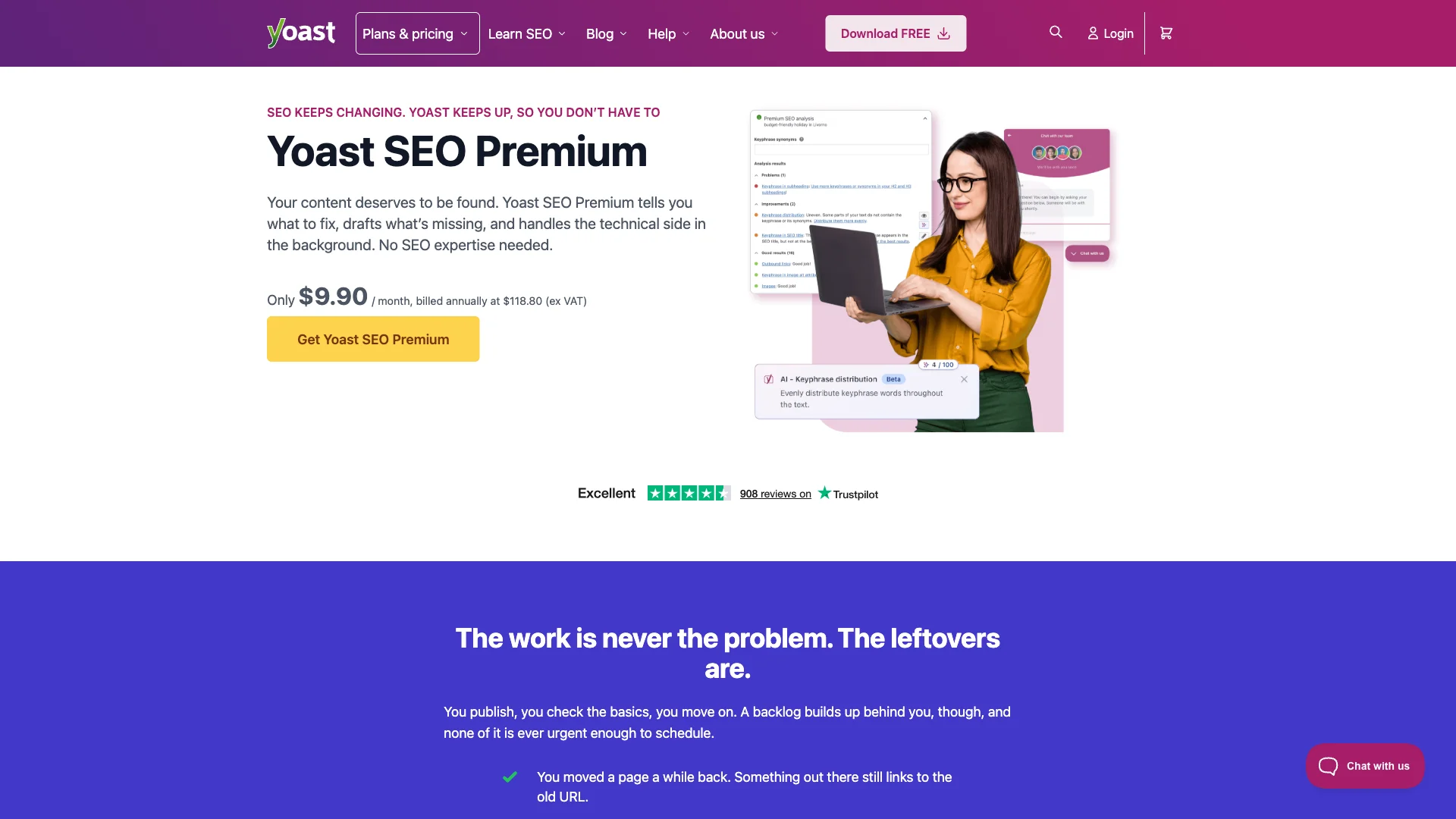
For over a decade, Yoast SEO was the default recommendation for WordPress optimization. Today, however, Yoast SEO Premium costs a steep $118.80 per year per site, while essential add-ons like WooCommerce SEO ($79/yr) push total costs beyond $197 annually.
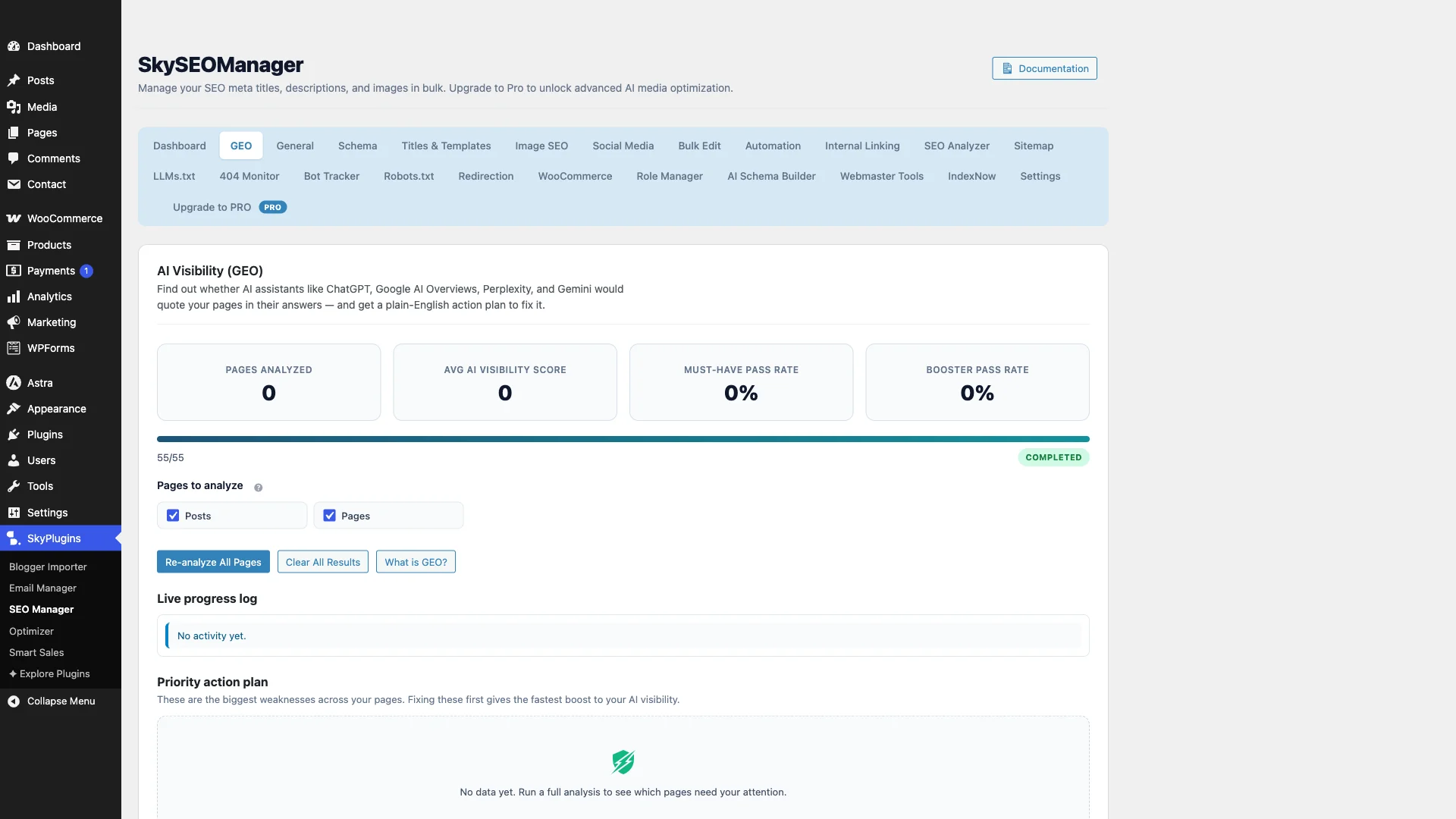
More importantly, traditional SEO plugins have struggled to keep up with the shift toward Optimización generativa del motor (GEO)—the practice of optimizing content so AI answer engines like ChatGPT, Perplexity, and Google AI Overviews cite and recommend your brand.
In this guide, we break down the 7 best Yoast SEO alternatives for WordPress in 2026, comparing verified pricing, server performance, schema flexibility, and AI search readiness.
Quick Summary: Best Yoast SEO Alternatives Compared
| Plugin | Pricing Model | Admin Bloat & Ads | Generative AI / GEO Ready | Mejor para |
|---|---|---|---|---|
| SiteSkyline Sky SEO | Free Core / Lifetime Options | Zero ads / Clean UI | Yes (Native GEO & llms.txt) | Best overall value, AI search readiness & fast bulk metadata editing |
| Yoast SEO | $118.80 / year Premium | High (Banners & upsells) | No native GEO suite | Legacy sites comfortable with traditional readability traffic lights |
| Clasificar SEO matemático | Free / $83.88/year Pro | Moderado | Partial (Content AI credits) | Users wanting built-in Google Search Console analytics |
| SEOPress | Free / $49/year PRO | Low (White-label friendly) | Básico | Agencies managing multiple client websites on a single license |
| The SEO Framework | 100% Free / Ad-Free | Zero (Completely minimal) | No | Developers wanting an invisible, lightweight meta tag generator |
| All in One SEO (AIOSEO) | Free / $49.60 to $299.60/year | High (Aggressive upgrade notices) | Básico | Beginners seeking setup wizards and local business modules |
| Slim SEO | Free / $39/year Schema Pro | Cero | No | Simple blogs wanting automated meta tags without manual configuration |
Why WordPress Users Are Moving Away From Yoast SEO
While Yoast SEO helped popularize on-page optimization, modern website owners frequently cite four main pain points:
- Rising Annual License Fees: Yoast SEO Premium now costs $118.80 per site every year. If you run a WooCommerce store, the required WooCommerce SEO add-on brings your annual bill to nearly $200.
- Persistent Dashboard Ads and Nag Notices: Free Yoast installations are notorious for black notification banners, sidebar upgrade pitches, and non-dismissible notifications that clutter the WordPress admin experience.
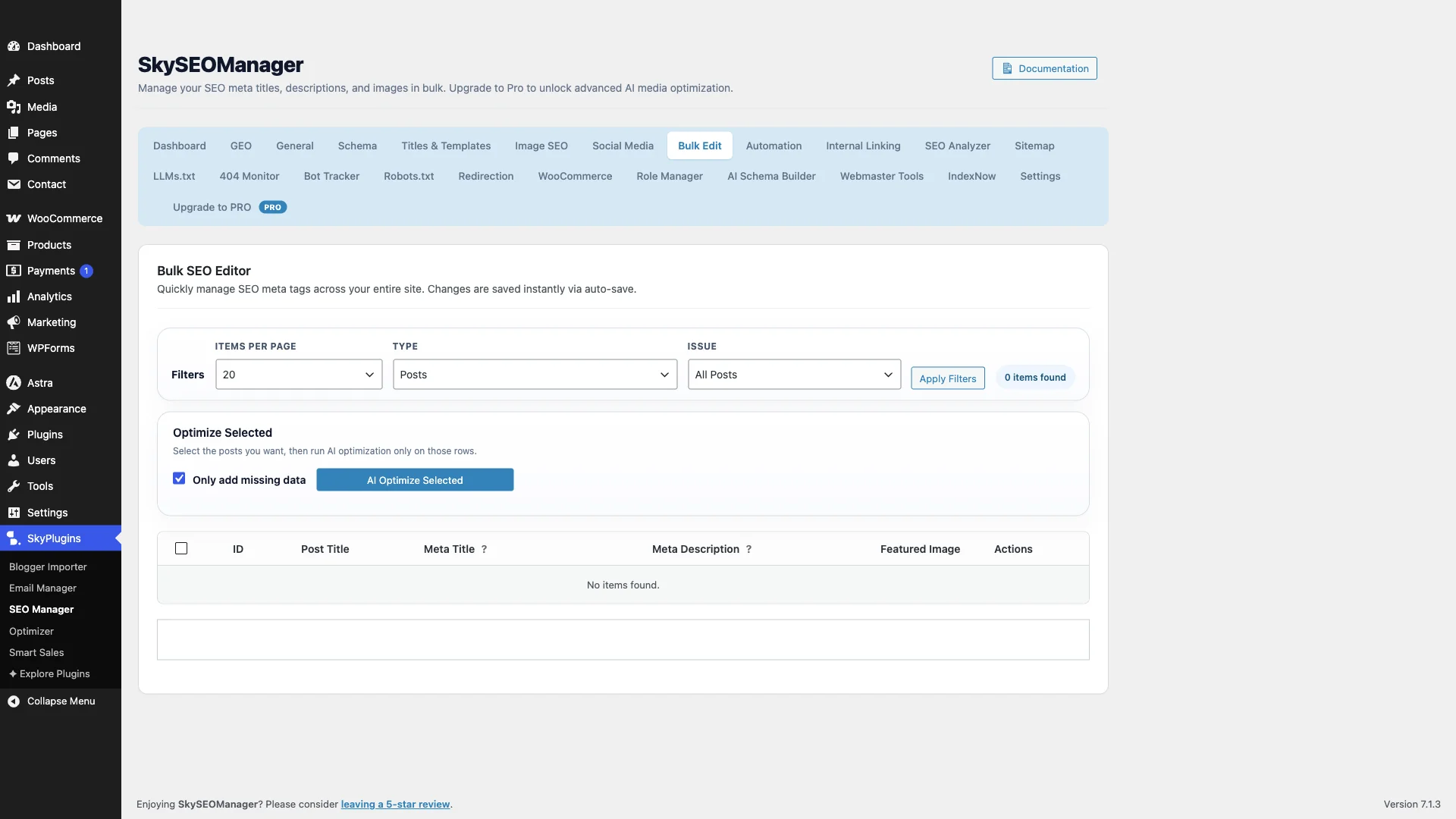
- No Bulk Metadata Editor: Updating titles and meta descriptions across 50 older blog posts requires opening 50 individual browser tabs, creating unnecessary editorial friction.
- Lack of Generative Engine Optimization (GEO): Search behavior has transformed with ChatGPT, Claude, and Google AI Overviews. Traditional keyword-density checklists do not prepare your content for AI retrieval engines or generate automated
llms.txtindexing files.
1. SiteSkyline Sky SEO: Best Modern, Bloat-Free & GEO-Ready Alternative
SiteSkyline Sky SEO is built for the modern era of search. Designed to be fast, lightweight, and completely ad-free, it replaces outdated SEO checklists with actionable insights for both traditional Google SERPs and emerging AI answer engines.
Operating natively inside your WordPress installation, Sky SEO does not require external account connections, third-party tracking scripts, or recurring monthly fees.
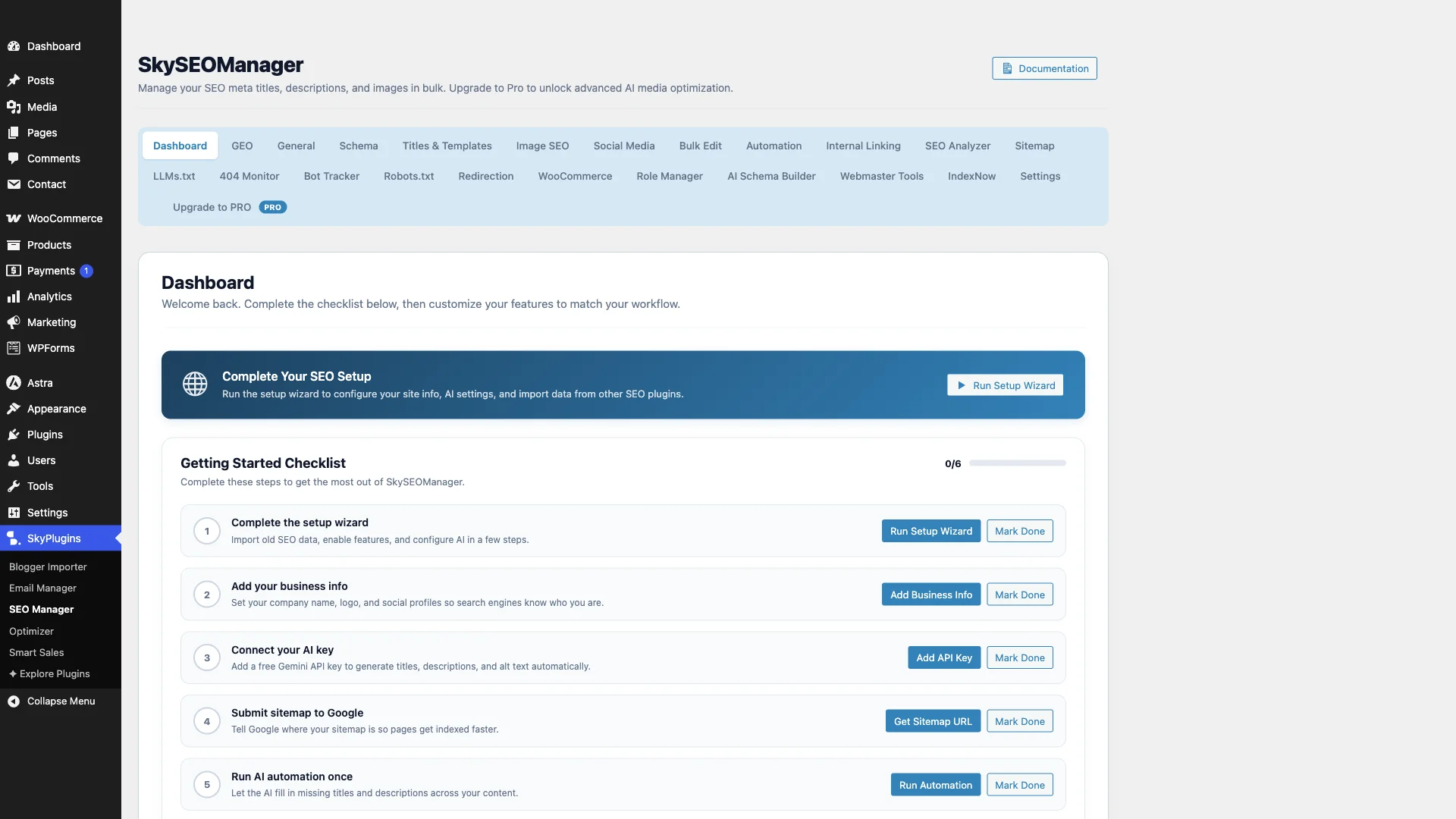
Standout Capabilities & Features:
- Built-in Generative Engine Optimization (GEO): Measures your content’s conversational readiness, authority citations, and structured comprehensiveness to increase citation rates inside ChatGPT, Perplexity, and Google AI Overviews.
- Automated
llms.txtFile Generator: Automatically creates and maintains anllms.txtfile in your site root, giving AI web scrapers (like GPTBot and ClaudeBot) a clean, structured summary of your site’s core content. - High-Speed Sitewide Bulk Metadata Editor: Update SEO titles, meta descriptions, and focus keywords for dozens of posts, pages, or WooCommerce products on a single table screen without opening separate tabs.
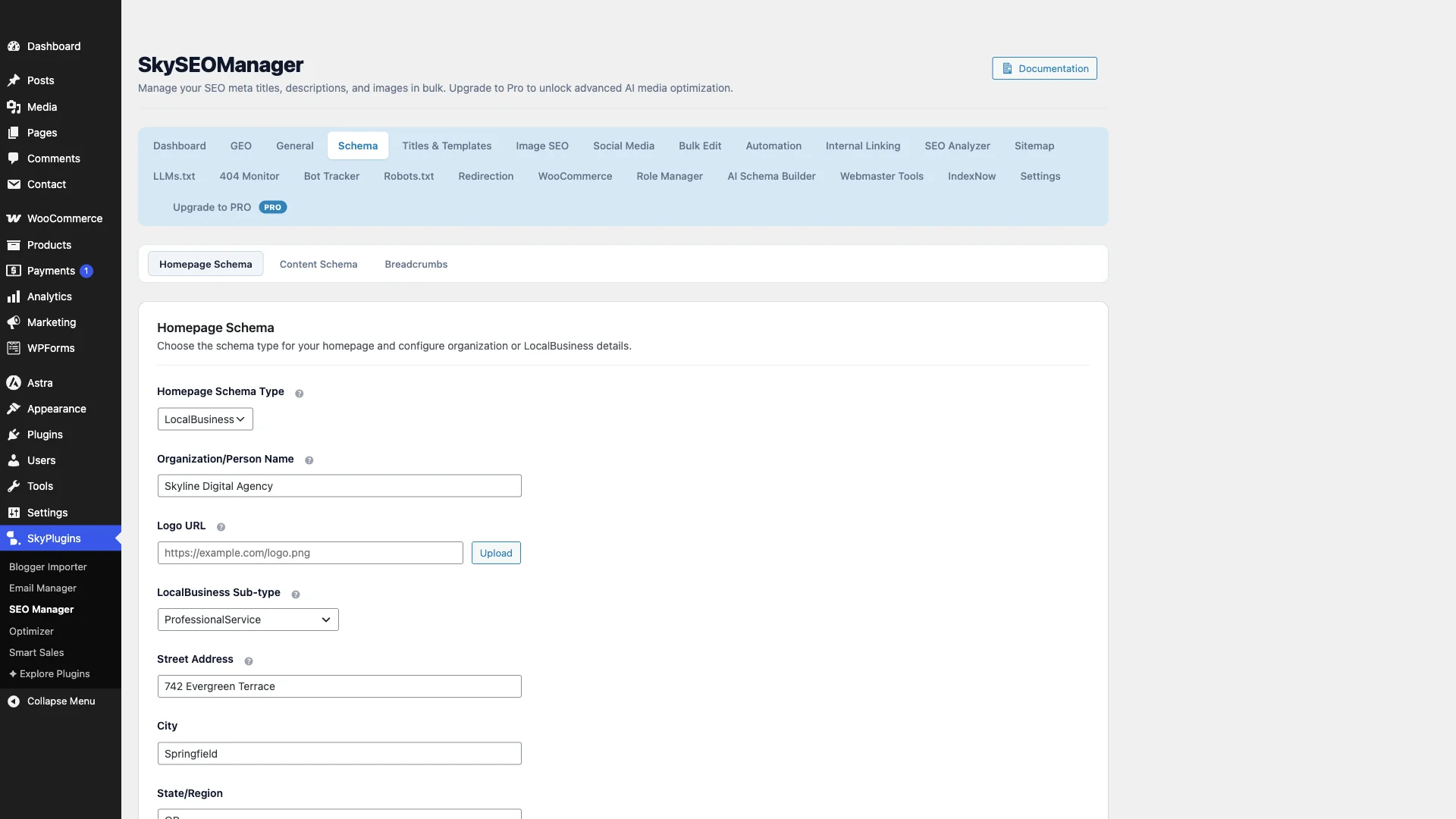
- Comprehensive Schema & Knowledge Graph Builder: Generate valid JSON-LD structured data for Organizations, Persons, Articles, FAQs, How-To guides, and WooCommerce products without writing a line of code.
- Zero Persistent Ads or Banners: Keeps your WordPress admin clean, responsive, and free from upsell popups.
Verdict: The premier choice for forward-thinking WordPress publishers and e-commerce stores who want top-tier on-page SEO, modern AI search readiness, and a fast, uncluttered dashboard.
2. Rank Math SEO: Best for Data-Heavy Analytics
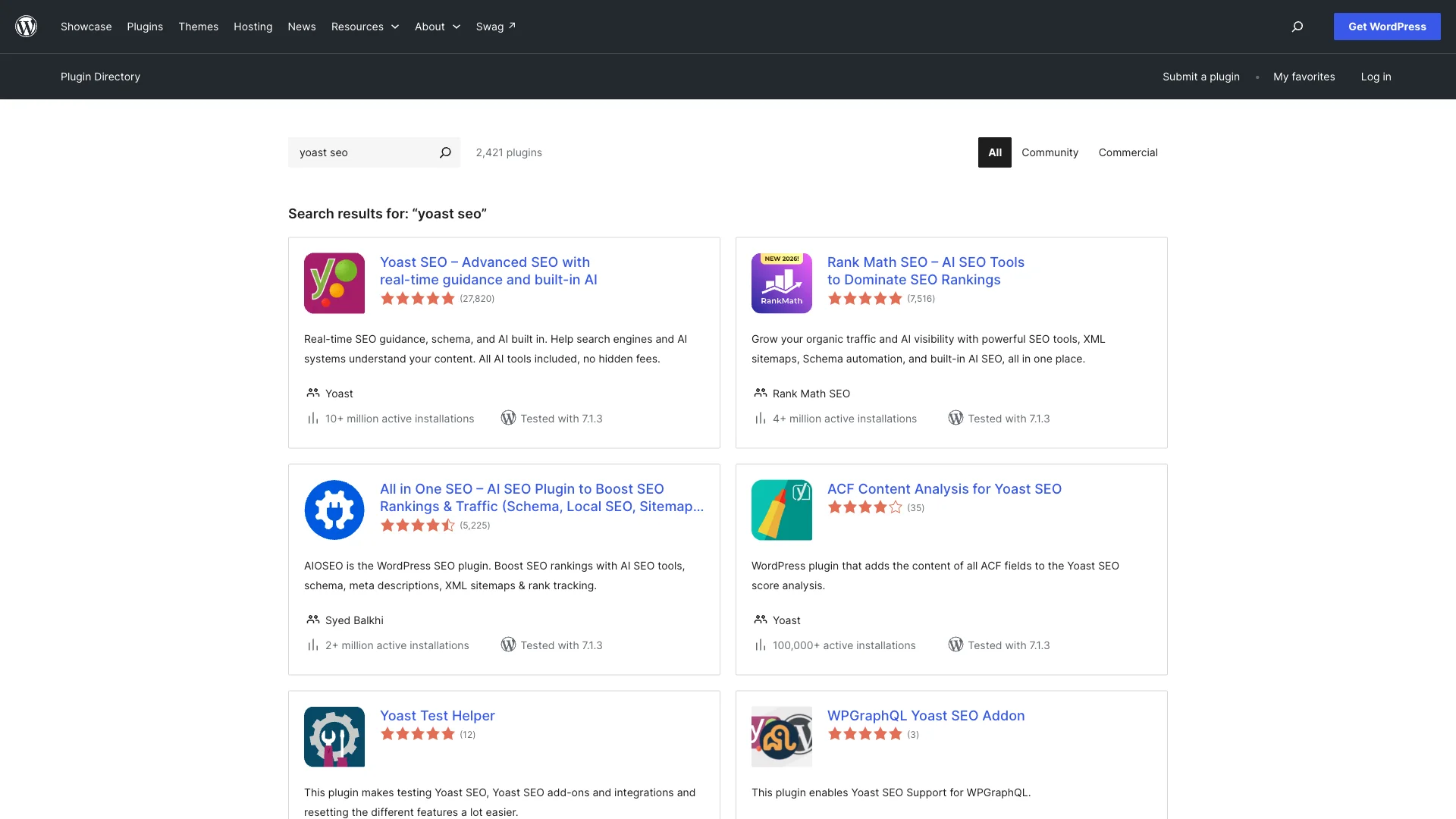
Rank Math has emerged as Yoast’s primary corporate rival over recent years, offering an extensive feature set packed into a modern interface.
Pros:
- Free version includes multiple keyword tracking and advanced schema types.
- Direct integration with Google Search Console and Google Analytics inside WordPress.
- Built-in 404 monitor and redirection module.
Cons:
- Rank Math Pro costs $83.88 per year ($6.99/month billed annually).
- Requires connecting an external Rank Math account for full functionality.
- Can feel overwhelming or bloated for users who prefer minimal server overhead.
Verdict: A powerful, full-featured alternative if you want consolidated analytics, though it carries substantial modular complexity.
3. SEOPress: Best for Client Management & White-Labeling
SEOPress is an independent, developer-friendly alternative that focuses on speed, clean code, and transparent pricing.
Pros:
- Completely ad-free user interface, even in the free edition.
- SEOPress PRO costs $49 per year for unlimited sites, making it cost-effective for freelance agencies.
- Includes Google Local Business schema, XML/HTML sitemaps, and breadcrumbs.
Cons:
- Lacks advanced GEO analysis and automated
llms.txttools. - User interface is spread across multiple nested sub-menus, requiring a slight learning curve.
- Bulk editing features are less visual than dedicated spreadsheet-style editors.
Verdict: An excellent, respectful tool for WordPress agencies building multiple client websites on a fixed budget.
4. The SEO Framework (TSF): Best Lightweight & Developer-Centric Tool
The SEO Framework is built specifically for users who want zero bloat, maximum PHP execution speed, and an invisible footprint.
Pros:
- 100% free and open-source with zero advertising or nagging notifications.
- Automates title and open-graph generation using intelligent contextual fallbacks.
- Remarkably light server footprint with minimal database queries.
Cons:
- Minimalist UI lacks visual content analysis checklists for non-technical writers.
- Does not include visual schema builders or AI search optimization suites.
- Advanced extensions require manual configuration via code hooks or companion extensions.
Verdict: Ideal for developers and minimalists who want automated meta tags without visual helpers or admin overhead.
5. All in One SEO (AIOSEO): Best for Beginners Needing Setup Wizards
AIOSEO is one of the original WordPress SEO plugins, currently managed by Awesome Motive. It offers beginner-friendly guided setup checklists.
Pros:
- Step-by-step onboarding wizard simplifies basic site setup for new WordPress users.
- Comprehensive local SEO module for brick-and-mortar storefronts.
- TruSEO score provides immediate visual recommendations for post headings and readability.
Cons:
- Introductory pricing ($49.60/yr) jumps dramatically upon annual renewal (up to $124 to $299+/yr).
- Aggressive upsell banners throughout the free plugin interface.
- Heavy resource usage on entry-level shared hosting environments.
Verdict: Good for beginners who need guided assistance, but recurring renewal prices make other options significantly more cost-effective over time.
6. Slim SEO: Best for Automated “Set-and-Forget” Sites
Slim SEO takes an automation-first approach, generating meta tags, sitemaps, and breadcrumbs automatically without requiring user configuration.
Pros:
- Virtually zero configuration needed: activate the plugin and it works instantly.
- Extremely lightweight with minimal PHP footprint.
- Includes automatic redirection for broken attachment URLs.
Cons:
- Offers minimal granular control over individual page metadata.
- Advanced structured schema requires the paid Slim SEO Schema add-on ($39/yr).
- No keyword tracking, internal link analysis, or GEO tools.
Verdict: Great for small personal blogs that want hands-off meta tags, but too restrictive for competitive commercial publishers.
Feature Matrix: Yoast SEO vs. Top Alternatives
| Característica | SiteSkyline Sky SEO | Yoast SEO | Clasificar Matemáticas | SEOPress |
|---|---|---|---|---|
| Annual Pro Pricing | Free Core / Lifetime | $118.80 / year | $83.88 / year | $49 / year |
| Dashboard Ads / Nag Banners | Cero | Heavy | Moderado | Cero |
| GEO & AI Search Readiness | Yes (Native) | No | Partial (AI Credits) | No |
| Automated llms.txt Generator | Included | No | No | No |
| Visual Bulk Metadata Editor | Yes (Instant table) | No (Open per post) | Yes (Separate list) | Limitado |
| Visual Schema Builder | Included | Requires Pro ($118.80) | Included | Requires Pro ($49) |
| WooCommerce SEO Support | Included | +$79 / year extra | Included | Requires Pro ($49) |
How to Choose the Right SEO Plugin for Your Site
To choose the best Yoast SEO alternative for your specific workflow, consider the following recommendations:
- Choose SiteSkyline Sky SEO if you want modern Generative Engine Optimization (GEO), an automated
llms.txtgenerator for AI search engines, instant sitewide bulk metadata editing, and zero dashboard advertising. - Choose Rank Math if you want direct Google Search Console keyword position tracking inside WordPress and do not mind connecting an external service account.
- Choose SEOPress if you manage dozens of client websites for an agency and need a cost-effective white-label annual license.
- Choose The SEO Framework if you are a developer looking for an invisible, programmatic solution that leaves content decisions entirely to code filters.
Preguntas frecuentes (FAQ)
Why is Yoast SEO so expensive?
Yoast SEO Premium has increased its pricing to $118.80 per year per site, and splits specialized functionality (like WooCommerce SEO, Local SEO, and Video SEO) into separate $79/year add-ons. Store owners requiring full e-commerce and local schema often face annual renewal costs exceeding $200 per domain.
Will switching from Yoast SEO to an alternative hurt my rankings?
No. When switching plugins, modern alternatives include one-click metadata importers that safely transfer all existing SEO titles, meta descriptions, focus keyphrases, and canonical URLs directly from Yoast into your new plugin, ensuring zero loss of search visibility.
What is Generative Engine Optimization (GEO) in WordPress SEO?
Generative Engine Optimization (GEO) is the process of optimizing website content so that AI-powered search engines—including ChatGPT, Perplexity, Claude, and Google AI Overviews—can easily read, extract, and cite your content in answer summaries. Plugins like SiteSkyline Sky SEO provide native GEO scoring and automated llms.txt indexing files specifically for AI scrapers.
What is an llms.txt file in WordPress?
Un llms.txt file is a standardized markdown document located at the root of your domain (e.g., yoursite.com/llms.txt) designed to give Large Language Models (LLMs) a clean, structured directory of your website’s key pages, documentation, and services without HTML clutter.
Can I edit WordPress SEO titles and descriptions in bulk?
Yes. While Yoast SEO requires you to open each individual post edit screen, plugins like SiteSkyline Sky SEO feature a visual Bulk Metadata Editor that allows you to review and edit titles, meta descriptions, and focus keyphrases for multiple posts on a single screen.