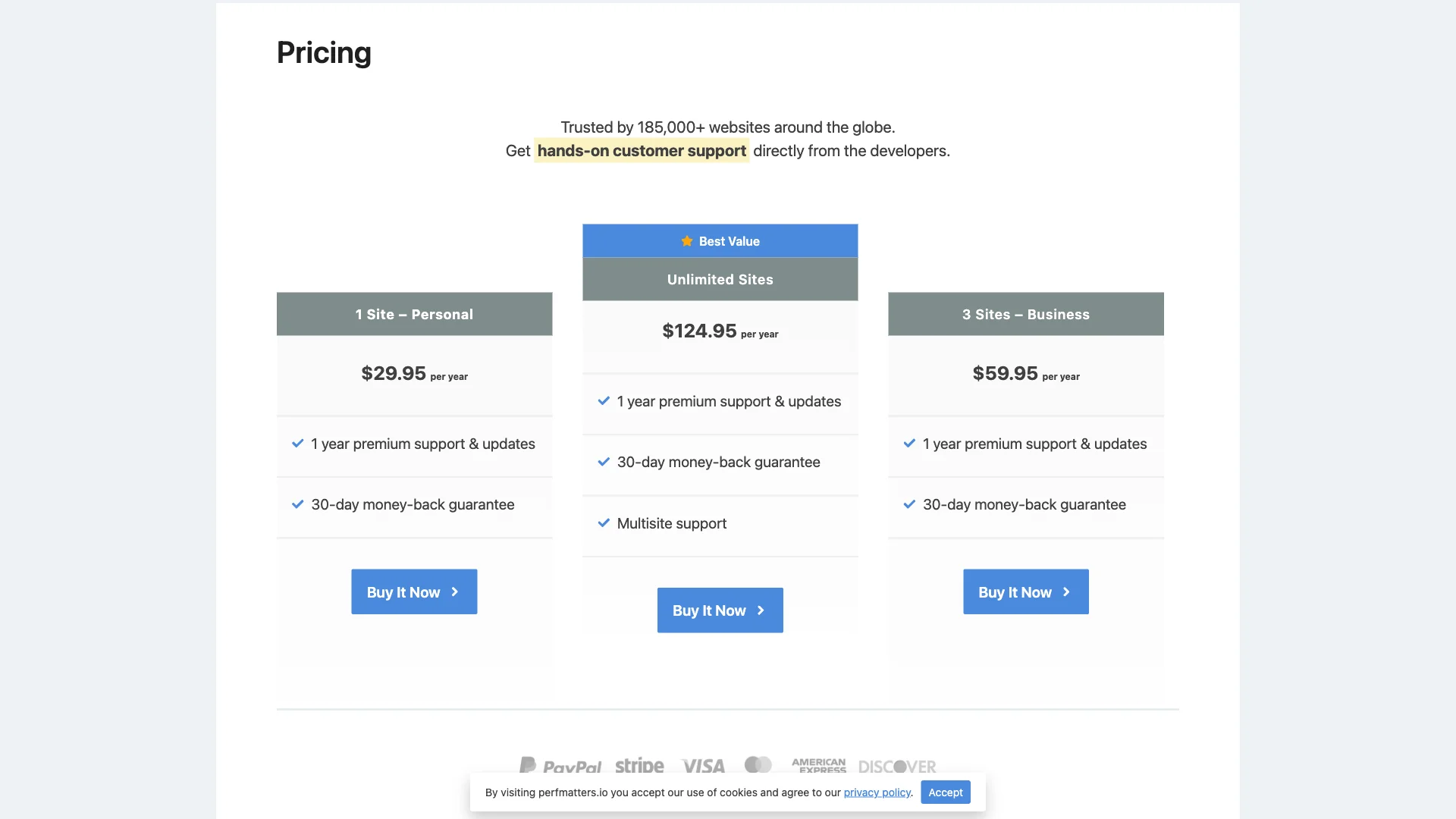
Searching for the best perfmatters alternatives to optimize your WordPress site without locking yourself into an annual subscription? While Perfmatters has earned a loyal following for its clean script manager and lightweight performance tweaks, its lack of a free version and recurring annual fees ($29.95 to $124.95 per year) prompt many website owners, developers, and agency builders to seek powerful, cost-effective alternatives.
Fortunately, modern WordPress performance tools have evolved significantly. You no longer need to pay yearly fees just to disable unneeded CSS stylesheets, delay heavy JavaScript execution, or turn off built-in WordPress bloat like emojis and dashicons.
In this guide, we break down the top 5 Perfmatters alternatives for WordPress in 2026. We compare each tool by verified pricing, script manager capabilities, asset unloading depth, ease of use, and overall impact on your Core Web Vitals.
Quick Takeaways: Which Perfmatters Alternative Is Right for You?
- Best Overall Free Alternative: साइटस्काईलाइन ऑप्टिमाइज़र provides a visual Asset Manager, full script unloading, core bloat removal, delay JS, and a complete page caching engine with zero recurring subscription fees.
- Best for Pure Script Management: Asset CleanUp offers robust visual script unloading on individual posts and pages with a generous free repository version.
- Best for Asset Minification & Aggregation: Autoptimize delivers proven CSS and JavaScript aggregation, minification, and deferral across more than one million WordPress sites.
- Best for Modular Performance Tweaks: Clearfy packages dozens of individual WordPress optimization switches, heartbeat controls, and script management options.
- Best for LiteSpeed Server Environments: LiteSpeed कैश combines enterprise server-level caching with advanced JavaScript delay, CSS optimization, and asset controls for free.
Why Look for a Perfmatters Alternative in 2026?
Perfmatters is developed by forgemedia and has earned a solid reputation for offering a clean, bloat-free user interface. However, several operational limitations lead site owners to look for alternatives:
- 100% Premium with Zero Free Tier: Unlike most WordPress plugins that offer a freemium model on WordPress.org, Perfmatters has no free edition. You must purchase a license upfront ($29.95/yr for 1 site, $59.95/yr for 3 sites, or $124.95/yr for unlimited sites).
- Annual Recurring License Fees: If you manage multiple client sites or maintain high-traffic niche blogs, renewing licenses year after year quickly adds to your hosting and software overhead.
- No Integrated Page Caching Engine: Perfmatters focuses exclusively on front-end asset cleanup and code optimization. It does not generate static HTML page caches, requiring you to configure and run an additional caching plugin alongside it.
- Limited Free Community Support: Because Perfmatters is purely proprietary, community troubleshooting is restricted to paying customers, whereas open-source alternatives benefit from large public user bases and active support forums.
Feature & Pricing Comparison: Top 5 Perfmatters Alternatives
Here is how the top contenders compare in verified licensing, script unloading, bloat removal, and Core Web Vitals optimization:
| प्लगइन का नाम | Free Version? | Annual Price | Script / Asset Manager | WordPress Bloat Removal | Page Caching Built-In | Delay / Defer JS |
|---|---|---|---|---|---|---|
| साइटस्काईलाइन ऑप्टिमाइज़र | Yes (100% Free) | $0 / Free | Yes (Full Visual Unload) | Yes (Emojis, Embeds, Dashicons) | Yes (Full Static Cache) | Yes (Defer & Delay) |
| Asset CleanUp | Yes (Freemium) | $47 – $147/yr | Yes (Granular Rules) | Yes (Basic Tweaks) | No (Requires Cache Plugin) | Yes (Async / Defer) |
| Autoptimize | Yes (Freemium) | $0 (Addons from $10/mo) | No (Aggregation Focus) | Yes (Emoji / Query Strings) | No (Requires Cache Plugin) | Yes (Defer & Async) |
| Clearfy | Yes (Freemium) | $29 – $89/yr | Yes (Addon Module) | Yes (Comprehensive Switches) | No (Cache Integration) | Yes (Basic Minification) |
| LiteSpeed कैश | Yes (100% Free) | $0 / Free | Yes (Basic Exclusions) | Yes (Core Tweaks) | Yes (LiteSpeed Server) | Yes (Delay & Defer) |
| Perfmatters (Baseline) | No (Paid Only) | $29.95 – $124.95/yr | Yes (Script Manager) | Yes (Comprehensive) | No (Requires Cache Plugin) | Yes (Delay & Defer) |
1. SiteSkyline Optimizer (Best Overall Free Perfmatters Alternative)
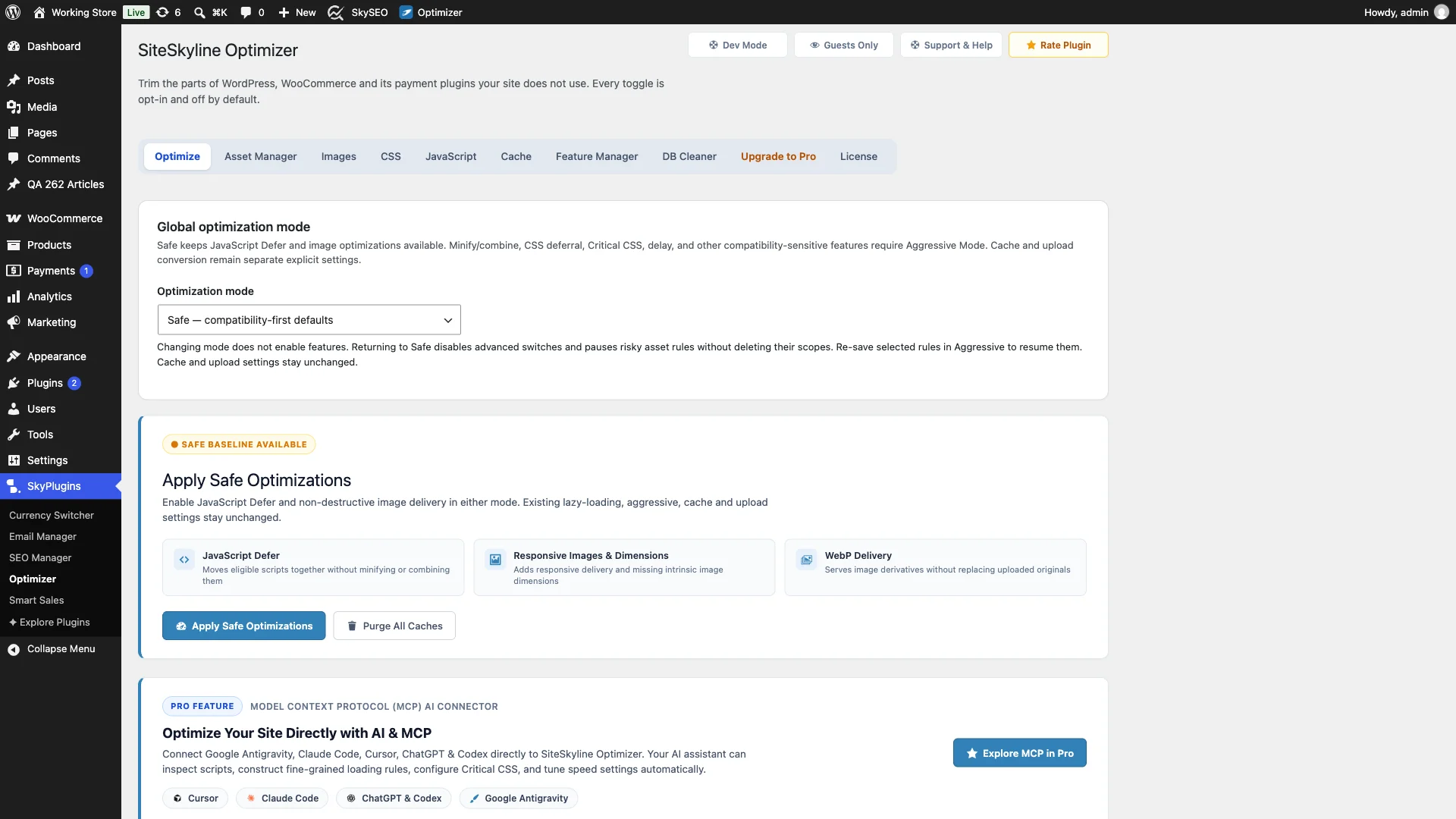
साइटस्काईलाइन ऑप्टिमाइज़र (SOptimizer) is a complete, self-hosted WordPress web performance and asset optimization plugin designed specifically to deliver the benefits of Perfmatters and WP Rocket without recurring software costs.
Rather than forcing you to juggle one plugin for script unloading, a second plugin for page caching, and a third for image optimization, SiteSkyline Optimizer provides a unified engine built directly for modern Core Web Vitals (LCP, INP, and CLS).
Key Advantages:
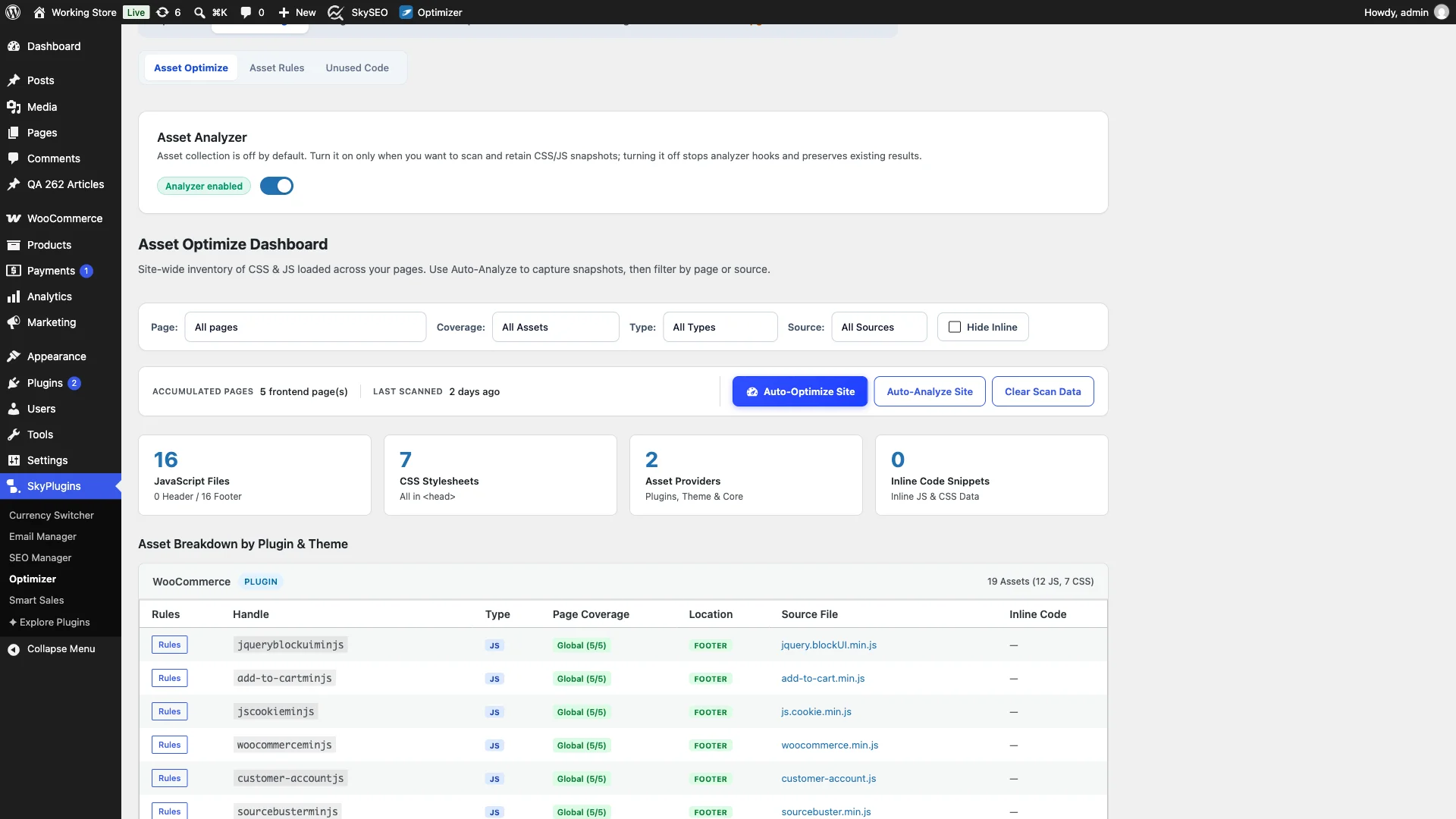
- Visual Asset Manager: Scan any page or your entire site to view every registered JavaScript and CSS handle. Disable unused assets globally, per post type, or on specific URLs with a single click.
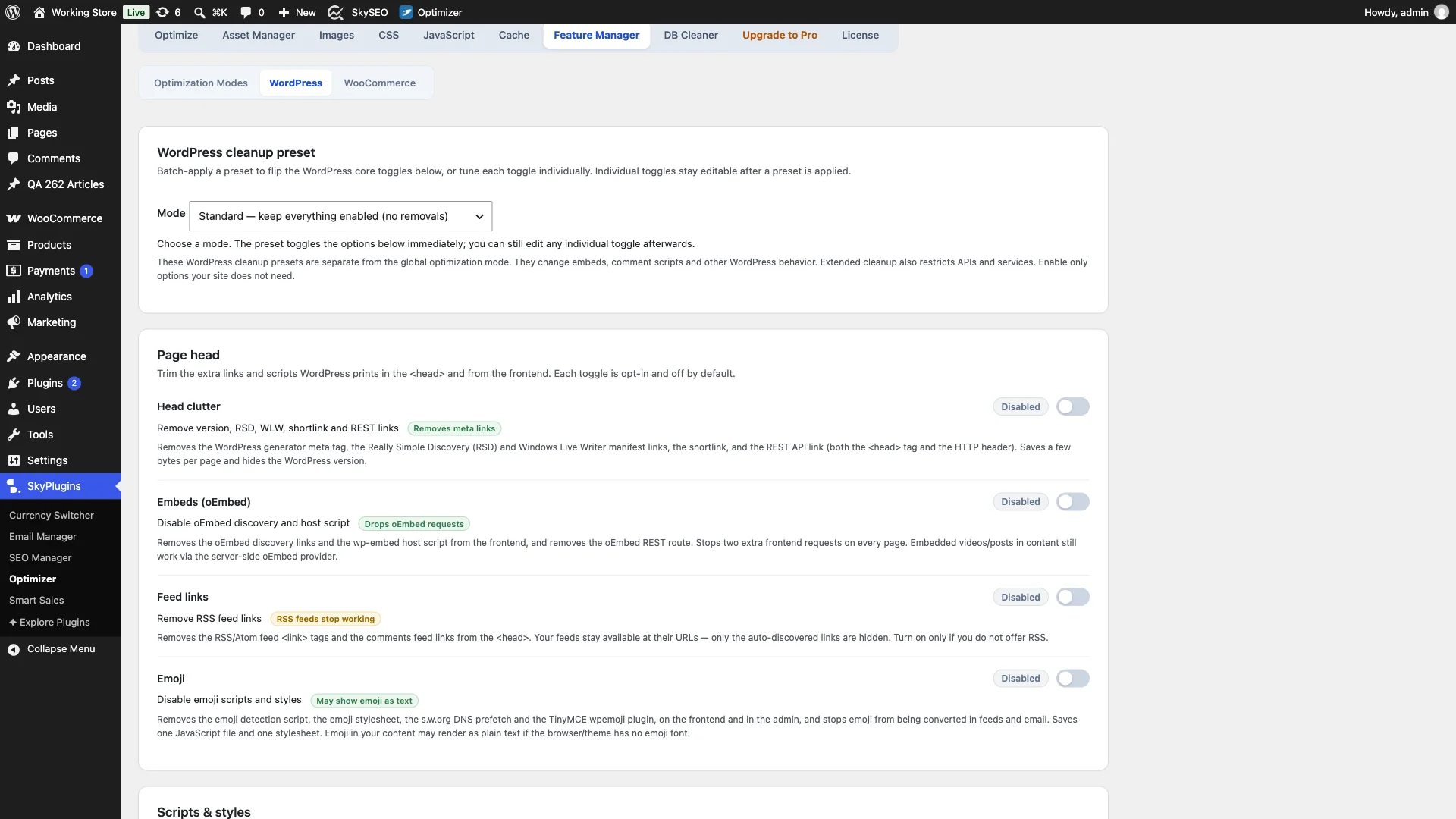
- Comprehensive Core Bloat Removal: Disable WordPress emojis, oEmbed scripts, dashicons on the frontend, jQuery Migrate, query strings, and comment-reply scripts effortlessly.
- Built-In Page Caching: Includes a high-speed disk caching engine that serves pre-rendered static HTML to visitors, eliminating the need for a separate caching plugin.
- Advanced JavaScript Execution Controls: Defer JavaScript parsing or delay heavy execution until user interaction (scroll, click, or keypress), instantly improving your Interaction to Next Paint (INP) score.
- 100% Self-Hosted & Privacy First: Zero external API dependencies, zero recurring license fees, and zero cloud lock-in.
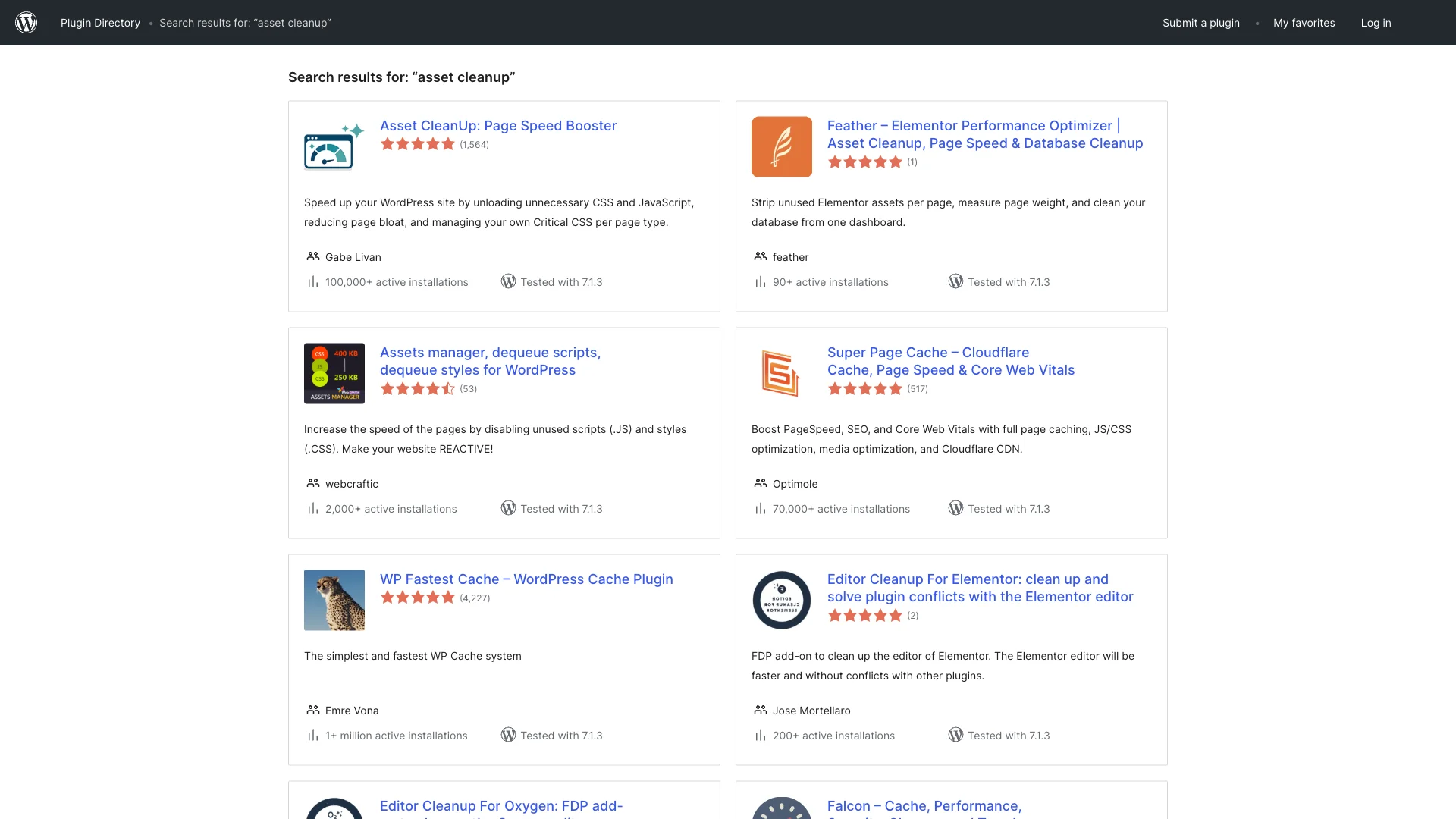
2. Asset CleanUp: Page Speed Booster (Best for Detailed Per-Page Rules)
Developed by Gabe Livan, Asset CleanUp is one of the most widely used script unloaders in the WordPress ecosystem with over 100,000 active installations on WordPress.org.
Asset CleanUp inspects each page as it renders and displays an expandable list of every stylesheet and script queued by your active theme and plugins. You can choose to unload specific handles site-wide, for non-logged-in guests only, or strictly on posts that do not use the corresponding functionality.
Key Strengths:
- In-Depth Asset Inspection: Displays exact file paths, asset handles, file sizes, and whether a script is loaded in the header or footer.
- Test Mode: Allows site administrators to test script unloading rules without affecting live visitors, preventing accidental layout breaks.
- CSS and JS Minification: Combines and minifies remaining files to reduce HTTP payload size.
Drawbacks & Limitations:
- Pro Upsells for Premium Features: Advanced unloading rules (such as unloading within custom post types, categories, or taxonomies) require Asset CleanUp Pro, priced from $47/yr for 1 site up to $147/yr for unlimited sites.
- Interface Complexity: The settings page is dense with technical options and requires careful reading to avoid breaking front-end interactive elements.
- No Page Caching: You still need to run an independent caching solution like WP Super Cache or Cache Enabler.
3. Autoptimize (Best for Code Aggregation & Deferral)
With more than 1 million active installations, Autoptimize by Frank Goossens is a staple of WordPress performance optimization. While not a dedicated script unloader in the mold of Perfmatters, it excels at solving render-blocking resource issues.
Autoptimize aggregates, minifies, and caches your CSS and JavaScript files. It injects critical CSS inline at the top of the document while deferring the remaining stylesheets and scripts to the footer.
Key Strengths:
- Proven Reliability: Battle-tested across millions of diverse WordPress setups and compatible with virtually all major web hosts.
- Inline Critical CSS Support: Allows site owners to prioritize above-the-fold styling to achieve lightning-fast Largest Contentful Paint (LCP) speeds.
- Simple Setup: Getting started takes just checking a few checkboxes for CSS and JS optimization.
Drawbacks & Limitations:
- No Granular Script Unloader: You cannot visually disable a contact form script on blog posts or prevent WooCommerce scripts from loading on the homepage without writing custom PHP code snippets.
- Aggressive Aggregation Risks: Combining all scripts into monolithic files can create massive cache files on large sites if dynamic scripts generate unique cache hashes.
4. Clearfy (Best for Bloat Disabling & Security Tweaks)
Clearfy by Webcraftic is an all-in-one WordPress optimization and bloat cleanup toolkit with over 80,000 active installs. It focuses on turning off features in WordPress core that consume database queries or clutter HTML headers.
Clearfy includes switches to disable emojis, Gravatars, heartbeat API intervals, RSS feeds, author archives, and XML-RPC, mimicking many of Perfmatters’ core toggles.
Key Strengths:
- Extensive Core Toggles: Provides single-click toggles for dozens of WordPress default settings that slow down page loading.
- Asset Manager Extension: Includes an optional script manager module that lets you unload unused assets on specific URLs.
- SEO and Privacy Enhancements: Automatically removes generator tags, hides WordPress version numbers, and cleans up HTTP headers.
Drawbacks & Limitations:
- Scattered Settings: The user interface is spread across multiple sub-menus, making it harder to find specific settings compared to a unified screen.
- Freemium Lockout: Advanced asset management and automated optimization presets require Clearfy Business ($29/yr) or Unlimited ($89/yr).
5. LiteSpeed Cache (Best for LiteSpeed Server Stacks)
If your website is hosted on a LiteSpeed web server (such as Hostinger, NameHero, or A2 Hosting), LiteSpeed Cache (LSCache) is an unbeatable free performance suite with over 6 million active installations.
In addition to enterprise-grade server-side HTML caching, LSCache includes a robust suite of frontend optimization tools that directly compete with Perfmatters.
Key Strengths:
- Zero Annual Fees: The plugin is completely free with no artificial feature gates or paid tiers.
- Delay JavaScript & Guest Mode: Loads critical assets first and delays heavy third-party scripts until user interaction, delivering exceptional mobile PageSpeed scores.
- Built-In Image Optimization & QUIC.cloud CDN: Generates WebP images and integrates directly with a high-performance global network.
Drawbacks & Limitations:
- Server Dependent: The core server caching engine only functions on LiteSpeed web servers. If your site runs on Apache or Nginx, you lose server-level caching.
- Steep Learning Curve: With dozens of complex tabs, tuning LiteSpeed Cache without breaking site functionality can be intimidating for non-technical users.
Step-by-Step: How to Replace Perfmatters with SiteSkyline Optimizer
Switching from Perfmatters to SiteSkyline Optimizer takes less than 5 minutes and saves you hundreds of dollars in recurring software fees:
- Export Existing Perfmatters Rules: Note any scripts you currently unload (such as WooCommerce cart fragments or contact form assets on blog posts).
- Deactivate Perfmatters: Deactivate and delete Perfmatters from your WordPress plugins list.
- Install SiteSkyline Optimizer: Download and activate SiteSkyline Optimizer directly on your WordPress website.
- Enable Core Bloat Removal: यहाँ नेविगेट करें
Optimizer > Feature Manager > WordPressand enable toggles for Disable Emoji, एम्बेड अक्षम करें, Disable Dashicons, और एक्सएमएल-आरपीसी अक्षम करें. - Configure JavaScript Deferral: खुला
Optimizer > JavaScriptand enable Defer JavaScript या Delay JavaScript Execution to boost Core Web Vitals. - Scan and Unload Assets: खुला
Optimizer > Asset Manager, run an Auto-Analyze scan, and selectively unload unused plugin scripts across non-relevant pages. - Turn On Page Caching: यहाँ नेविगेट करें
Optimizer > Cacheand enable page caching to deliver static HTML directly to visitors.
Frequently Asked Questions About Perfmatters Alternatives
Is there a 100% free alternative to Perfmatters?
Yes. साइटस्काईलाइन ऑप्टिमाइज़र provides script management, unused asset unloading, WordPress core bloat reduction, and delay/defer JavaScript completely free without subscription fees. Similarly, Asset CleanUp offers a capable free tier on WordPress.org for basic page-level script unloading.
Does Perfmatters include page caching?
No. Perfmatters focuses exclusively on front-end asset optimization, script unloading, and database cleanup. It does not generate static HTML page caches. If you use Perfmatters, you must install and configure a separate caching plugin. Alternatives like SiteSkyline Optimizer include both script unloading and page caching in one plugin.
Will unloading scripts break my website?
Unloading scripts can break site functionality if you unload a script required by an interactive element (such as a dropdown menu, shopping cart, or contact form). Both Perfmatters and SiteSkyline Optimizer include safe modes and granular exclusion controls so you can test asset rules before deploying them sitewide.
Can I use a Perfmatters alternative alongside WP Rocket?
Yes. You can use a dedicated script unloader like Asset CleanUp alongside WP Rocket. However, using साइटस्काईलाइन ऑप्टिमाइज़र allows you to handle both script unloading and page caching within a single lightweight tool, reducing plugin overlap and potential code conflicts.
How does script unloading improve Core Web Vitals?
By preventing unneeded CSS and JavaScript files from loading on pages where they are not used, you reduce total HTTP requests, lower document payload sizes, and free up the browser’s main thread. This directly improves Largest Contentful Paint (LCP) and Interaction to Next Paint (INP) benchmarks.