The cart page is the most decisive point in your online store. At this critical stage, shoppers have already committed their intent to buy. If your store does not present relevant, low-cost add-on recommendations right before payment, you leave substantial revenue on the table. In ecommerce, this strategy is known as Cart Cross-Selling—and it can increase your store’s Average Order Value (AOV) by 15% to 30% overnight.
In this guide, you will learn how to set up intelligent, high-converting Amazon-style Cart Cross-Sells in WooCommerce using the free SiteSkyline Smart Sales 플러그인.
Why Native WooCommerce Cross-Sells Miss the Mark
While WooCommerce offers a native “Cross-sells” feature inside the Linked Products tab, most store owners abandon it due to severe practical drawbacks:
- Tedious Manual Assignment: You have to hand-pick cross-sell products for every single SKU in your catalog one by one. For stores with hundreds or thousands of products, this requires hundreds of hours of manual configuration.
- No Collective Cart Awareness: Standard WooCommerce evaluates cross-sells on an item-by-item basis. It cannot analyze the entire combined cart contents to recommend the single most complementary item.
- High-Friction Page Reloads: When shoppers click to view a suggested item, they are ripped away from the cart page and redirected to the product detail page, destroying checkout momentum and increasing cart abandonment.
- Rigid Layouts: Most themes render cross-sells as bulky, oversized product grids that push the Checkout button below the fold on mobile screens.
Cart Cross-Sell Solutions Compared
| 특징 | SiteSkyline Smart Sales (Free) | Default WooCommerce | SaaS Upsell Apps (Rebuy / Bold) |
|---|---|---|---|
| Cart Affinity Logic | Co-cart frequency + Markov graph | Static product linkage | Machine learning models |
| 1-Click AJAX Addition | Yes (Zero cart refresh) | No (redirects to product) | Yes (AJAX or slide-out) |
| Manual Rule Engine | Product, Category & Storewide rules | Product-by-product only | Rule builder |
| Mobile Touch Ergonomics | Compact horizontal cards | Oversized responsive grid | Theme-dependent popups |
| Zero External Scripts | 100% On-Site (Lightweight CSS/JS) | Native PHP templates | Heavy external JavaScript |
| Monthly Pricing | $0 (100% Free) | $0 | $49 – $299+ / month |
Step-by-Step Implementation Guide
Step 1: Enable the Cart Cross-Sells Module
Navigate to your WordPress dashboard, click on Smart Sales > Optimizations. Locate the Cart Cross-Sells card and toggle the switch to active.
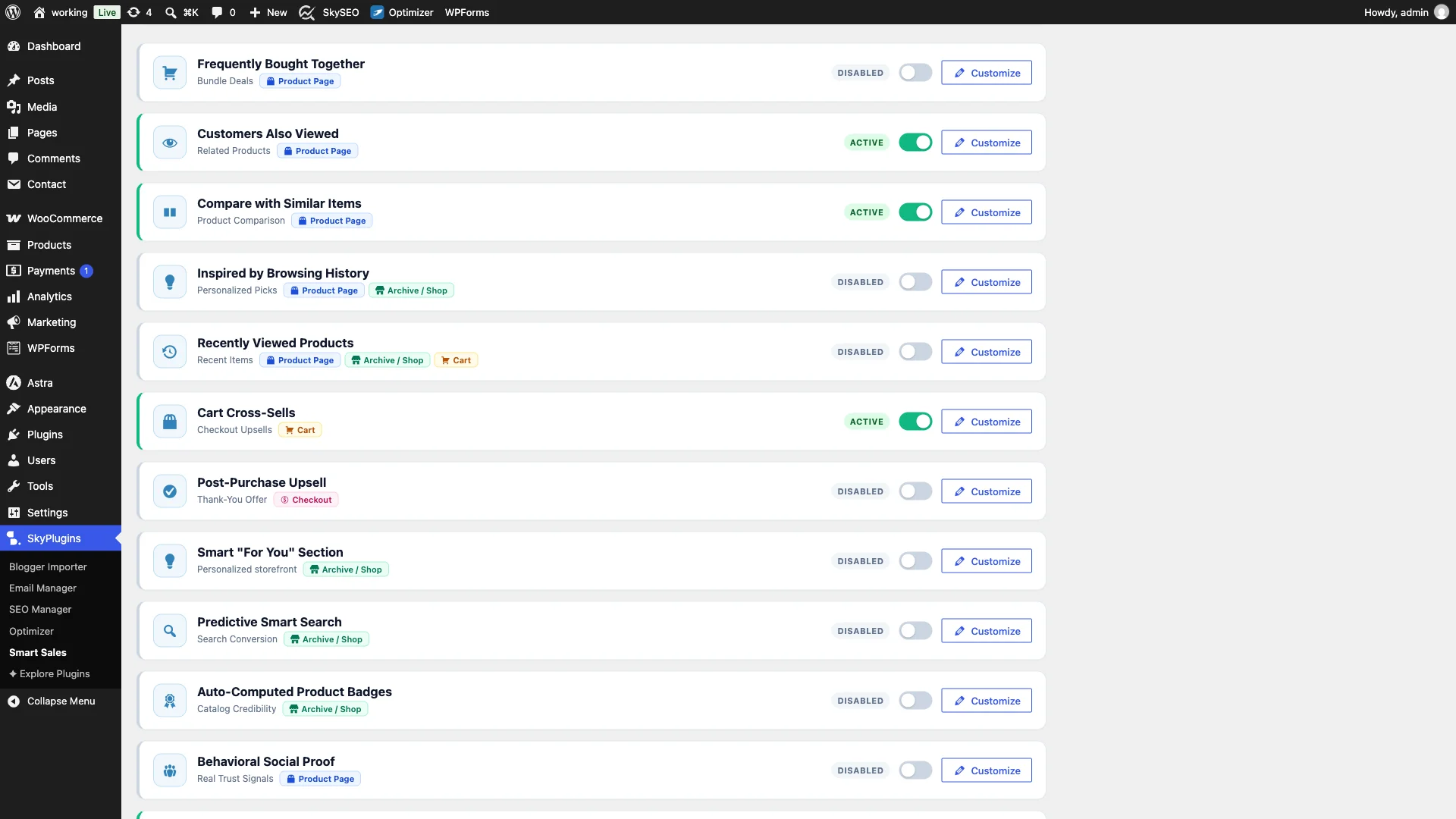
Activating the toggle registers the widget with standard WooCommerce cart page hooks (woocommerce_after_cart_table), automatically positioning cross-sell offers right below the cart line items without requiring custom template edits.
Step 2: Customize Widget Headlines and Card Styling
다음을 클릭하세요. 사용자 정의 button on the Cart Cross-Sells card to expand the inline settings. Here you can personalize every element of your cart recommendation widget.
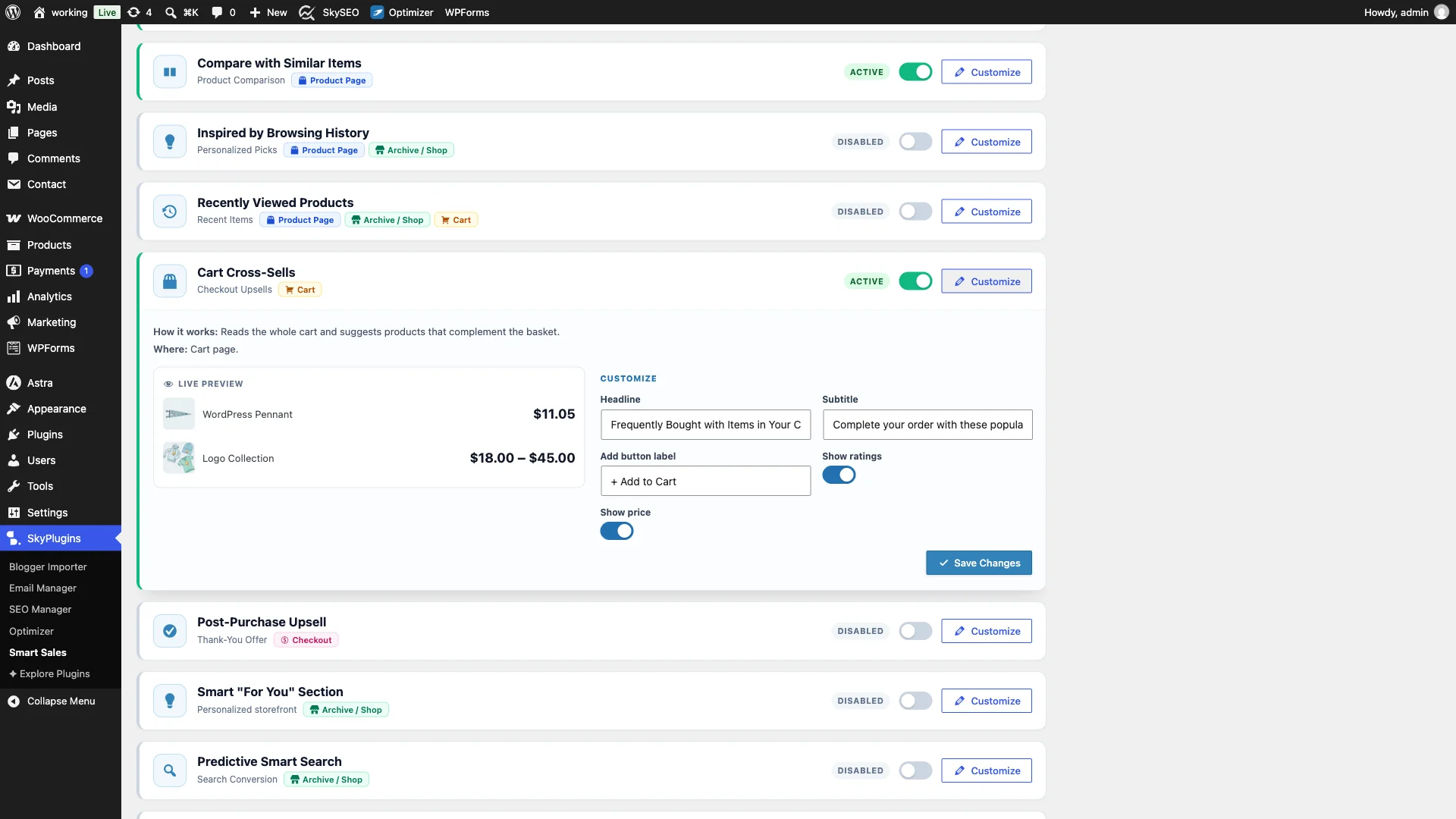
You can set a compelling headline (such as “Frequently Bought with Items in Your Cart”), provide an encouraging subtitle (like “Complete your order with these popular accessories:”), customize the action button text (“+ Add to Cart”), and toggle product ratings and live pricing.
Step 3: Configure Manual Cross-Sell Rules
In addition to algorithmic matching based on co-cart purchasing trends, Smart Sales gives you complete manual control under the 수동 tab. Here you can link specific high-volume items to high-margin impulse accessories.
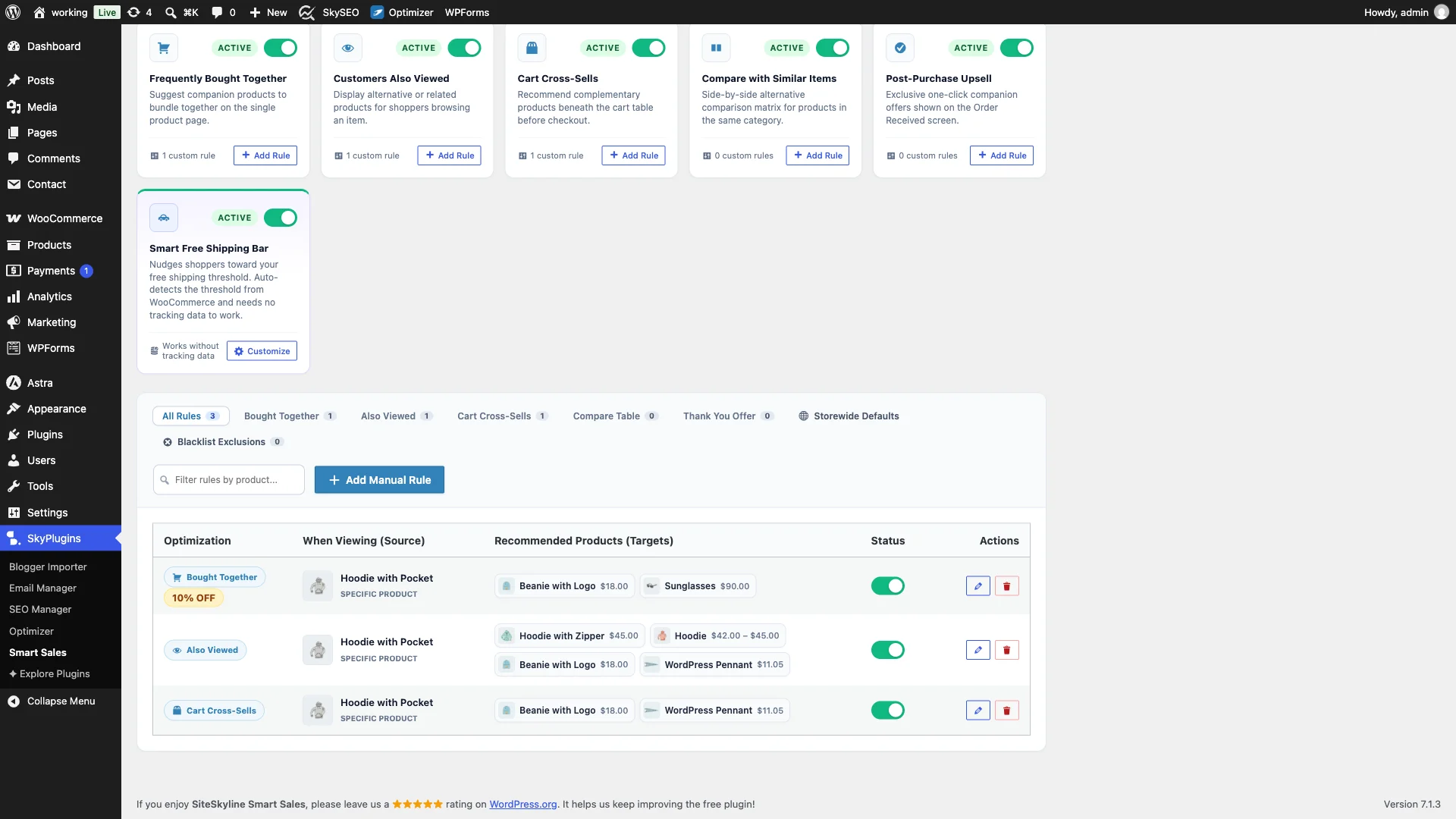
For example, you can create a rule that whenever a shopper adds a Hoodie with Pocket to their cart, Smart Sales automatically offers complementary accessories such as a Beanie ($18.00), a Cap ($16.00), or a Long Sleeve Tee ($25.00).
Step 4: Frontend Live Preview – Clean Cart Recommendations
Now open your store’s live cart page (/cart/). Directly beneath the line items table, the Frequently Bought with Items in Your Cart widget is rendered.
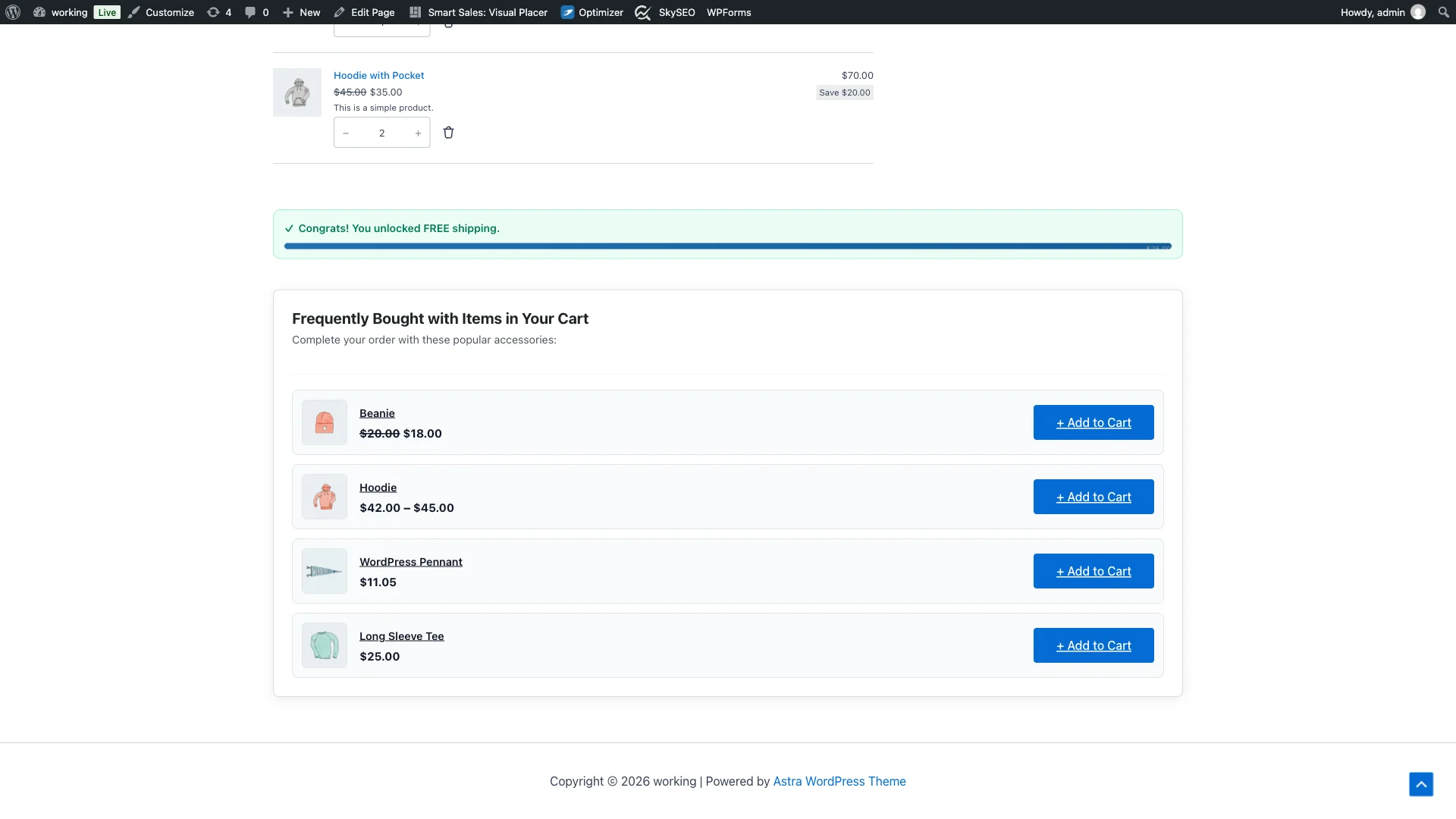
Unlike intrusive popups that annoy shoppers and trigger instant dismissals, this widget embeds naturally into the layout. Shoppers can scan product images, titles, review star ratings, and prices without feeling pressured.
Step 5: Interactive 1-Click Action Buttons
Each cross-sell item features a prominent + Add to Cart call-to-action button designed for zero-friction interaction.
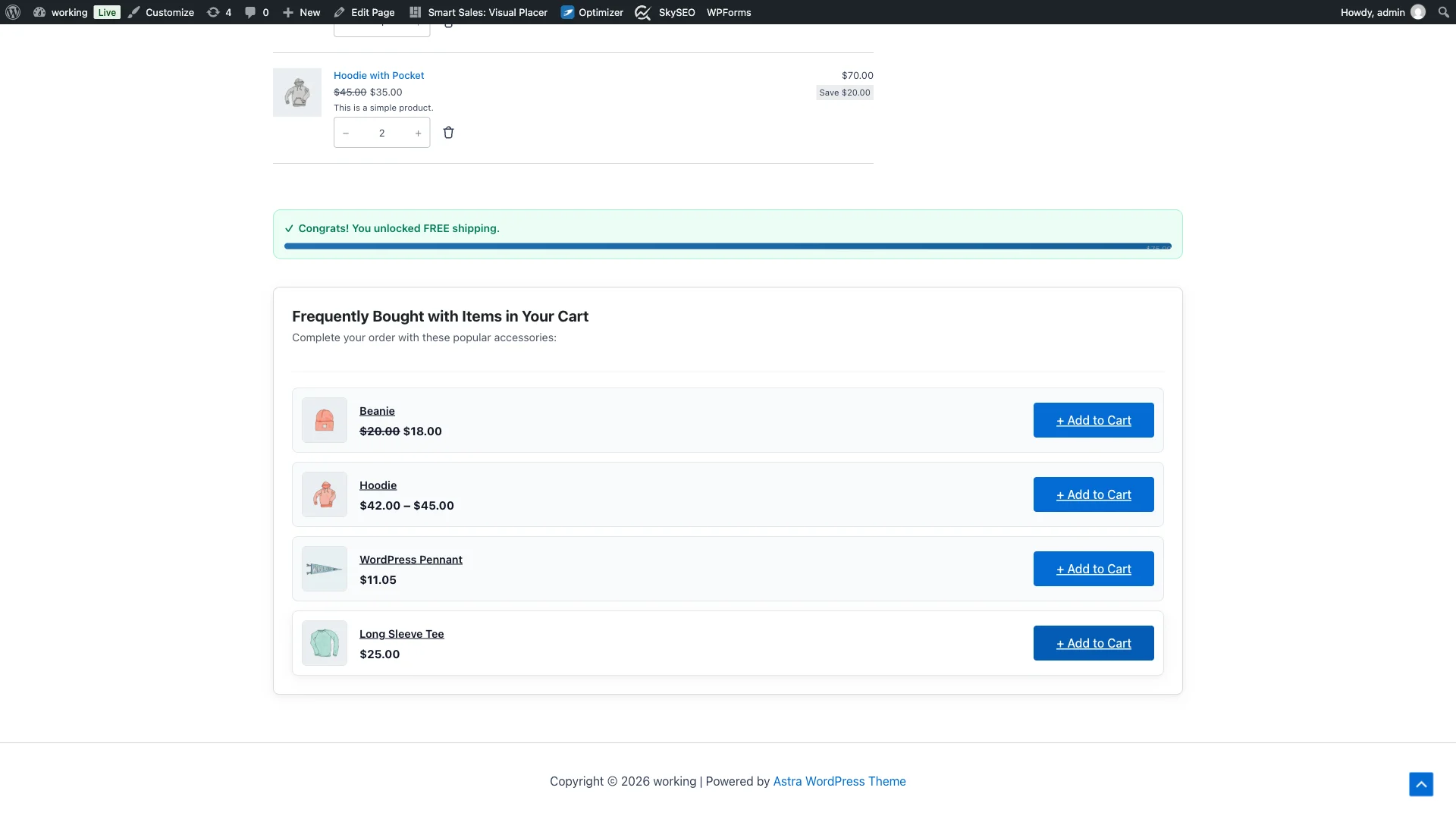
When shoppers hover over or tap the button on mobile, it responds with an immediate interactive accent. Because the button triggers a lightweight AJAX request, the item is added to the cart without interrupting the shopper’s checkout journey.
Step 6: Dynamic Cart Recalculation & Order Value Lift
Upon clicking “+ Add to Cart”, the selected accessory—in this case, the Long Sleeve Tee ($25.00)—is instantly added to the order. The cart line items list updates automatically, and order totals and subtotals are recalculated on the fly.
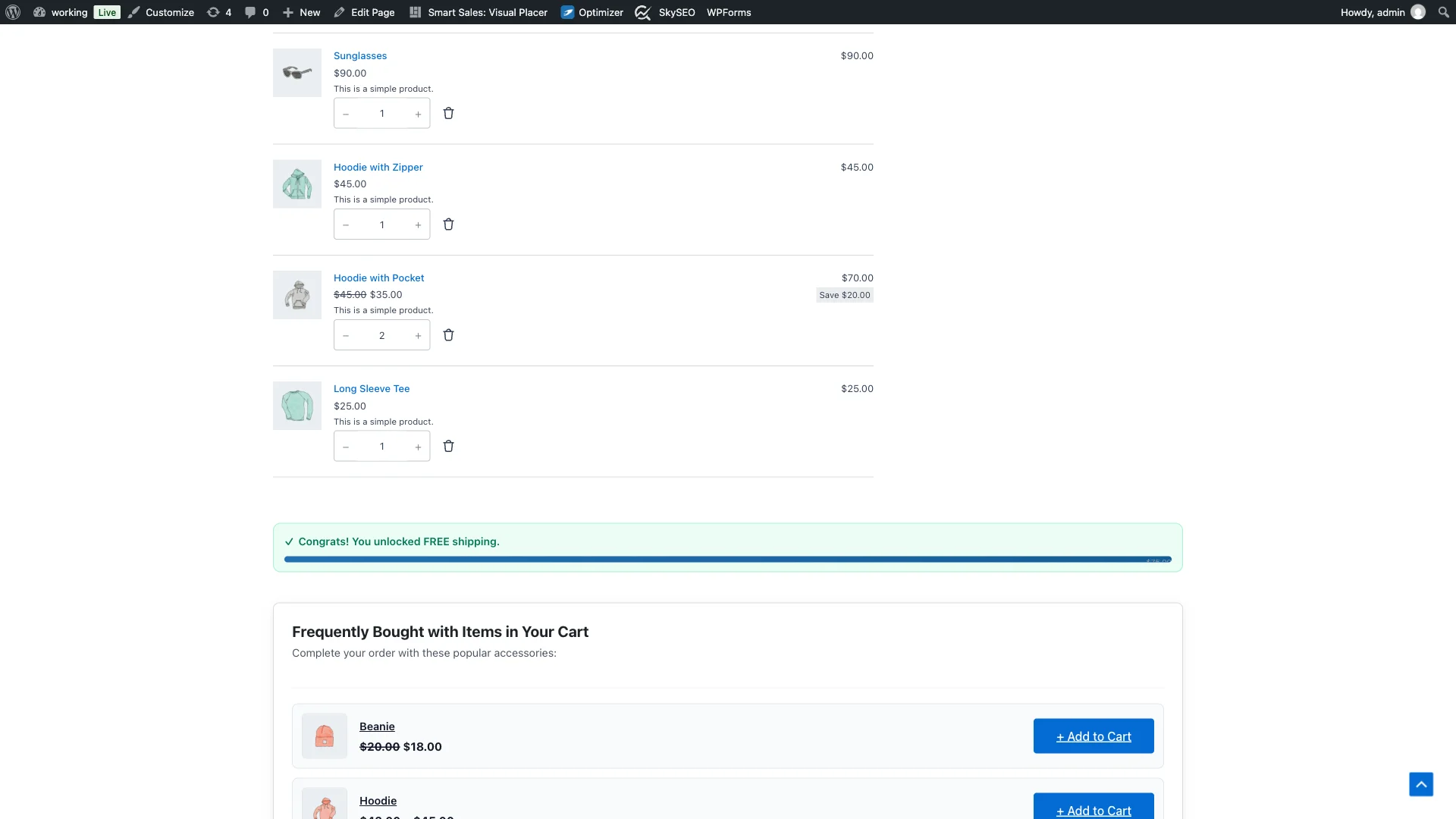
In just a single click, the customer’s cart value increases without requiring extra marketing spend or complicated multi-step funnels.
Psychological Principles Behind High-Converting Cart Cross-Sells
- The Foot-in-the-Door Effect: Once a shopper has selected a primary high-ticket item (like a $70 hoodie), agreeing to a small, complementary $15-$25 add-on feels psychologically effortless.
- Cognitive Ease: Presenting 3 to 4 hyper-relevant accessories removes the burden of searching through an entire catalog menu. The decision is simplified to a binary “yes or no”.
- Price Anchoring: An accessory that costs 20% to 30% of the primary cart item is perceived as inexpensive when contrasted against the full order total.
- Zero-Friction Fulfillment: Adding items directly on the cart page avoids shipping surprises and extra checkout steps.
Best Practices for Cart Cross-Sell Success
- Keep Upsell Prices Below 30% of Primary Order Value: Recommending an expensive $100 jacket to someone buying a $20 t-shirt creates hesitation. Recommend low-friction items like socks, hats, care kits, or matching accessories.
- Limit Display to 3 or 4 Products: Overloading the cart page with too many choices creates decision fatigue and can delay checkout completion.
- Pair with the Free Shipping Progress Bar: Combining Cart Cross-Sells with the SiteSkyline Smart Free Shipping Bar creates a powerful synergy: shoppers add cross-sell accessories specifically to bridge the gap and unlock free shipping!
- Ensure Responsive Touch Targets: Make sure the “+ Add to Cart” buttons are easily tappable with thumbs on mobile devices without accidental clicks on adjacent links.
자주 묻는 질문(FAQ)
Does adding an item from the cart refresh or reload the entire web page?
No. SiteSkyline Smart Sales uses modern WooCommerce AJAX endpoints. When a customer taps “+ Add to Cart”, the item is injected seamlessly into the cart session without a jarring full-page refresh, preserving the customer’s scroll position and form inputs.
What happens if a recommended product is already in the customer’s cart?
The recommendation engine automatically filters out any products that are already in the shopper’s active cart. Customers will never be offered duplicate items they have already decided to purchase.
Can I recommend different cross-sells for different product categories?
Yes. Under the Manual tab in Smart Sales, you can create Category-level rules. For example, any cart containing an item from the “Footwear” category can automatically surface shoe cleaner and specialized socks.
Does this work with both classic WooCommerce cart shortcodes and new Cart Blocks?
Yes. SiteSkyline Smart Sales hooks into standard WooCommerce action hooks supported by classic cart templates as well as modern block-based cart themes, ensuring universal compatibility across popular themes like Astra, GeneratePress, Storefront, and Kadence.
Are out-of-stock products automatically excluded?
Yes. The recommendation query strictly checks WooCommerce inventory status. Any item that is out of stock or hidden from catalog search is immediately omitted from recommendation slots.
Does this plugin slow down the cart checkout process?
Not at all. Recommendations are pre-computed and stored in indexed database tables. Query execution times average under 2 milliseconds, and all assets are loaded locally with zero third-party tracking beacons or external cloud API calls.
Setup Checklist
- ✅ Activate SiteSkyline Smart Sales plugin from WordPress.org.
- ✅ Enable “Cart Cross-Sells” in the Optimizations tab.
- ✅ Set custom headline text and subtitle in the inline Customizer.
- ✅ Configure manual rules linking key products to high-margin impulse items.
- ✅ Test cart page addition on desktop and mobile browsers.
- ✅ Pair with Free Shipping Progress Bar for compound AOV lift.
Start Increasing Your Store’s Average Order Value
Every visitor who reaches your cart page represents an opportunity to deliver extra value and grow your store’s bottom line. With SiteSkyline Smart Sales, you can launch beautiful, high-converting cart cross-sells in under 5 minutes—100% free.