Most WordPress SEO guides stop at “install a plugin and add a sitemap.” This one doesn’t.
This guide covers the full technical architecture stack — crawl governance, indexing control, Core Web Vitals 最適化、スキーママークアップ、サーバーレベルの修正、そして 2026年のランキングを再形成するAI時代のシグナル. And throughout, we’ll show you exactly how SkySEOマネージャー handles each layer so you’re not juggling five different tools.
Let’s get into it.
目次
- GoogleはあなたのWordPressサイトを実際にどう処理しているのか
- クロールアーキテクチャ:最も過小評価されているWordPress SEOの問題
- Robots.txt: Stop Wasting Google’s Time
- 正しいXMLサイトマップの作成
- インデックス制御:canonical、noindex、クロールスカルプティング
- URL構造とパーマリンクの最適化
- Core Web Vitals:WordPressにおけるLCP、INP、CLS
- HTTPS、リダイレクト、そして404問題
- スキーママークアップ:基本を超えて
- 国際SEOと 多言語WordPress
- WordPress Technical Debt You’re Probably Ignoring
- テクニカルSEO監査チェックリスト
- 次に構築すべきもの:トピカルオーソリティマップ
WordPressにおいてテクニカルSEOが最もレバレッジの高い作業である理由
Here’s an uncomfortable truth: you can write the best article on a topic and still lose to a technically superior site with mediocre content.
2026年、Googleはもはや単なるテキストマッチングエンジンではありません。Googlebotでクロールし、JavaScriptをレンダリングし、 ページエクスペリエンスシグナル, measures Core Web Vitals in real time, and uses AI models to understand relationships between content types. A site with broken technical infrastructure is invisible — regardless of how good the content is.
WordPressはインターネット上の全ウェブサイトの43%を支えています。しかし、その普及には隠れた代償が伴います。 WordPressはデフォルトでは最適化されていません テクニカルSEOのために。そのデフォルトのURL構造は、重複するアーカイブ、タグページ、著者ページ、カテゴリの重複を露呈させ、クロールバジェットを静かに浪費させます。デフォルトの画像処理は受動的です。プラグインエコシステムは、レンダリングをブロックするスクリプトの地雷原です。
This guide fixes all of that — systematically.
1. Googleは実際にあなたのWordPressサイトをどのように処理しているか
設定を一つでも変更する前に、Googlebotがあなたのサイトを訪れたときに何が起こるかを理解してください。クロール・レンダリング・インデックスのパイプラインは次のように機能します。
Googlebot discovers URL
        ↓
Checks robots.txt — can it crawl this?
        ↓
Fetches HTML from your server
        ↓
Renders JavaScript (Chrome-based renderer)
        ↓
Evaluates indexability signals (canonical, noindex, meta robots)
        ↓
Assesses page experience (Core Web Vitals, HTTPS, mobile)
        ↓
Extracts entities, links, structured data
        ↓
Decides to index and assigns quality signals
Most WordPress site owners only think about steps 5–8. Steps 1–4 are where most sites bleed authority, crawl budget, and rankings silently.
The 2026 shift: Google’s crawler now uses its Multitask Unified Model (MUM) to understand relationships between content types — meaning your content’s semantic completeness matters as much as its technical accessibility. A technically perfect page with thin content still doesn’t win.
2. クロールアーキテクチャ:最も過小評価されているWordPress SEOの問題
What Is Crawl Budget — and When Does It Actually Matter?
Crawl budget is the number of pages Googlebot will crawl on your site within a given time period. For small sites under ~500 pages, it’s rarely a limiting factor. For larger sites — e-commerce stores, membership sites, publication archives — it becomes critical.
Googleは、サーバーがユーザーエクスペリエンスを低下させずにGooglebotをどれだけ速く処理できるか、そしてページがどれだけ人気があり新鮮に見えるかという2つのシグナルに基づいてクロールバジェットを計算します。
The problem: WordPress generates enormous amounts of low-value URLs by default. Every tag, category, author archive, pagination variant, and date archive is a separate URL Googlebot can — and will — crawl. If your site has 200 real pages but 1,400 discoverable URLs because of WordPress’s default behavior, Googlebot may never reach your most important content.
WordPressのURL肥大化:隠れたクロールの代償
A typical WordPress site generates these URL types you probably didn’t intentionally create:
| URLタイプ | 例 | SEO価値 |
|---|---|---|
| タグアーカイブ | /tag/wordpress-seo/ | 低い(通常は薄い) |
| 著者アーカイブ | /author/admin/ | 低い(重複コンテンツのリスク) |
| 日付アーカイブ | /2023/04/15/ | ほぼゼロ |
| ページネーションのバリエーション | /page/2/, /page/3/ | コンテキストによる |
| 検索結果ページ | /?s=keyword | Zero — infinite, must be noindexed |
| フィードURL | /feed/, /comments/feed/ | ほぼゼロ |
| 添付ファイルページ | /wp-content/uploads/... | ゼロ |
クロールの無駄を監査する方法: Use Screaming Frog to crawl your site and export all discoverable URLs. If the total is more than 3× your intentional page count, you have a crawl waste problem. Cross-reference with Google Search Console’s Coverage report — if it shows thousands of “Discovered — currently not indexed” URLs, that’s diagnostic gold pointing directly to your crawl waste problem.
3. Robots.txt: Stop Wasting Google’s Time
WordPress’s default robots.txt does one thing: it blocks /wp-admin/. Everything else is wide open — which means Googlebot is happily crawling your search result pages, attachment pages, admin AJAX endpoints, and feed duplications.
SkySEOManagerによるRobots.txtの管理
SkySEOManagerには専用の Robots.txt マネージャー タブが含まれており、2つの同期された編集モードがあります:
- ビジュアルルールビルダー — Add Allow, Disallow, or Sitemap directives without touching code. You select the directive type, enter the path, and it’s added instantly.
- 生のコードエディタ — Synced in real time with the visual builder. Switch between modes at any point; changes in one immediately reflect in the other.
際立った機能:クリック “AI Analyze” をクリックすると、Geminiがrobots.txtファイル全体を最新のSEOベストプラクティスと照らし合わせてレビューし、リスクのあるルールを指摘して改善案を提示します。これにより、以前は技術的なSEOコンサルタントの仕事だったものが、わずか2分の作業に変わります。
本番環境対応のWordPress用Robots.txt
Here’s a solid starting point you can paste into SkySEOManager’s raw editor:
User-agent: *

# WordPress system areas
Disallow: /wp-admin/
Disallow: /wp-login.php
Disallow: /wp-content/plugins/
Disallow: /wp-content/themes/
Disallow: /wp-includes/

# Infinite/zero-value URL spaces
Disallow: /?s=
Disallow: /search/
Disallow: /feed/
Disallow: /*/feed/
Disallow: /*/trackback/
Disallow: /trackback/

# Thin archive pages (evaluate per site)
Disallow: /author/
Disallow: /date/

# Allow CSS/JS so Googlebot can render your pages
Allow: /wp-content/themes/*.css
Allow: /wp-content/themes/*.js
Allow: /wp-content/plugins/*.css
Allow: /wp-content/plugins/*.js

Sitemap: https://yoursite.com/sitemap.xml

# AI crawler governance (2026)
User-agent: GPTBot
Disallow: /

User-agent: anthropic-ai
Disallow: /

User-agent: CCBot
Disallow: /
重要な区別: Blocking a URL in robots.txt does NOT prevent it from being indexed if it’s linked from external pages. Google can still list a blocked page in SERPs based on external signals. Robots.txt governs crawling — it does not control indexing. For actual de-indexing, use noindex をクロール可能なページで使用してください。robots.txtでのブロックとnoindexを同じURLに併用しないでください。

2026年のAIクローラーに関する考察
AI crawlers (GPTBot, anthropic-ai, CCBot, PerplexityBot) now consume significant server resources. Whether to allow or block them depends on your strategy. If you want AI-generated summaries to reference your content — a strategy called Answer Engine Optimization (AEO) — allow them. If you’re concerned about content scraping without attribution, block them. Run SkySEOManager’s AI Analyze feature to think through the tradeoffs for your specific setup.
4. 正しいXMLサイトマップの作成
Your sitemap is your direct communication channel to Google about what matters on your site. Auto-generating one is a start — but most sites do it wrong.
SkySEOManager’s Sitemap Tab
次の場所に移動します: SkySEOManager → Sitemap 以下を実行します:
- トグル一つでサイトマップ生成を有効化
- Select exactly which public post types to include — posts, pages, products, custom post types
- サイトマップに即座にアクセス
/sitemap.xml
If your site uses TranslatePress for multilingual content, SkySEOManager automatically creates language-specific sitemap variants for each selected post type — a significant technical lift handled automatically.
サイトマップから除外すべきもの
クリーンなサイトマップは、何が重要かをGoogleに伝えます。すべてを含めるとシグナルが希薄になります。
除外するもの:
- Tag archive pages (unless they’re content-rich editorial hubs)
- 著者アーカイブ
- 日付ベースのアーカイブ
- 2ページ目以降のページネーションされたバージョン
- サンクスページ、ログインページ、アカウントページ
- Any URL you’ve marked
noindex
最大の過ち: サイトマップに noindex URLs in your sitemap. This sends Google contradictory signals — include this, but also ignore it. Use SkySEOManager’s Indexing & SEO Box tab to set default noindex rules per post type, then keep those types out of your sitemap settings.
Google Search Consoleでのサイトマップ監視
After submitting via GSC → Sitemaps, watch for these errors monthly:
- “Submitted URL not found (404)” — your sitemap references deleted or moved content
- “Submitted URL blocked by robots.txt” — contradiction between sitemap and robots.txt
- “Submitted URL marked ‘noindex'” — another contradiction to resolve immediately
These errors silently waste crawl budget. They’re common after site migrations, content cleanups, or permalink changes.
5. インデックス制御:正規化(Canonical)、Noindex、クロールスカルプティング
ここが、ほとんどのWordPressサイトが気づかないうちにランキングを落としている箇所です。
Canonicalタグ:最も誤解されている技術的SEOツール
A canonical tag tells Google: “Of all the versions of this content, this is the one I want indexed.” WordPress creates canonical challenges in several ways that catch most site owners off-guard.
カテゴリーとタグのURLの重複。 投稿が /blog/my-post/ にある場合、 /category/seo/my-post/ そして /tag/wordpress/my-post/からもアクセスできる可能性があります。これら3つのURLはすべて、プライマリURLに正規化する必要があります。
HTTP対HTTPS、www対非wwwwww. If your site is accessible at four URL variants, you need both canonicals AND 301 redirects to consolidate them — not just one or the other.
正規化チェーン それ自体が正規化タグを持つURLを指す正規化タグのことです。Googleはチェーンを追跡するのをやめ、あなたの指示を無視します。コンテンツを移行する際は常にチェーンがないか監査してください。
正規化チェックリスト:
- すべてのページに正確に1つの正規化タグがある
- 正規化タグがHTTPSで、一貫した形式(wwwまたは非www)のバージョンを指している
- 正規化URLがサイトマップに含まれている
- サイト内のどこにも正規化チェーンが存在しない
- ページ分割されたページが自己正規化しているか、正しいページネーションロジックを使用している
SkySEOManagerによるnoindex設定
SkySEOManager’s Indexing & SEO Box タブを使用すると、デフォルトを設定できます noindex や nofollow rules for entire post types and taxonomies — in bulk, without editing individual posts. This is the right approach for handling thin archives at scale.
デフォルトでnoindexにすべきもの:
- 質の高い投稿が5件未満のタグアーカイブ
- 単一著者のサイトにおける著者アーカイブ
- 日付ベースのアーカイブ
- WordPressの検索ページ(
/?s=) - サンキューページおよび確認ページ
ケースバイケースの判断が必要なもの:
- Category pages — index if they have editorial intro content, noindex if they’re pure link lists
- Paginated archives — index pages 2–3+ if they drive measurable traffic, noindex if they don’t
個別の投稿やページについては、 SkySEOManager SEOボックス inside the Gutenberg editor → Advanced tab for per-item noindex and nofollow controls. Full granularity without code.
Noindexの罠
robots.txtでページをブロックし、同時に noindex. If Googlebot can’t crawl a page, it can’t read the noindex directive — so the page may still appear in SERPs via external link signals. The rule: use robots.txt to block system-level paths (admin, plugin assets, theme files), and use noindex for content pages you want crawled but not indexed.
6. URL構造とパーマリンクの最適化
URL structure affects crawlability, user experience, and click-through rates. WordPress gives you full control — which is both an advantage and a responsibility.
適切なパーマリンク設定
次のサイトにアクセスしてください: Settings → Permalinks 」に移動し、 投稿名: /%postname%/

を選択します。ニュースサイトを運営している場合を除き、日付ベースの構造(/%year%/%monthnum%/%postname%/) unless you’re running a news publication. Date-based URLs signal content age to users and hurt CTR for evergreen content — readers see “2021” in a URL and immediately question whether the information is still accurate.
URLのベストプラクティス:
- Keep URLs short and descriptive: 3–5 meaningful words
- アンダースコアではなくハイフンを使用する(Googleはハイフンを単語の区切りとして扱います)
- URLからストップワード(
a,the,and,of)を削除する - Never change a URL after it’s been indexed without a 301 redirect
カテゴリープレフィックス:削除する
WordPressはデフォルトですべてのカテゴリーURLに /category/ を追加するため、SEOカテゴリーは /category/seo/ ではなく、 /seo/. This adds unnecessary depth to your URL hierarchy. Remove the prefix with a dedicated rewrite plugin — but set up 301 redirects from old category URLs before making the change.
末尾のスラッシュ:どちらかの形式に統一する
Pick a format — with trailing slash (/my-page/、またはない/my-page) — and enforce it sitewide via .htaccess またはNginxの設定で行います。混在した使用は、同じページの2つのバージョン間でクロールシグナルを分散させる技術的な重複コンテンツを作成してしまいます。
7. Core Web Vitals:WordPressにおけるLCP、INP、CLS
Core Web Vitals are Google’s quantified user experience signals and a direct ranking factor. In 2026, three metrics define page experience.
Largest Contentful Paint (LCP) — Target: Under 2.5 Seconds
LCP measures how long it takes for the largest visible content element — usually a hero image or main headline — to render on screen.
WordPressにおけるLCPを低下させる主な要因とその修正方法:
| 原因 | 修正方法 |
|---|---|
| 最適化されていないヒーロー画像 | WebPに変換し、追加する fetchpriority="high" |
| サーバー応答の遅延 | マネージドWordPressホスティングまたはVPSにアップグレードする |
| ファーストビューでのレンダリングブロックJavaScript | 重要でないJSを遅延読み込みし、重要なCSSをインライン化する |
| ページキャッシュがない | サーバーレベルのページキャッシュを有効にする |
| CDNがない | CloudflareまたはBunnyCDNを追加する |
| Google Fontsをリモートで読み込んでいる | フォントをセルフホストする |
最も効果的な単一の変更:ヒーロー画像を以下で配信する fetchpriority="high" ブラウザに他の何よりも先に読み込むよう指示するため:
html
%lt;img
  src="hero-image.webp"
  alt="Descriptive alt text"
  fetchpriority="high"
  loading="eager"
  width="1200"
  height="630"
>
Interaction to Next Paint (INP) — Target: Under 200ms
INP replaced FID (First Input Delay) in March 2024. Unlike FID, which only measured your first interaction, INP measures responsiveness throughout the entire user session — every click, tap, and keyboard input during the visit.
WordPressにおけるINPを低下させる要因:
- ページビルダー(Elementor、WPBakery、Divi)による重いJavaScript
- ページ読み込み中にメインスレッドをブロックする分析スクリプト
- 同期的に初期化されるCookie同意スクリプト
- すべてのページで過剰なjQueryを実行する、コーディングの不適切なプラグイン
INPの修正: Use Chrome DevTools → Performance tab to identify long tasks (anything over 50ms on the main thread). Defer third-party scripts until after user interaction. Audit plugins with Query Monitor to find the JavaScript-heavy offenders that are causing main thread congestion.
Cumulative Layout Shift (CLS) — Target: Under 0.1
CLS measures how much your page unexpectedly shifts during loading — the frustrating experience of clicking a button that jumps away as an image loads above it.
WordPressにおけるCLSの原因:
- 明示的な
widthそしてheightattributes (browser can’t reserve space) - 予約されたコンテナなしで読み込まれる広告
- 読み込み中にテキストの再フローを引き起こすWebフォント
- 既存のコンテンツの上に表示されるCookieバナー
画像サイズ指定漏れに対するクイックフィックス (以下に追加 functions.php):
php
function add_image_dimensions($attr, $attachment, $size) {
    if (empty($attr['width']) || empty($attr['height'])) {
        $meta = wp_get_attachment_metadata($attachment->ID);
        if ($meta && isset($meta['width'], $meta['height'])) {
            $attr['width'] = $meta['width'];
            $attr['height'] = $meta['height'];
        }
    }
    return $attr;
}
add_filter('wp_get_attachment_image_attributes', 'add_image_dimensions', 10, 3);
Core Web Vitalsを正しく測定する
There are two types of data — and only one is what Google uses for ranking:
Field data (real user measurements — what Google actually ranks on):
- Google Search Console → Core Web Vitals report
- PageSpeed Insights → Field Data section (labeled “Discover what your real users experience”)
Lab data (simulated — useful for diagnosing problems, not for ranking):
- Chrome DevToolsのLighthouse
- GTmetrix
- WebPageTest
常にフィールドデータに合わせて最適化してください。低速なサーバーと低速な実際のユーザー環境でLighthouseのスコアが完璧であっても、それは虚栄の指標であり、ランキングシグナルではありません。
8. HTTPS、リダイレクト、および404問題
HTTPS:譲れない基盤
If your site is still on HTTP in 2026, no technical optimization in this guide will help you. Get an SSL certificate — Let’s Encrypt is free — and force HTTPS.
WordPressのHTTPS移行チェックリスト:
- サーバーにSSL証明書がインストールされていること
- WordPress Address and Site Address updated to HTTPS in Settings → General
- サーバーレベルでHTTPからHTTPSへの301リダイレクトが設定されていること
- All internal links updated to HTTPS (use a database Search & Replace tool)
- Google Search ConsoleがHTTPSプロパティを個別に追跡するように更新されていること
- 混在コンテンツの警告が解決されていること(HTTPSページでHTTPリソースが読み込まれている状態)
リダイレクトのアーキテクチャ
Poor redirect management is a crawl budget killer. Every redirect passes PageRank — but redirect chains lose signal at each hop as Googlebot follows them.
ルール:
- 301 恒久的な移動用(リンクエクイティの約99%を保持)
- 302 一時的なリダイレクト用(元のURLのエクイティを保持)
- Never chain redirects — consolidate A→B→C to A→C
- Audit your redirect stack annually — old rules accumulate and slow server responses
404モニター:SkySEOManagerが不可欠になる理由
Broken links are silent SEO killers. Every 404 your visitors hit is a dead end for users and a wasted crawl opportunity for Googlebot. Most WordPress site owners only discover broken links during a full audit — by which point hundreds of them have accumulated.
SkySEOManager’s 404モニター は、サイト上のすべての404エラーを自動的に記録します:
- リンク切れのURL
- Hit count — how many times it’s been triggered
- 最初に見つかった日時 / 最後に確認された日時
- Referrer — where the traffic is coming from
モニターダッシュボードから、以下を作成できます: 301または302リダイレクト 編集作業なしで、直接正しい宛先にリダイレクトできます。 .htaccess この AI 404リダイレクト提案 feature uses Gemini to automatically recommend the best redirect target for each broken URL based on your existing content — turning a multi-hour cleanup task into minutes.
404メールアラート (configure via SkySEOManager → 404 Settings):
- 頻度の選択:即時、1時間ごと、または日次ダイジェスト
- Set a minimum hit threshold so you’re not alerted for every bot probe
- 信頼性の高い配信のためにSMTP設定を構成
- 実際に使用する前にテストメールボタンを使用
Entries older than 90 days without an active redirect are automatically purged from the database — no manual cleanup required.
9. スキーママークアップ:基本を超えて
スキーママークアップは、エンティティの関係を機械可読な言語でGoogleに伝えるための手段です。2026年現在、AIの要約がSERPのファーストビューをますます支配する中、スキーマはオプションから必須の基盤へと変化しました。
SkySEOManagerが自動的に処理するスキーマタイプ
Article / BlogPosting すべてのブログ投稿には、ArticleまたはBlogPostingスキーマが自動的に適用され、 datePublished そして dateModified 正確に設定されます。
組織 Configure Organization schema for your homepage via SkySEOManager → Settings. Include your company name, logo URL, and social media profile links. This builds entity authority — Google’s way of recognizing your brand as a known entity in its Knowledge Graph rather than just a domain name.
BreadcrumbList(パンくずリスト) SkySEOManagerはサイト全体でBreadcrumbListスキーマを生成します。好みの区切り文字、ホームラベル、表示オプションで有効にしてください。パンくずリストのリッチリザルトは、検索結果(SERP)のタイトル直下に表示され、クリック率(CTR)を向上させます。
ホームページのスキーマタイプ Choose between Organization, Person, LocalBusiness, or WebSite schema for your homepage — depending on whether you’re representing a company, individual, local business, or content publication.
WooCommerce / 商品スキーマ WooCommerce商品向けの完全自動商品スキーマ。価格、在庫状況、サイトマップ内の商品画像が含まれます。WooCommerceの設定以外に追加の設定は不要です。
Gutenberg Blocks for Rich Snippet Schema — SkySEOManager’s Differentiator
ほとんどのSEOツールでは、JSON-LDを手動でコーディングするか、コンテンツ作成後に別の設定パネルを開く必要があります。SkySEOManagerは、編集ワークフローの一部として有効なスキーマを生成するネイティブなGutenbergブロックを提供します。
Sky SEO FAQブロック Add the FAQ block to any post, fill in your questions and answers directly in the block editor, and valid FAQ schema is generated on publish. FAQ rich results can dramatically expand your SERP footprint — showing expandable Q&A directly beneath your result, often pushing competitors further down the page.
Sky SEO How-Toブロック チュートリアルやガイドコンテンツには、How-Toブロックを追加して、手順を対話形式で入力してください。有効なHowToスキーマが自動的に生成され、Google検索でのステップバイステップのリッチリザルトの対象となります。
Sky SEOレビューブロック Add product review schema to review posts or comparison content using the interactive rating fields in the block — no JSON required.
ここでのワークフローの改善は本物です。コンテキストを切り替えたり、ツール間でマークアップをコピーしたりすることなく、同じ編集環境でコンテンツとスキーマを同時に構築できます。
スキーマのテスト
実装するたびに検証してください:
- Googleリッチリザルトテスト:
search.google.com/test/rich-results - Schema.orgバリデーター:
validator.schema.org - Google Search Console → Search Appearance → Rich Results (check after 2–4 weeks of indexing)
よくある間違い:以下の情報がない著者スキーマ sameAs リンク。 Your author schema should link to the author’s professional profiles — LinkedIn, Twitter/X, personal site. This is a concrete E-E-A-T (Experience, Expertise, Authoritativeness, Trust) signal that Google’s quality raters specifically look for in 2026.
10. 国際SEOと多言語WordPress
If your site serves multiple languages or regions, hreflang tags tell Google which version to show to which user. Getting this wrong means UK visitors land on US-localized content and immediately bounce — destroying both CTR and session quality signals.
SkySEOManagerによる多言語サイトマップ
When TranslatePress is active on your site, SkySEOManager automatically creates language-specific sitemap variants for each selected post type. This handles one of the most technically complex aspects of multilingual WordPress SEO without requiring separate configuration — the plugin detects TranslatePress and extends the sitemap behavior accordingly.
Hreflangの相互関係ルール
Every hreflang implementation must be reciprocal. If page A lists page B as its German equivalent, page B must list page A as its English equivalent. Broken reciprocity causes Google to ignore your hreflang tags entirely — a silent failure that’s hard to diagnose without a dedicated audit tool.
実装オプション:
- サブフォルダー構造 (
/en/,/de/) — manageable with plugins and hreflang injection via header - サブドメイン構造 (
de.example.com) — stronger separation, more complex to manage - 別ドメイン (
example.de,example.co.uk) — strongest geo-targeting signal, requires separate GSC properties with hreflang cross-linking between them
Use Aleyda Solis’s free hreflang validator to audit reciprocity across your multilingual pages before assuming the implementation is working correctly.
11. WordPress Technical Debt You’re Probably Ignoring
プラグインの肥大化:静かなパフォーマンスキラー
すべてのプラグインは、JavaScriptの実行時間、データベースクエリ、PHP処理のオーバーヘッド、CSSをスタックに追加します。実際には、チームの交代やニーズの変化、古い実験の放置などにより、WordPressサイトには時間の経過とともに冗長な機能が蓄積されていきます。
プラグイン監査プロセス:
- Query Monitorをインストールし、プラグインごとのデータベースクエリ負荷を確認する
- プラグインを一つずつ無効化し、それぞれの前後でTTFB(最初のバイトまでの時間)を測定する
- Look for duplication — two plugins doing the same job, badly, together
- 無効化したプラグインをファイルシステムから完全に削除する
データベースの最適化
WordPress’s database accumulates garbage over time: post revisions, spam comments, orphaned metadata, expired transients. This bloats database size and slows every page-generating query.
WP-Optimizeで定期的にクリーンアップしましょう。投稿リビジョンの制限は、 wp-config.php:
php
define('WP_POST_REVISIONS', 5);画像最適化:フルスタック
| レイヤー | アクション |
|---|---|
| フォーマット | Convert to WebP — 60–80% smaller than JPEG at equivalent quality |
| 寸法 | Resize before uploading — don’t rely on CSS to shrink images |
| 圧縮 | 写真は非可逆圧縮、グラフィックやアイコンは可逆圧縮 |
| 遅延読み込み | loading="lazy" ファーストビュー以下の画像用(WordPress 5.5以降は標準機能) |
| LCP画像 | fetchpriority="high" for hero image — do this manually in your theme |
| CDN配信 | 地理的に分散されたエッジノードから配信(Cloudflare、BunnyCDNなど) |
SkySEOManager’s Media Optimizer adds a critical layer that most SEO plugins ignore: use Gemini AI to generate SEO-optimized alt text and image titles for your media library. The Pro version extends this to bulk optimization across your entire library — essential for sites with large media archives where manually writing accurate alt text for hundreds of images is impractical.
孤立ページ:Googleから見えないページ
孤立ページとは、内部リンクが一つも貼られていないページのことです。Googleはサイトマップ経由で発見するかもしれませんが、クロールの優先順位は低く、サイトの他の部分からのリンク評価(リンクエクイティ)はゼロです。ほとんどのWordPressサイトには、所有者が認識している以上に多くの孤立ページが存在します。
孤立ページの探し方:
- Screaming Frog → Bulk Export → filter for Inlinks = 0
- Ahrefs Site Audit → Orphan Pages report
修正: 意味のあるコンテンツがないページは削除してリダイレクトするか、トピックに関連する投稿から文脈に沿った内部リンクを追加します。
SkySEOManagerによるAI内部リンク
Internal linking is one of the highest-leverage on-site SEO activities — and one of the most time-consuming to do well at scale. SkySEOManager’s セマンティック AI 内部リンク uses vector embeddings — not keyword matching — to:
- Build a semantic index of your entire site’s topic map
- 何千もの投稿の中から、文脈的に最も関連性の高いリンク機会を数秒で特定
- 各リンクの具体的なアンカーテキストとリンク先URLを提案
- リンクを 再開可能なバッチ — pause mid-run when API quota runs out and resume later without losing progress
- 結果として生成されたリンクネットワークをズーム可能なマインドマップで可視化
の 内部リンクレビュー履歴 logs exactly which keyword anchors were linked to which destination URLs across every run. You can revert any applied link with a single click from the Recent Activity panel — an undo feature that most bulk linking tools don’t offer.
個別の投稿については、 エディター内部リンクタブ inside the Gutenberg SEO sidebar lets you analyze a single post’s content, review AI-suggested anchors, and apply or reject each suggestion one by one before publishing.
これが、意図的に内部リンクグラフを成長させているサイトと、リンク評価が届かない何百もの孤立ページを抱えているサイトとの違いです。
12. テクニカルSEO監査チェックリスト
アクティブなサイトは四半期ごとに、競争の激しいニッチなサイトは毎月実行してください。
クロール可能性
- robots.txt correctly configured — verify with SkySEOManager’s AI Analyze feature
- 重要なページが誤ってrobots.txtでブロックされていないか
- XMLサイトマップがGoogle Search Consoleに送信され、エラーがないか
- サイトマップにはnoindexのURLや低品質なコンテンツを含めない
- No broken internal links — monitor continuously via SkySEOManager 404 Monitor
- No redirect chains — audit and consolidate A→B→C to A→C
- サーバー応答時間(TTFB)を600ms未満に保つ
- No crawl errors in GSC → Coverage report
インデックス登録
- Every important page is indexed — verify via GSC → URL Inspection
- 重複ページには正しいcanonicalタグが設定されていること
- ページネーションが適切に処理されていること
- 同一ページ内でcanonicalとnoindexが競合していないこと
- サイトマップ内のURLにnoindexが設定されていないこと
- WordPressの検索ページ(
?s=) are noindexed via SkySEOManager → Indexing & SEO Box
オンページ技術設定
- すべてのページに60文字以内のユニークなタイトルタグがあること
- すべてのページに160文字以内のユニークなメタディスクリプションがあること
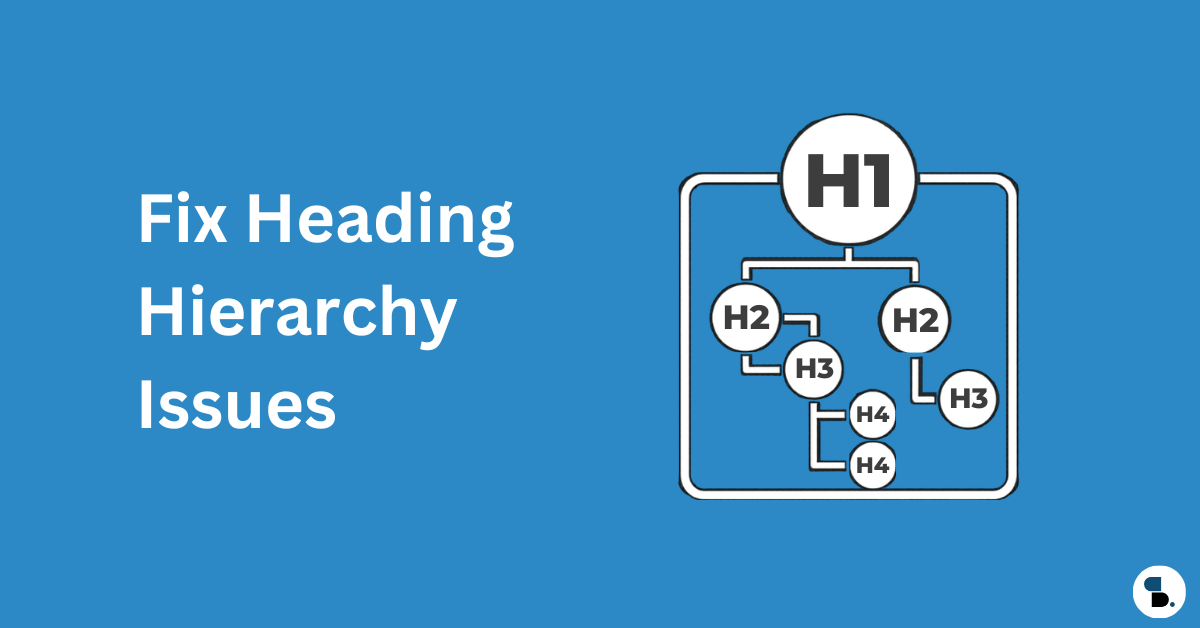
- One H1 per page — unique and descriptive
- Images have descriptive alt text (generate with SkySEOManager’s Media Optimizer)
- 画像には明示的な幅と高さの属性があること
- ヒーロー画像/LCP画像には
fetchpriority="high" - テーマがページタイトルと投稿タイトルタグの両方をレンダリングすることによるH1の重複がないこと
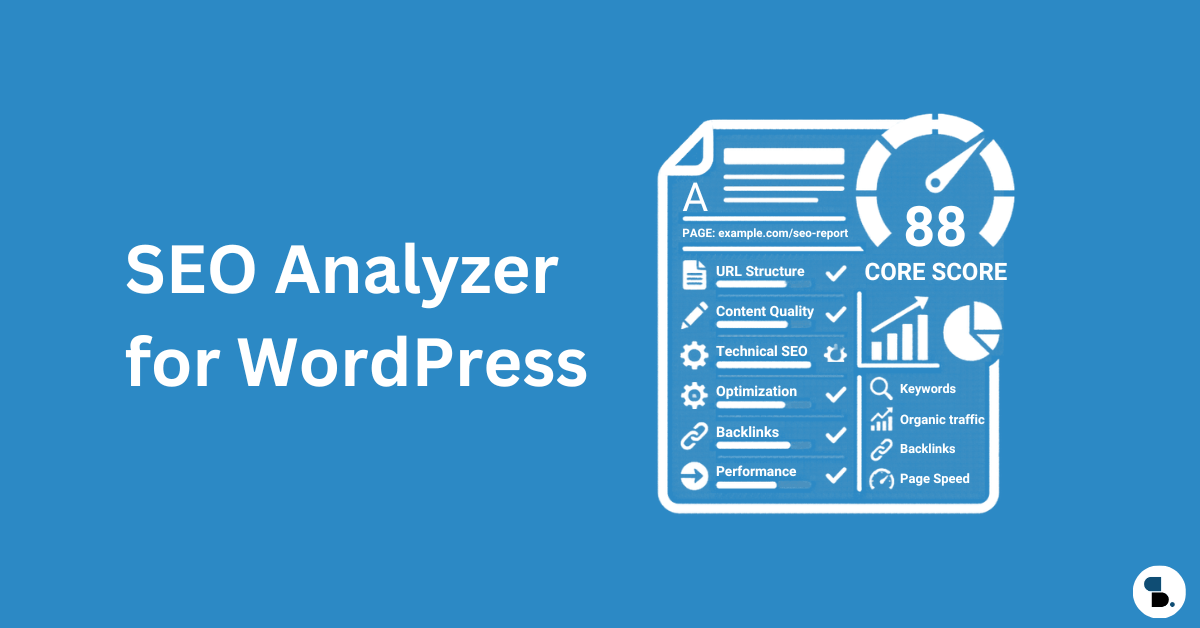
Using SkySEOManager’s SEO Score: The real-time 0–100 scoring system inside the Gutenberg editor checks title length, meta description, keyword density, internal/external links, and image alt text on every save. Use it as a pre-publish QA pass — optimize for users first, then review the score as a sanity check.
Core Web Vitals
- GSCのフィールドデータでLCPが2.5秒未満(Lighthouseのラボデータではない)
- INPが200ms未満
- CLSが0.1未満
- サイト全体でHTTPS化し、HTTPから301リダイレクトを設定
- 混合コンテンツの警告がないこと
構造化データ(Schema)
- すべての投稿にArticle/BlogPostingスキーマを設定(SkySEOManagerで自動生成)
- Organization schema on homepage (configured in SkySEOManager → Settings)
- サイト全体でBreadcrumbListスキーマを有効化
- FAQ schema on pages with Q&A content (Sky SEO FAQ block)
- チュートリアルコンテンツにHowToスキーマを設定(Sky SEO How-Toブロック)
- Googleのリッチリザルトテストでスキーマを検証済み
- プラグインの競合によるスキーマの重複がないこと
モバイル
- モバイルファーストデザイン(Googleは2023年以降、モバイル版を優先的にクロール)
- モバイルでコンテンツを覆うインタースティシャルがないこと
- Tap targets minimum 48×48px
- Viewportメタタグが存在すること
ウェブマスターの認証
SkySEOManager’s ウェブマスターツールタブ 主要なすべてのプラットフォームの認証を1つの画面で管理:
- Google Search Console認証済み
- Bing Webmaster Tools認証済み
- Yandex(ロシア語圏のトラフィックをターゲットにする場合)
- Baidu(中国語圏のトラフィックをターゲットにする場合)
- Pinterestドメイン認証(ビジュアルコンテンツサイト)
- Norton Safe Web(セキュリティ意識の高いユーザー向けの信頼シグナル)
13. 次に構築すべきもの:トピックオーソリティマップ
Technical SEO is the foundation. Once it’s stable, topical authority becomes your compounding growth engine. The idea: own the full semantic territory around your niche rather than ranking for isolated keywords.
Based on the entity graph for WordPress SEO, here’s the content cluster to build:
WordPress SEO (Pillar)
  ├── Technical SEO ← (this guide)
  │     ├── Core Web Vitals for WordPress
  │     ├── Crawl Budget Optimization
  │     ├── Schema Markup for WordPress
  │     └── WordPress Speed Optimization
  ├── On-Page SEO
  │     ├── WordPress Content Optimization
  │     ├── Internal Linking Strategy
  │     └── WordPress Keyword Research
  ├── Off-Page SEO
  │     ├── Link Building for WordPress Sites
  │     └── E-E-A-T Signals and Author Authority
  └── Specialty
        ├── WooCommerce Technical SEO
        ├── WordPress Multisite SEO
        └── Multilingual SEO with TranslatePress
Each cluster page reinforces the pillar. Each internal link between them distributes authority bidirectionally. SkySEOManager’s AI Internal Linking engine builds and maintains these connections automatically as you publish new cluster content — the semantic index keeps growing with your site.
開始方法:4週間の優先順位リスト
Week 1 — Foundation
- Configure robots.txt in SkySEOManager → Robots.txt (run AI Analyze after)
- Set up and submit your XML sitemap via SkySEOManager → Sitemap
- Google Search Consoleのインデックス登録エラーをすべて解決
Week 2 — Indexing 4. Set default noindex rules for thin archives in SkySEOManager → Indexing & SEO Box 5. Audit canonical tags across your most important pages 6. Consolidate redirect chains
Week 3 — Performance 7. Check Core Web Vitals field data in GSC → Core Web Vitals report 8. Fix LCP — usually hero image format plus a caching layer 9. Fix CLS — add image width and height attributes
Week 4 — Schema + Internal Linking 10. Enable and verify schema via SkySEOManager — Organization, BreadcrumbList, Article 11. Add Sky SEO FAQ or How-To blocks to your highest-traffic posts 12. Build your semantic index in SkySEOManager → Internal Linking and run your first AI linking pass
Technical SEO is not a one-time task. Schedule quarterly audits, review Google Search Console weekly, and treat your WordPress site’s technical health the same way you’d treat critical infrastructure — because that’s exactly what it is.
With SkySEOManager handling robots.txt governance, sitemaps, schema, 404 monitoring, internal linking, bulk metadata optimization, webmaster verification, and AI-powered media alt text from a single dashboard, the ongoing maintenance cost drops dramatically. The technical complexity doesn’t disappear — but most of it moves to the background, running automatically while you focus on content.
このガイドは2026年5月時点のテクニカルSEOのベストプラクティスを反映しています。四半期ごとに見直し、これらの推奨事項に影響を与えるアルゴリズム変更の初期兆候がないかGoogle Search Consoleを監視してください。